Hey there, if you’re serious about music production, you know audio editing is where the magic really happens. It turns those rough recordings into polished tracks that grab listeners right away and keep them coming back.
Let’s dive deep into the best tools out there, from free gems that punch way above their weight to pro heavyweights that handle the toughest jobs without breaking a sweat.
Why Audio Editing Drives Music Success?
Audio editing sits right at the heart of every great music production workflow. You might capture a killer guitar solo or a raw vocal line, but without the right tools to refine it, those moments stay buried under noise, timing glitches, or uneven levels that pull listeners out of the experience.
Think about it: a tiny edit can tighten a drum groove or make vocals soar over a busy beat. Good software lets you slice out mistakes, balance frequencies, and layer effects so your track feels alive and professional.
Over years of use, producers who master these tools save countless hours and push their creativity further. Whether you work in a home setup with basic gear or a full studio, picking the right editor means less frustration and more time making music that connects.
Adobe Audition Leads the Pro Pack
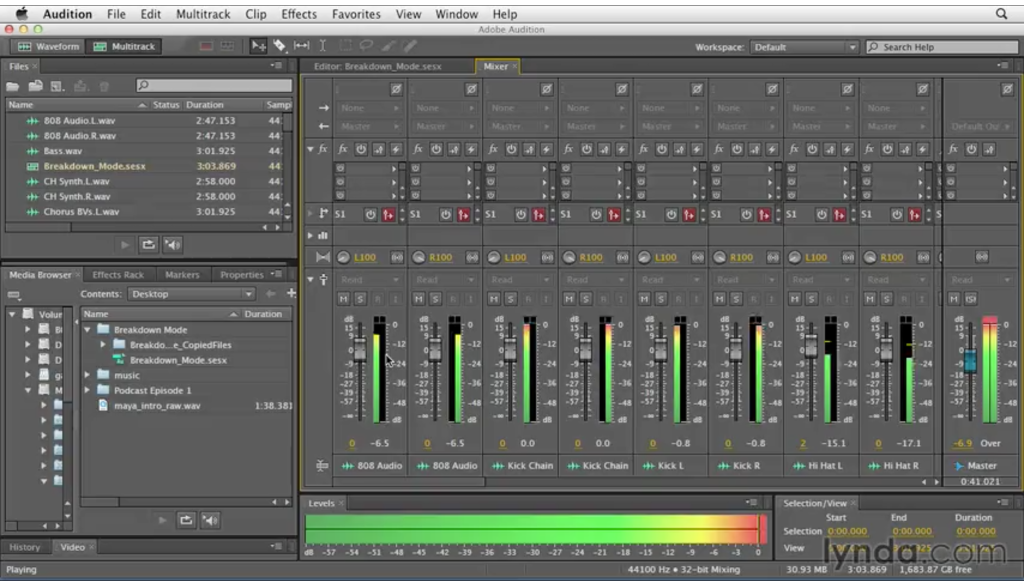
Adobe Audition stands out as a top choice for producers chasing precision and power in every session. This software handles massive multitrack projects with up to 128 tracks running smoothly, and it records 32 at once for layering drums, basslines, and synths without hiccups.
Noise reduction tools clean up hums, room echo, or background rumble in seconds, saving recordings that might otherwise hit the trash. Real-time effects like reverb, delay, and pitch correction respond instantly to your tweaks, so you hear changes as you dial them in.
It integrates perfectly with other Adobe apps, pulling clips from Premiere if your music pairs with video content. The spectral editing view displays frequencies as colors, letting you visually zap issues like harsh mic pops or unwanted resonances with surgical accuracy.
Many beatmakers pull stems from DAWs like Ableton into Audition for that final polish before export. If you produce for sync licensing or visual projects, this tool streamlines everything into one ecosystem.
Audacity Delivers Free Editing Muscle

Audacity keeps earning its spot as the ultimate free option for beginners and pros on a budget alike. Available on Windows, Mac, and Linux, it tackles basic cuts, noise removal, and even complex plugin chains with ease, making it versatile for any setup.
You can adjust tempo or speed without touching pitch, which works wonders on loops, vocals, or samples pulled from old vinyl. VST plugin support opens the door to endless free effects like compression, EQ, or distortion from third-party developers.
Batch processing flies through entire folders, applying fades, normalizations, or gains across dozens of files at once. It supports high sample rates up to 96kHz, so your free edits stay at pro quality levels even for release-ready tracks.
Pair it with task managers like <a href=”https://asana.com/”>Asana</a> to track your production deadlines while chopping clips. Download Audacity today, and you’ll build full demos or even albums without spending a dime.
Ocenaudio Keeps It Fast and Simple
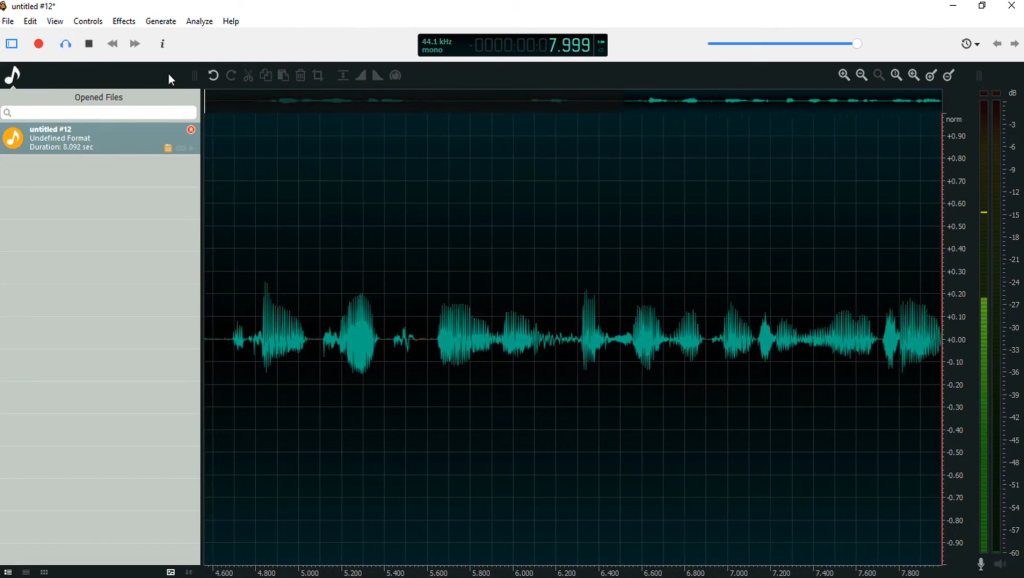
Ocenaudio wins fans with its blazing speed, especially on laptops that struggle with heavier apps. Real-time previews for effects like EQ, reverb, or compression eliminate guesswork; just drag a slider and hear the difference live.
Spectrogram displays make frequency issues pop visually, helping you carve out space in crowded mixes or tame piercing highs in synth leads. It chews through huge files without lag and lets you multi-select sections for quick trims or fades across clips.
Batch operations process whole project folders in minutes, ideal for prepping drum loops or guitar overdubs before dropping them into your main DAW. As a free tool forever, it beats bulkier options for fast vocal cleanup or sample tweaking.
Keep your workflow light by using automation helpers like <a href=”https://zapier.com/”>Zapier</a> to send exports straight to cloud storage. Ocenaudio puts editing power in your hands without overwhelming interfaces or steep learning curves.
Soundop Packs DAW Features Smartly

Soundop delivers full multitrack editing in a surprisingly lightweight package that launches fast. Unlimited tracks, smooth automation curves, and flexible bus routing give you DAW-level control without the bloat of bigger names.
Record directly at 24-bit/192kHz quality, then dive into spectral tools or clip gain adjustments for total dynamic mastery. Stack effect chains as deep as you need, from gritty distortion on guitars to transparent limiters on masters, all fully non-destructive.
Modular workspaces let you flip seamlessly between waveform views, mixer panels, or automation lanes. Hip-hop and EDM producers rely on it to build beats from scratch or automate fades and sweeps with pinpoint accuracy.
The one-time purchase model keeps costs predictable over time. It fills the perfect gap for creators scaling up from basic editors but not quite ready for enterprise suites.
Ozone Masters Your Final Polish
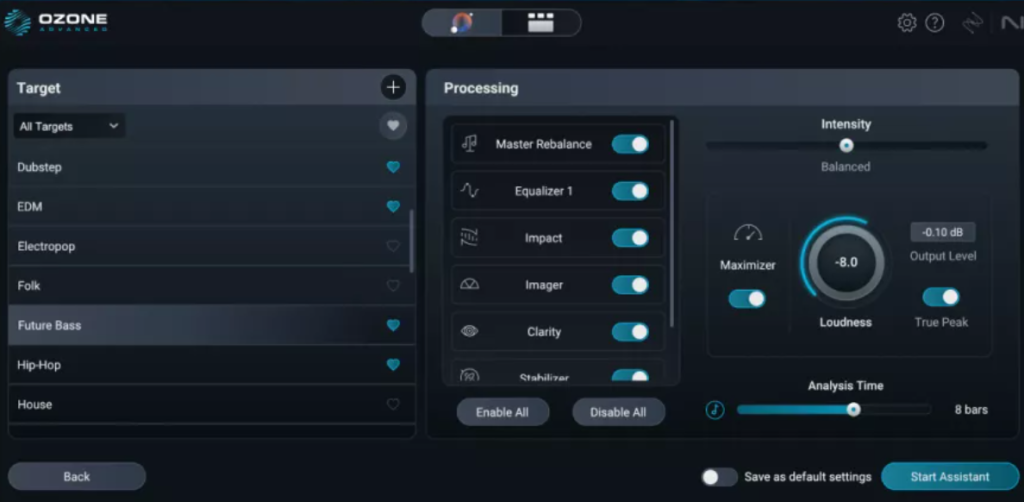
Ozone by iZotope elevates simple edits into release-ready masters with smart AI guidance. Master Assistant scans your mix and recommends custom EQ curves, maximizer settings, and exciter tweaks matched to your genre, whether it’s rock, hip-hop, or electronic.
Vintage Compressor modules add that warm analog glue, while Insight metering ensures loudness hits streaming platform targets like Spotify or Apple Music. Dynamic EQ adapts in real time to tame peaks, keeping lead vocals crystal clear amid dense instrumentation.
Export options include dithering for spotless MP3 or WAV files ready for distribution. Use it as the final step after editing in Audacity or Soundop to give your tracks commercial sheen.
Producers love how it suggests fixes you might miss, speeding up the path from demo to done.
Pro Tools Sets the Studio Standard
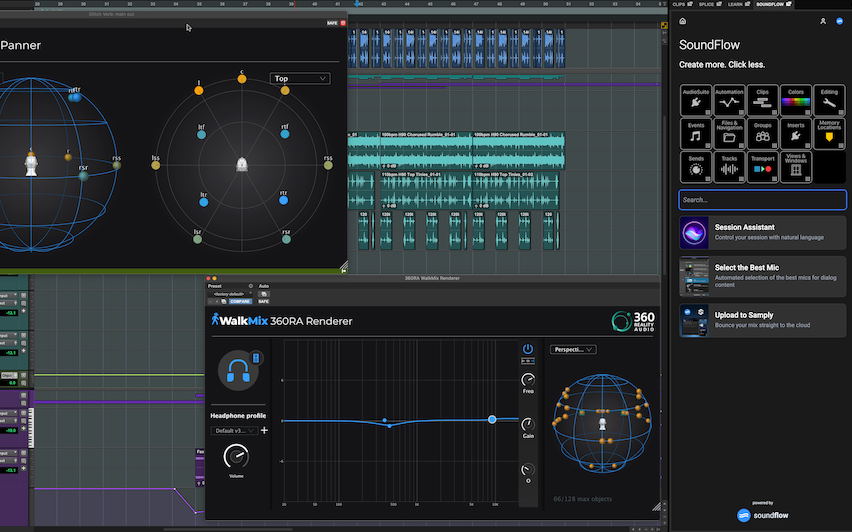
Pro Tools remains the gold standard in professional studios for its unmatched stability and workflow efficiency. It manages near-unlimited tracks for everything from solo acoustic sessions to full orchestral scores without flinching.
Elastic Audio tools fix timing drifts or pitch wobbles with pro accuracy, turning shaky drummer takes into tight grooves. Beat Detective auto-slices and quantizes rhythms while preserving natural feel, a lifesaver for live band recordings.
Cloud collaboration features let remote teams review and mix in real time, bridging gaps in distributed production. Dolby Atmos support prepares your music for immersive formats used in film and VR.
If you’re aiming for label deals or high-end sync placements, Pro Tools aligns perfectly with industry expectations.
Logic Pro Excels on Apple Gear
Logic Pro unlocks massive potential on Macs with its built-in sound library and beginner-friendly design. Drummer AI generates realistic beats you can edit fill-by-fill, complete with swing and dynamics tailored to your track.
Flex Time stretches audio clips nondestructively, ideal for syncing loops or tuning vocals without artifacts. Spatial Audio tools mix in 3D for headphones that wrap sound around the listener.
Step Sequencer visualizes patterns for techno builds or trap hi-hats with drag-and-drop ease. Live Loops mode launches clips like Ableton, sparking ideas during jamming sessions.
At a one-time $200 price, it overflows with value for Apple users upgrading from GarageBand.
FL Studio Rules Beat Making
FL Studio dominates beat production thanks to its intuitive pattern-based system. Channel Rack organizes instruments simply, while the Playlist arranges clips into full songs with drag precision.
Fruity WaveShaper applies creative distortion for wobbly basslines or gritty leads. Lifetime free updates mean you never pay again for new features or bug fixes.
Piano Roll handles MIDI editing at lightning speed, scaling chords or humanizing arpeggios effortlessly. Gross Beat mangles time for dramatic stutter effects on drops.
It’s the go-to for hip-hop, trap, and anyone prioritizing fast idea capture.
Reaper Offers Unlimited Value
Reaper crushes expectations at its price point with total customization freedom. Video window support lets you sync audio edits to visuals for YouTube or lyric videos.
Theming options and scripting build exact workflows, stripping away any unwanted bloat. Item grouping and lanes keep complex sessions organized at a glance.
Superior routing handles pre- or post-fader sends with pro flexibility. Constant developer updates respond directly to user feedback on forums.
A $60 license activates everything forever, making it a steal for budget-conscious pros.
Ableton Live Fuels Live Creativity
Ableton Live ignites sessions with Session View for spontaneous, nonlinear arrangement. Launch clips to build ideas organically, warping tempos on the fly.
Warp engine preserves transients in time-stretched samples for flawless remixes. Max for Live expands with custom devices like granular synthesizers or visualizers.
Push hardware adds hands-on control for tactile beat-making. It thrives in electronic genres and live performance setups.
Boost Workflow with Smart Integrations
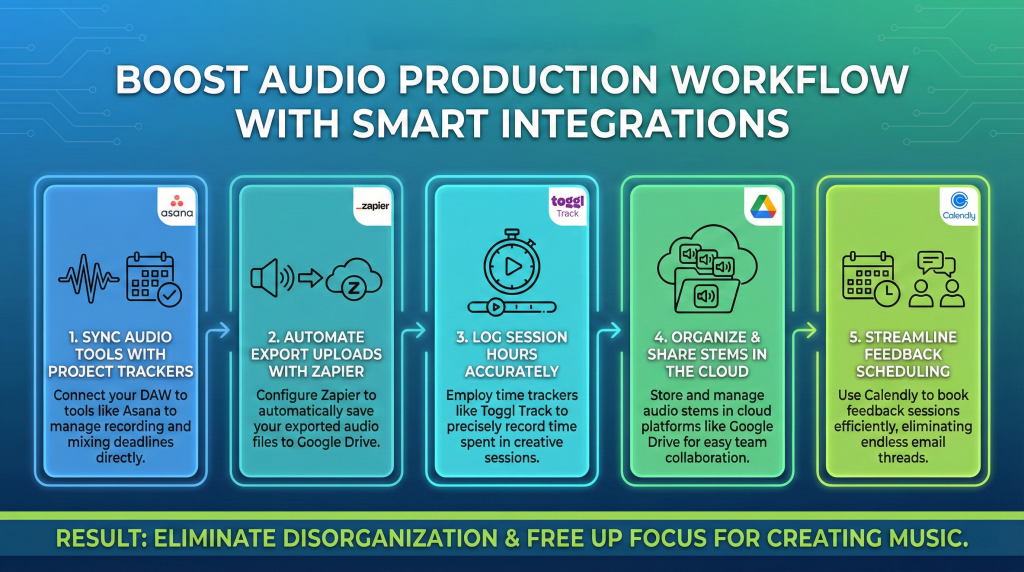
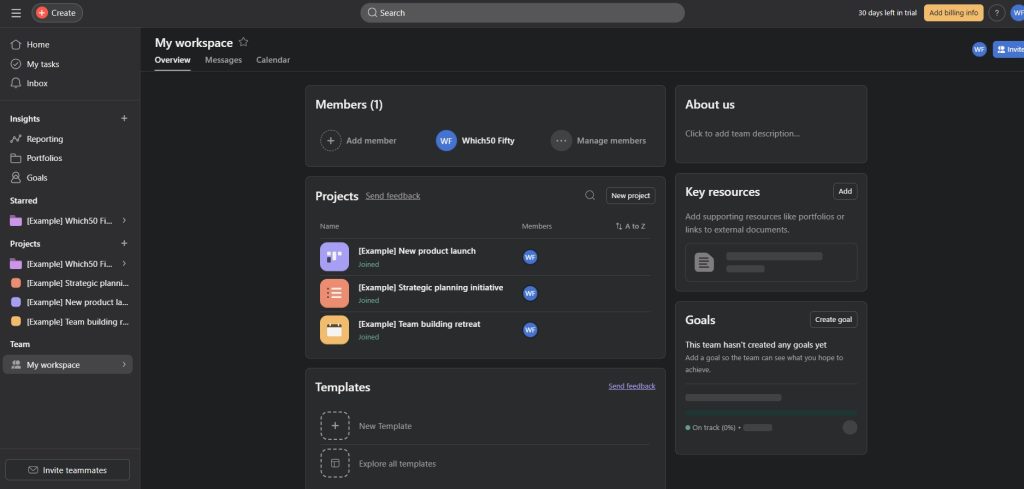
- Link your editor to project trackers like Asana for deadlines on recording and mixing days.
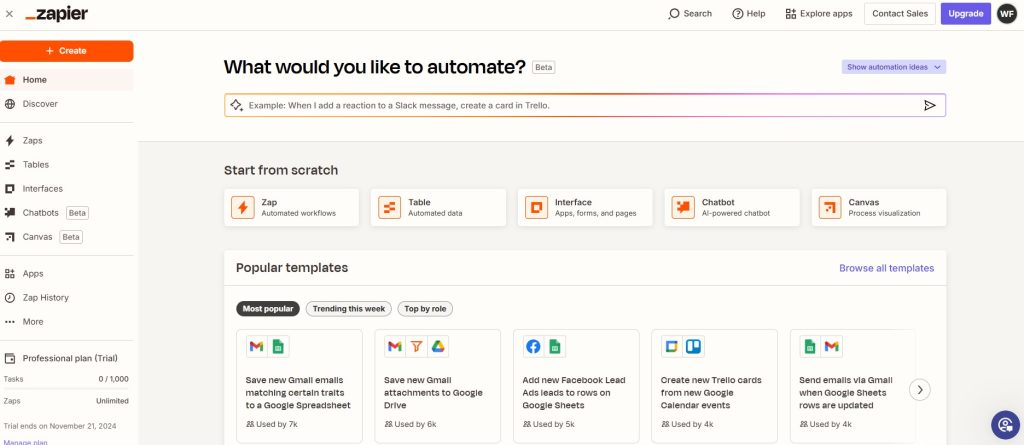
- Set up Zapier automations to upload exports to Google Drive automatically.
- Use time trackers such as Toggl Track to log hours spent in sessions accurately.
- Organize stems in cloud tools like Google Drive for team shares.
- Schedule feedback rounds with Calendly to avoid back-and-forth emails.
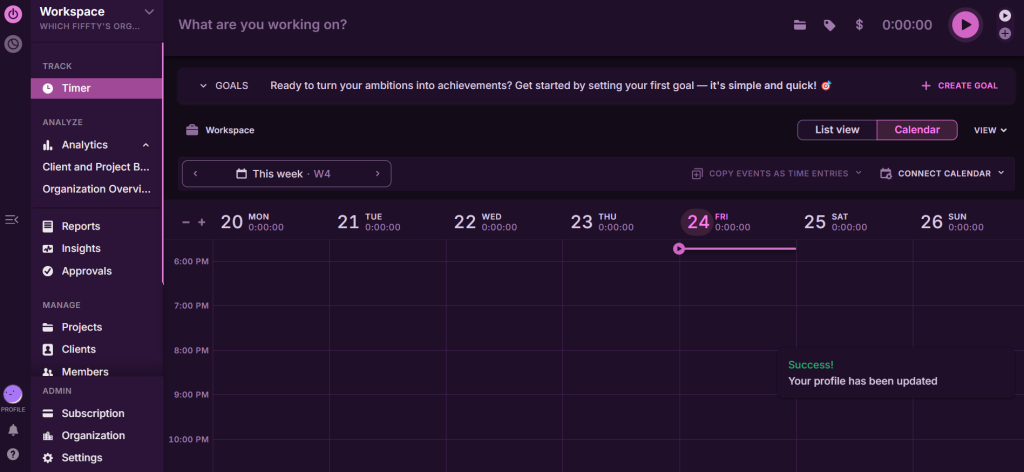
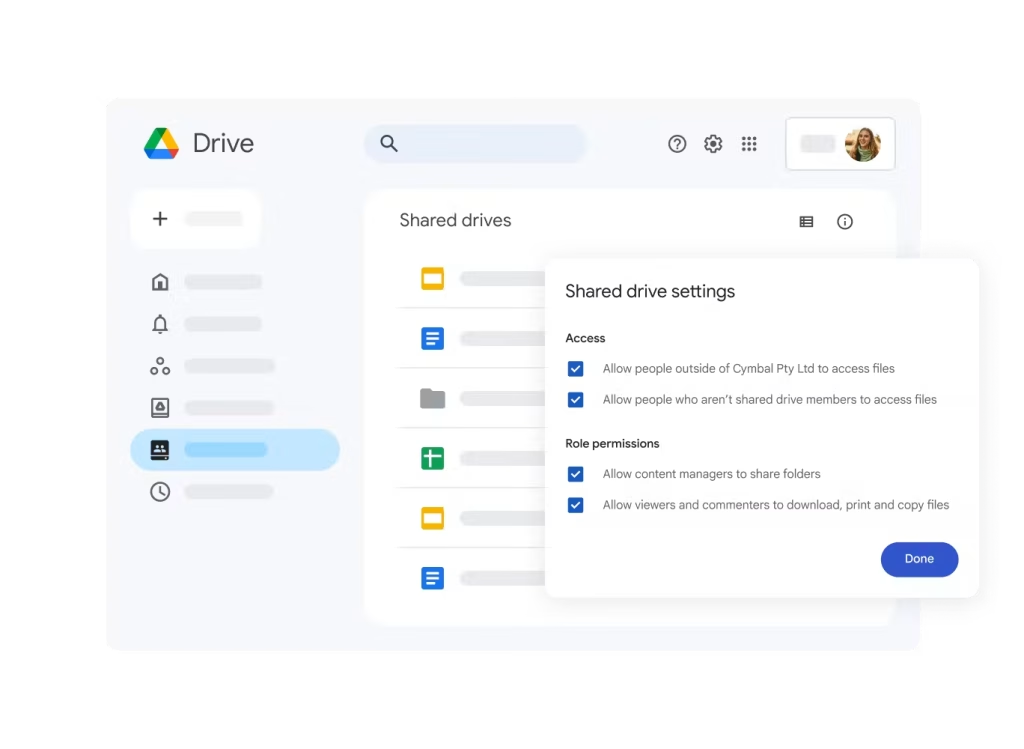
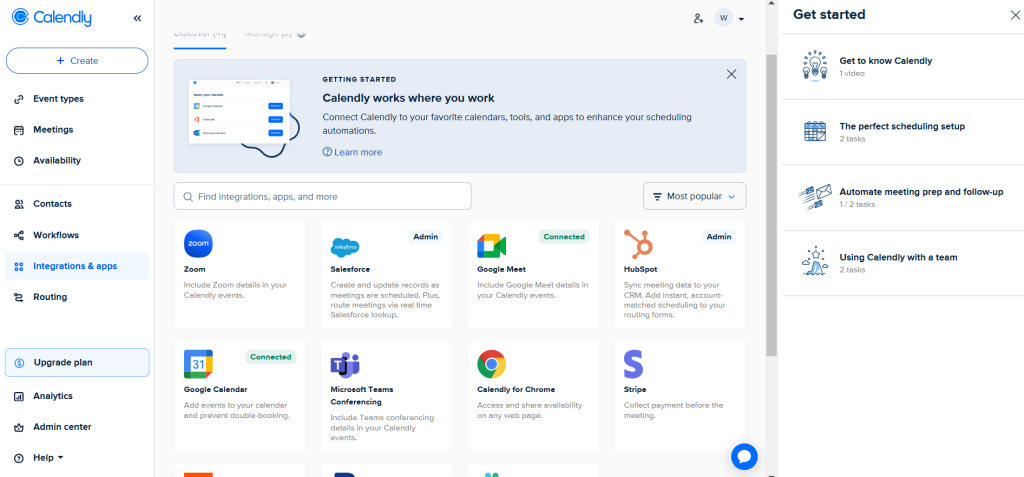
These steps cut disorganization, freeing focus for the music itself.
Essential Editing Techniques to Master
Start every project with cleanup basics: gate out low-level noise, de-ess harsh sibilance, and high-pass filter rumble below 80Hz. Chain multiple compressors for punchy drums that sit perfectly in the mix.
Apply sidechain compression so kicks duck bass frequencies, creating breathing room. Parallel processing blends dry and wet signals for thicker guitars without mud.
Ride volume automation for builds, swelling reverbs or filter sweeps dynamically. Match EQ to reference tracks from pros in your genre for competitive loudness.
Hardware That Pairs Perfectly
- Focusrite Scarlett interfaces provide clean preamps and loopback for editing clean sources.
- Universal Audio Apollo units run UAD plugins live during tracking.
- Beyerdynamic DT 770 headphones reveal subtle mix details.
- Presonus monitors deliver flat, honest playback.
- Sturdy mic stands and balanced cables eliminate handling noise upfront.
Invest here first to make software edits easier from the start.
Free vs Paid: Smart Decision Guide
Free editors like Audacity and Ocenaudio build core skills with zero risk. Paid options unlock faster rendering, crash-proof stability, and AI helpers for pros.
Run trials on actual projects to feel real-world speed. Many hybrid workflows mix free chopping with paid mastering for best results. Scale tools as your gigs and budget grow naturally.
Level Up Through Top Resources
YouTube creators break down genre-specific workflows in hours of free tutorials. Gearspace forums solve niche problems from real engineers. Official manuals reveal hidden advanced features.
Platforms like Groove3 offer structured courses applying tools to EDM, rock, or pop. Reddit’s r/audioengineering shares daily pro tips and plugin recs.
Stay current as software evolves yearly with these communities.
You’ve got powerhouse options here to transform raw ideas into pro tracks. Fire up your favorite, experiment freely, and let those beats drop. Your breakthrough sound is just a few edits away, so get producing!

Leave a Comment