
A B2B service agency I worked with spent forty thousand dollars setting up a complex Salesforce instance. They built custom pipelines, integrated email trackers, and set up colorful dashboards. They expected their lead conversion rates to shoot up immediately.
Six months later, their sales director called me in a panic. Conversion rates hadn’t budged. In fact, their close rate had dropped by two percent.
When I looked at their sales activity logs, the problem was obvious. Their reps were spending three hours a day manually log-entering notes, updating contact statuses, and cleaning up double-entry data. They were spending more time updating their CRM than actually talking to prospects.
Once you connect your inbox, automate the fast outreach, and get your deals organized visually, the conversion lift happens almost on its own.
Let’s look at how to get your pipeline organized and running smoothly using tools like Salesforce, HubSpot, EngageBay, and Streak.
The “Speed to Lead” Rule You Cannot Ignore
If you follow up with a lead within five minutes of submission, you are nine times more likely to convert them compared to waiting an hour.
Yet, most businesses take twenty-four to forty-eight hours to reply to an inbound inquiry. By the time a sales rep pings them, the lead has already checked out three competitors and booked a demo with one of them.
You cannot rely on manual outreach to hit that five-minute mark. Your CRM needs to handle the initial handshake automatically.
When a new lead lands on your site, set up your CRM to trigger an immediate, personalized email response. This isn’t a generic “we received your request” message. It should be a direct invitation to book a call on your rep’s calendar link, or a helpful resource that directly answers their inquiry.
For growing sales teams, EngageBay lets you build automated email responses and route leads to specific reps based on location, business size, or interest level instantly.
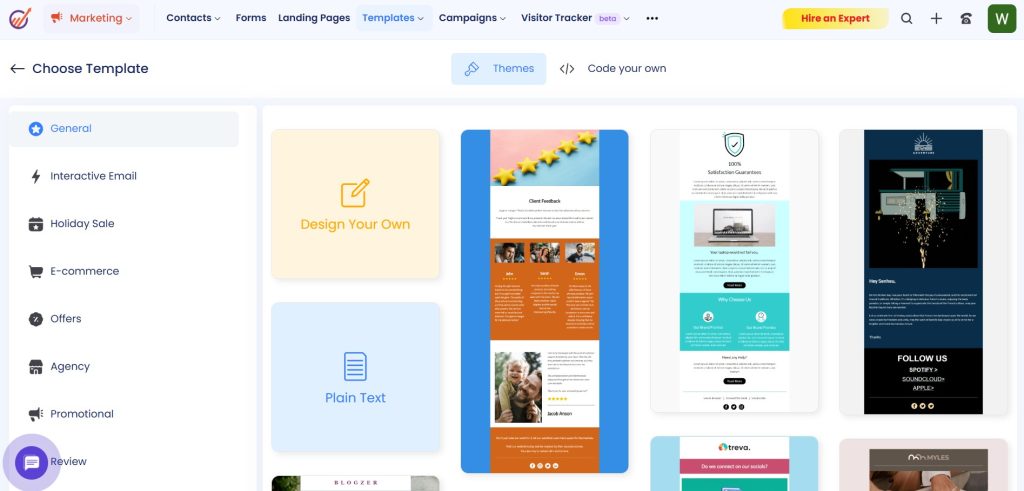
Keeping your contact lists clean and segmented inside EngageBay ensures your reps are focusing their energy on warm leads instead of chasing outdated contacts.
Visualizing Funnel Stages (Stop Guessing, Start Measuring)
If your reps don’t know exactly where a deal stands at any given moment, they’re going to miss follow-up opportunities.
A visual pipeline is the heart of a solid sales process. You need clear, defined stages that represent actual buyer actions, not vague internal categories like “Working” or “In Progress.”
Instead, label your columns by what the prospect did last:
- Form submitted when a new lead fills out a contact form.
- First call confirmed when they reserve a time using your calendar link.
- Fit check to confirm they have the budget and a problem you can actually solve.
- Proposal goes out the second the pricing sheet lands in their inbox.
- Review phase while they redline terms or ask for contract adjustments.
- Decided the moment the final contract is either signed or archived.
If you hate switching between software tabs, Streak builds these pipeline stages right inside your Gmail inbox. For standalone deal boards, Pipedrive and HubSpot offer simple drag-and-drop cards.
The Forgotten Goldmine: Closed Lost Nurturing
When a prospect says no, most reps archive the deal and never think about them again. That is a massive waste of pipeline potential.
A “no” today is rarely a permanent rejection. Often, it just means “not right now.” Maybe their budget got frozen, they hired a different provider that turned out to be a mismatch, or they simply weren’t ready for the change.
Set up your CRM to automatically categorize “Closed Lost” deals by the reason they didn’t buy. Common tags include:
- Lost to Competitor
- No Budget
- Bad Timing
- Feature Gap
Six months down the line, these tags become your highest-value outreach lists. If a lead was lost because of a feature gap, and your product team just launched that feature, your reps have a warm reason to reach back out. If it was a timing issue, a quick check-in email six months later catches them at the start of their next budget cycle.
Instead of writing custom emails for hundreds of cold deals, use your CRM to trigger low-pressure nurture sequences. Send them relevant customer stories, industry updates, or helpful templates. When they are ready to buy again, your brand will be the first one they remember.
Lead Routing Pitfalls to Watch Out For
Setting up routing rules is a great first step, but a basic system can easily break down in the real world. Watch out for these three routing mistakes:
- Routing to out-of-office reps: If a lead routing rule sends a hot inbound lead to a rep who is out sick or on vacation, that lead is going to sit cold for days. Ensure your CRM setup integrates with your team’s calendar (like Outlook or Google Calendar) so it pauses assignments when a rep sets their out-of-office status.
- Round-robin mismatch: Blindly distributing leads in a circle doesn’t work if your leads aren’t uniform. A multi-national enterprise account shouldn’t be routed to a junior SDR who has only been on the job for three weeks. Set up tiered routing rules so high-value opportunities go to senior account executives, while standard inquires are distributed to the wider team.
- Ignoring regional zones: If a lead submits a request from London at 9:00 AM local time, and your CRM routes it to a rep in San Francisco who is fast asleep, you have already missed the speed-to-lead window. Use geographic location fields to route leads to reps in matching or close time zones.
Handling Enterprise Leads with Salesforce
When you have thousands of leads pouring in, manual handoffs fail. People get busy, follow-ups get missed, and pipeline velocity drops to zero.
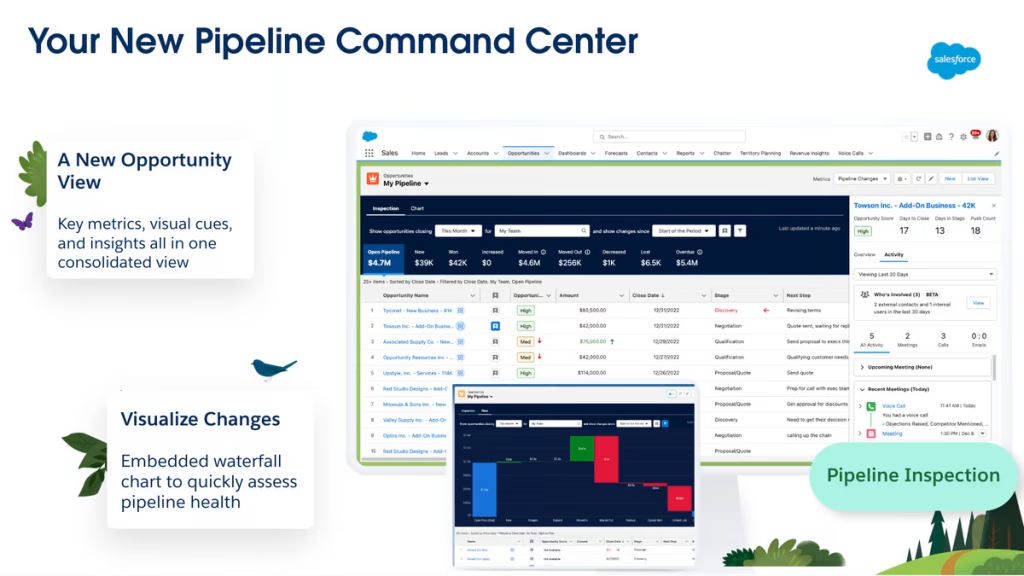
Enterprise sales teams usually turn to Salesforce to route leads to the right reps automatically.
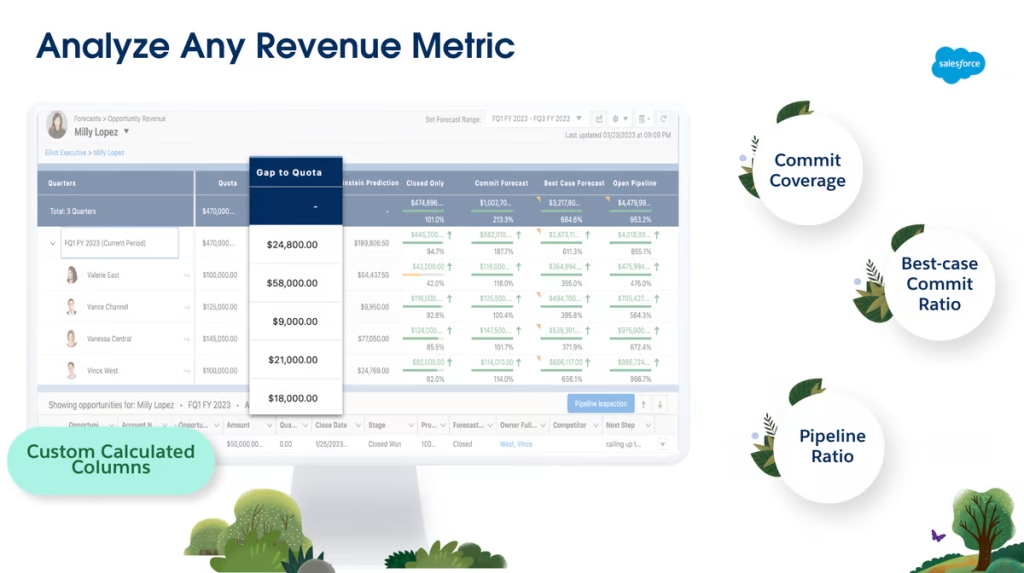
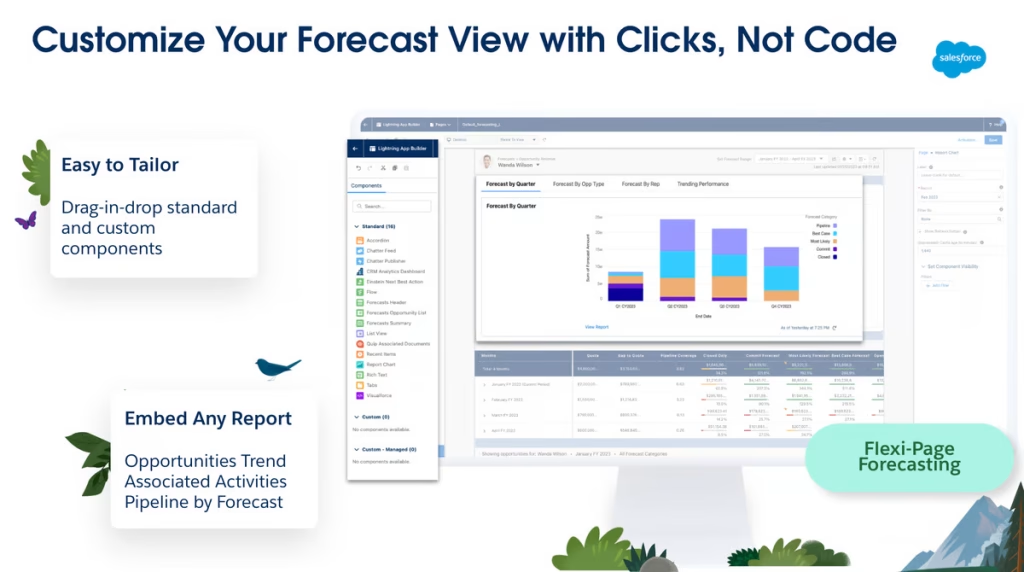
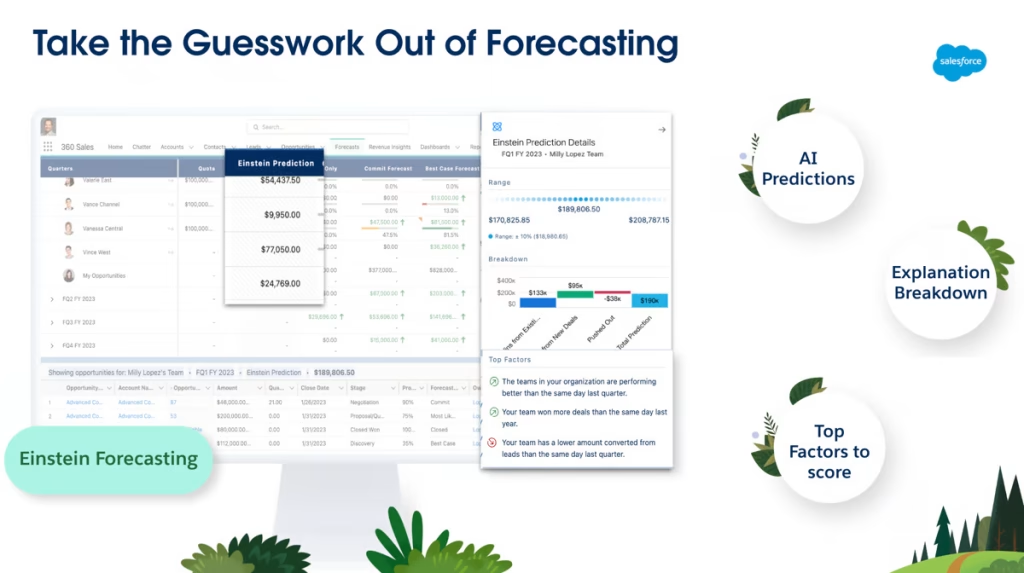
Using Salesforce dashboards, team leads can track key pipeline metrics like average lead age, opportunity conversion rates, and individual rep activity in real time.
Because Salesforce logs email replies and call notes automatically, reps have a clean record of every interaction before they jump on a call. This keeps everyone aligned and prevents the awkwardness of asking the same questions twice.
Keeping Your Database Clean
If your pipeline is full of duplicate records, invalid emails, and broken phone numbers, your team’s conversion numbers will drop.
Save yourself the headache and set up basic validation rules inside your CRM. Make essential fields like email, phone, and lead source mandatory before anyone can create a deal.
List hygiene matters for marketing outreach, too. If you are sending targeted promotions, emailing a messy list will tank your email deliverability. Check out this guide on email marketing campaign statistics and benchmarks to see how list health directly impacts overall conversion.
Closing Deals After the Call
Closing the deal takes a lot of work after you hang up.
Keep things moving with automatic follow-up emails, quick case study shares, and text reminders. If you sell high-ticket services or premium software, offering flexible payment plans makes the final sign-off much easier for the buyer. Read this guide on how to create payment plans for customers to see how installment setups close deals.
Keep your sales pipeline visible, automate your speed-to-lead follow-ups, and hold your team accountable to keeping their lead statuses updated. When your CRM works for your reps instead of making them work for it, conversion improvements follow naturally.


Leave a Comment