
Customers do not think in “channels.” They just remember whether you helped them, how fast you responded, and if they had to repeat their story three times to three different people. If your team has ever found themselves frantically asking, “Who spoke to this buyer last?” or “Did we already promise a refund on Slack?”, you already know the pain.
When you track customer communication properly, you build one clear story for every single person who buys from you. Sales, support, and success teams can see exactly what happened, what was promised, and what should happen next. It eliminates sloppy mistakes, saves precious hours, and keeps people from walking out the door.
Let’s skip the fluff. In this practical guide, we will break down exactly how to track customer interactions without making your team miserable, what you actually need to log, and the setup required to make it stick..
What Counts as a Customer Interaction?
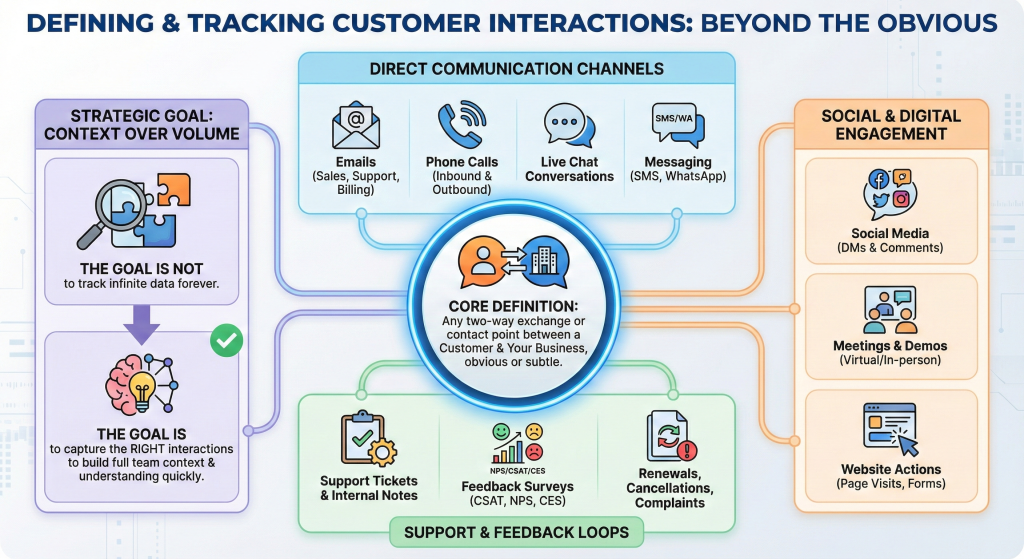
An interaction is any moment where a customer touches your business, or you touch theirs. Some of these are obvious, like a standard support ticket. Others get missed entirely—like a buyer leaving a comment on your latest LinkedIn post or dropping a quick question into your live chat.
Here are the heavy hitters you need to track:
- Emails across your sales, support, and billing setups.
- Inbound and outbound phone calls where critical decisions get made.
- Live chat conversations, WhatsApp threads, and quick SMS updates.
- Internal support tickets and team handoff notes.
- High-intent website actions. Think pricing page visits or form submissions.
- Feedback surveys, renewals, and those urgent complaints that need immediate eyes.
Look, the goal isn’t to log every single syllable for the rest of time. That’s exhausting. The real goal is to capture the context that allows anyone on your team to look at a profile and understand the entire history in under ten seconds.
Why Tracking Communication Improves Results
Let’s be honest: your team probably hates logging communication because it feels like mindless paperwork. It isn’t. It directly shapes your retention numbers.
When you do this right, you stop forcing customers to repeat their issues to four different departments. If the history is there, the next agent picks up the thread instantly. You also ensure your follow-ups happen when they matter most. The second a call ends, you drop in the next action step and set a hard reminder instead of relying on mental notes. Plus, it protects your business from the classic “he said, she said” arguments when contracts or refunds get messy. Without a shared memory system, every single customer conversation resets to absolute zero.ero.
The Big Challenge: Conversations Are Everywhere
Most companies fail at this because their tools don’t talk to each other. A customer might start a conversation by asking a quick question on your website chat. A few days later, they follow up via email. When they don’t get an answer fast enough, they tag you on social media, call your support line to escalate, and finally reply to an open ticket.
If your team treats these as five separate issues, you lose the plot. This is why teams eventually scale into full omnichannel support, where every single channel feeds into one connected, rolling conversation. When the full history stays glued together, resolution times drop and misunderstandings vanish.
Start With a Simple Tracking System
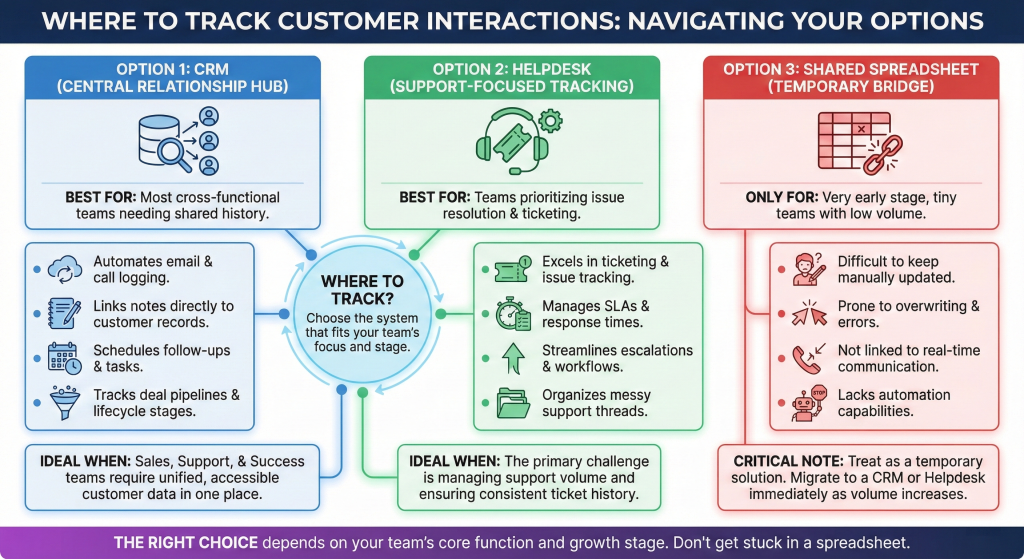
If you try to build a perfect, enterprise-grade tracking framework on day one, it will flop. Your team will actively ignore it. Start small. A functional communication tracking setup only needs a few core pillars: one central home for the records, a dead-simple logging rule, a uniform note format, and an automated habit of updating the file immediately after an interaction ends.
When it comes to picking a home for your data, you generally have three routes:
The Dedicated CRM Approach
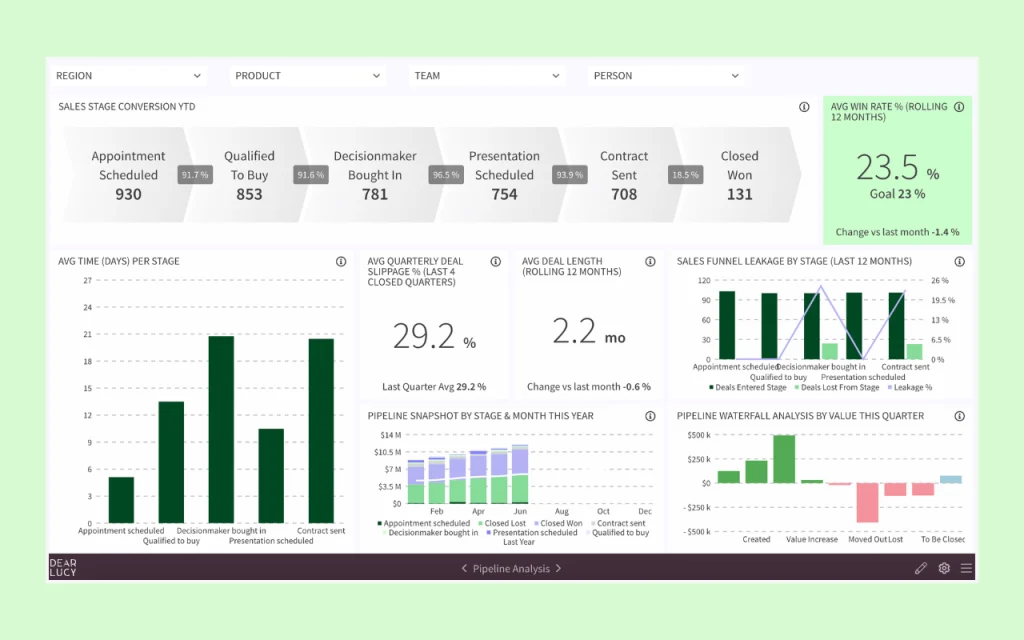
For most customer-facing teams, a centralized platform is the holy grail. It ties contact details, email logs, and deal stages directly to the customer’s timeline. If you want sales and success to share the same brain, platforms like Hubspot or SugarCRM make it incredibly easy to log activities automatically. If your operations focus heavily on transactional sales pipelines, setting up a tool like Pipedrive keeps notes perfectly organized without adding extra friction to your reps’ day.
The Support-First Helpdesk
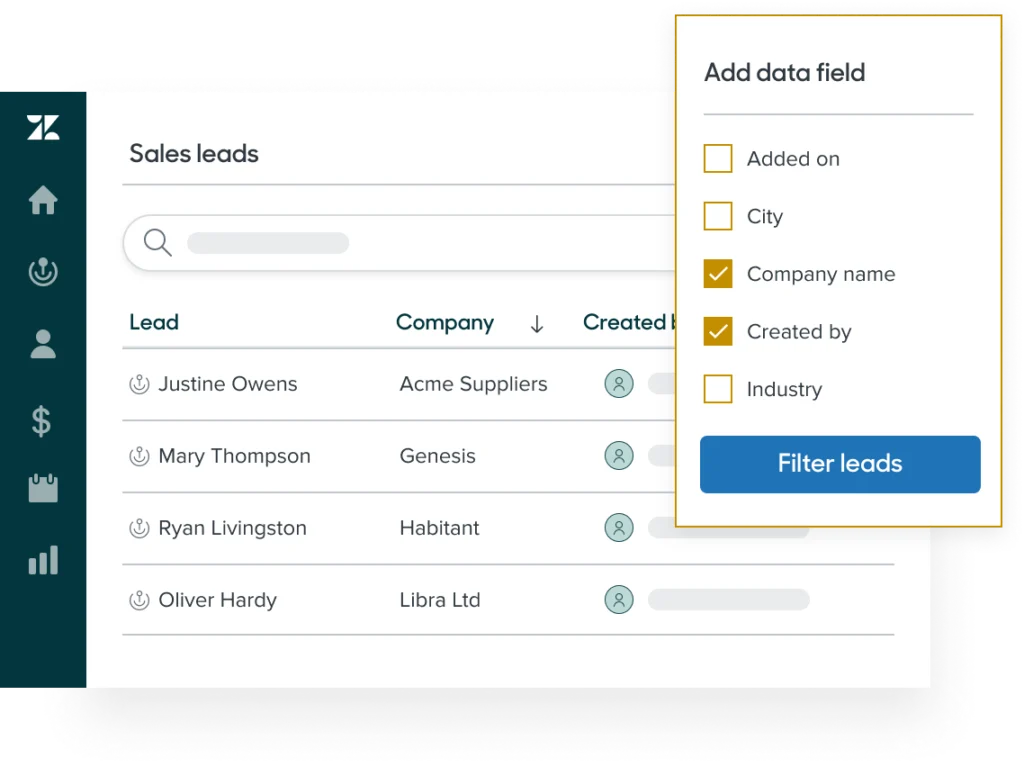
If your main bottleneck is messy email threads and lost tickets, a helpdesk is your source of truth. Software like Zendesk shines when you need strict ticket routing, escalations, and automated article suggestions before an agent even steps in. If you want to strip out that enterprise weight and focus on a beautifully clean, highly searchable workspace for documentation and shared history, Help Scout is fantastic.
Shared Spreadsheets
Look, spreadsheets are fine if you are working out of a garage with two people. But they break immediately when volume ticks up. They are easy to overwrite, hard to update, and completely disconnected from real-time tools. Treat them as a temporary bridge, nothing more.
What to Log After Every Interaction (The 30-Second Rule)
This is where teams stall out. They write an entire essay or they write nothing at all. Keep it simple: log just enough so a colleague can scan the note and know exactly what is happening in 30 seconds flat.
Make sure your team consistently grabs the date, the channel used, the core reason for the contact, and a quick summary of the discussion. Don’t forget the definitive outcome and the exact next steps, including who owns the action item and when it’s due.
The Quick Note Template:
- Topic: What was the core issue?
- What Happened: Short summary of the conversation.
- What We Did: Action taken during the interaction.
- Next Step & Due Date: Who is doing what, and by when.
Cultivating the Habits and Rules
People don’t skip logging because they are lazy; they skip it because the rules feel vague or annoying. Fix that by making the expectations crystal clear. Rule number one: log every customer call within five minutes of hanging up. Rule number two: any explicit promise made to a customer—especially regarding pricing, refunds, or legal issues—must live in the system as a written note. No exceptions.
You also need clear ownership guidelines. If you are handling a shared team inbox, the person who hits send logs the outcome. For group alignment calls, the host owns the summary. If a ticket escalates, the new owner drops an update the second they take over the file.
Taming the Channel Chaos
Managing Emails and Calls
Email is still where the most critical contract decisions happen. Connect your shared inboxes directly to your tracking software so threads map out automatically. If an integration drops, manually log the main decision and what was promised.
Phone calls are trickier because they evaporate the moment the line goes dead. Don’t try to transcribe the whole conversation. Just document a two-sentence summary of the agreements, the core reason for the call, and the resulting tasks.
Live Chat, Social, and DMs
Live chat moves incredibly fast. Ensure your system saves these transcripts directly to the user profile, then have your agent drop a quick wrap note before closing the window (e.g., “Reset access token, confirmed login works, user asked about upgrade pricing, sent follow-up article”). For social media, track the moment a complaint goes public, how you responded, and exactly when you transitioned them into secure, private messages to solve the problem.
The Two-Minute Rule and Automation
If logging takes more than two minutes, your team will stop doing it. Period. To cut down friction, utilize dropdown fields for issue types and channels instead of making people type everything out manually. Keep the number of required fields small.
Let software do the heavy lifting where possible. Set up automatic email logging, pull chat transcripts instantly, and use VOIP tools that log call durations by default. You can even build workflow rules that automatically create follow-up tasks based on how a ticket is closed.
Transforming Data into Better Experiences
This data isn’t meant to sit in a digital vault. It’s fuel. Once you have a clean history, you can start answering the big questions. What specific issues keep causing repeat contacts? Which channels deliver the fastest resolutions? Where exactly are users getting stuck during onboarding?
You can also use this history to hyper-personalize your approach. If the records show a client absolutely hates phone calls, stop dialling them and stick to email. If they had a terrible onboarding experience last week, treat their next message with extra care. A solid interaction history makes your brand feel human, attentive, and genuinely invested.
Security, Common Pitfalls, and the 30-Day Plan
First, keep your data safe. Never store raw passwords or unencrypted payment details inside text fields. Limit record access based on company roles, and keep all notes professional—always assume the customer might see them one day.
Avoid the classic traps: writing massive walls of text, letting teams operate out of siloed software that never talks, or forgetting to document deadlines.
Ready to fix your setup? Here is a simple, four-week plan to get it done:
- Week 1: Choose your core tool, define what counts as a baseline interaction, and build a simple, four-line note template.
- Week 2: Connect your primary channels like email and chat so updates track automatically.
- Week 3: Run a quick, ten-minute alignment session with your team, set the “log within five minutes” rule, and spot-check the entries weekly.
- Week 4: Look at the data. Identify your top three recurring complaints and build internal macros or help articles to crush them.
Here’s the truth: tracking customer interactions is one of the fastest ways to scale your experience without hiring more people. When everything lives in one central spot, your team stops guessing and starts executing. Customers notice the difference immediately. They get fast, accurate answers without ever needing to repeat themselves. Turn tracking into a collective habit, automate the boring parts, and watch your workflow smooth out.



Leave a Comment