Let me tell you about the worst event I ever ran. It was a small workshop. Forty people signed up. I was so proud! I printed the name tags. I ordered the coffee. I set up the chairs in neat little rows.
Then the day came. Twenty-two people showed up. Twenty-two! Out of forty!
I stood there looking at all those empty chairs. My stomach dropped. What went wrong? I checked my email. I never sent a reminder. Not one. People signed up weeks before, and then life happened, and they forgot. It was that simple. And it was totally my fault.
That day taught me something I never forgot: reminders are not optional. They are the difference between a full room and a room full of empty chairs.
Why Reminders Actually Work
Here is the thing nobody tells you when you start planning events. People do not forget because they do not care. They forget because they are busy, and your event is just one tiny line on a very long list in their head. A reminder pulls your event back to the top of that list, right when it matters.
This is not just my own story, by the way. Researchers looked at this exact problem in a medical clinic, in a study on outpatient reminder systems, comparing patients who got no reminder, an automated reminder, and a live reminder call. The results were clear. Patients who got a reminder call from staff had a much lower no-show rate than patients who got no reminder at all, and even a simple automated reminder cut the no-show rate noticeably compared to sending nothing. If reminders can get people to show up for a doctor’s appointment, they can definitely get people to show up for your event.
Think about that for a second. These were doctor visits. People know those matter. Even then, a huge chunk of them forgot, until someone reminded them. Your event is competing with grocery lists, work deadlines, and a hundred other little things pulling at someone’s attention. A reminder is your way of saying “hey, I’m still here, and this still matters.”
So now you know why reminders matter. Let’s talk about how to actually send them, step by step, the way I do it now.
Step One: Send the First Reminder Early
Do not wait until the last minute for your first reminder. Send it about a week before the event. This is not the “hey, don’t forget!” reminder. This is more like a warm nudge. Tell people what to expect. Tell them once, then tell them the date, time and place again.
I enjoy including a little surprise, like a speaker or fun activity, that people didn’t know about before. It makes the email feel worth opening, not just a boring repeat of information they already have.
Step Two: Send a Closer Reminder
About one to three days before the event, send another one. This is the practical reminder. Parking instructions. What to bring. What to wear, if that matters. Where exactly to walk in if your building has three different doors like mine does (don’t ask).
Keep it short here. People are close to the event now, and they just need the facts, fast.
Step Three: Send a Same-Day Reminder
This one is small but mighty. A short text or email on the morning of the event, or a couple of hours before, catches the people who are on the fence. Maybe they are tired. Maybe something came up. A little nudge that says “we can’t wait to see you today” can be the tiny push that gets them out the door.
I learned this trick after my disaster workshop. Now I send a same-day message every single time, and my show-up rate has never dropped that low again.
Picking the Right Tool for the Job
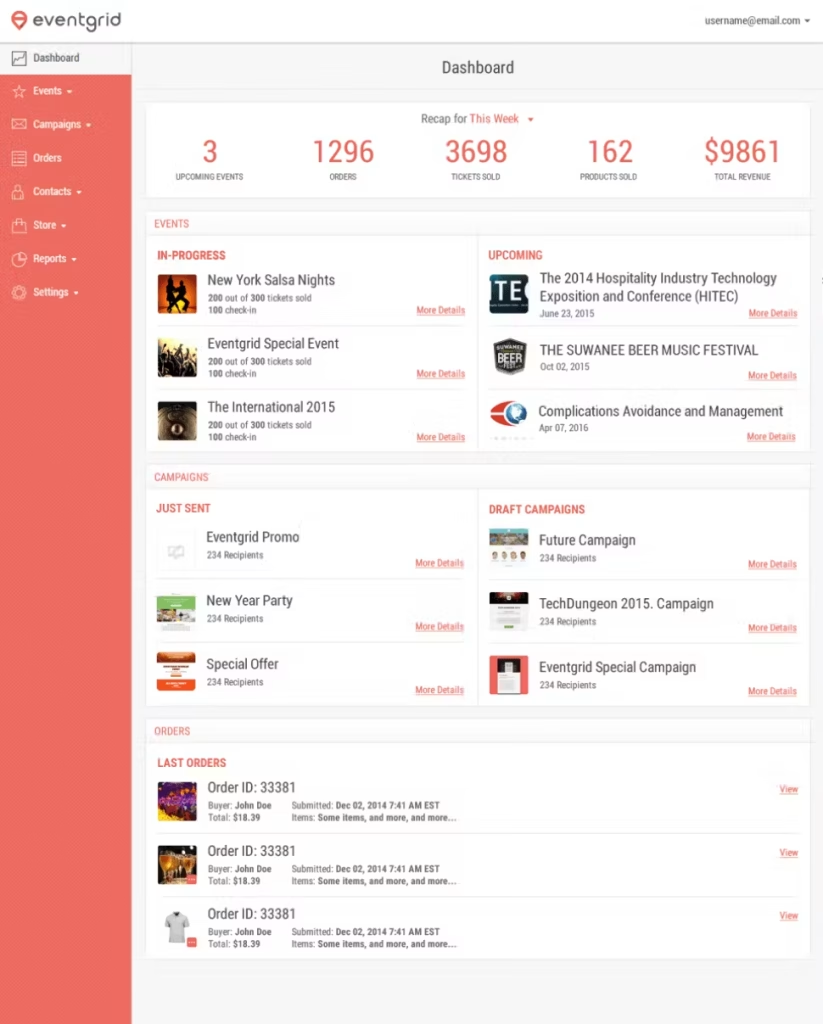

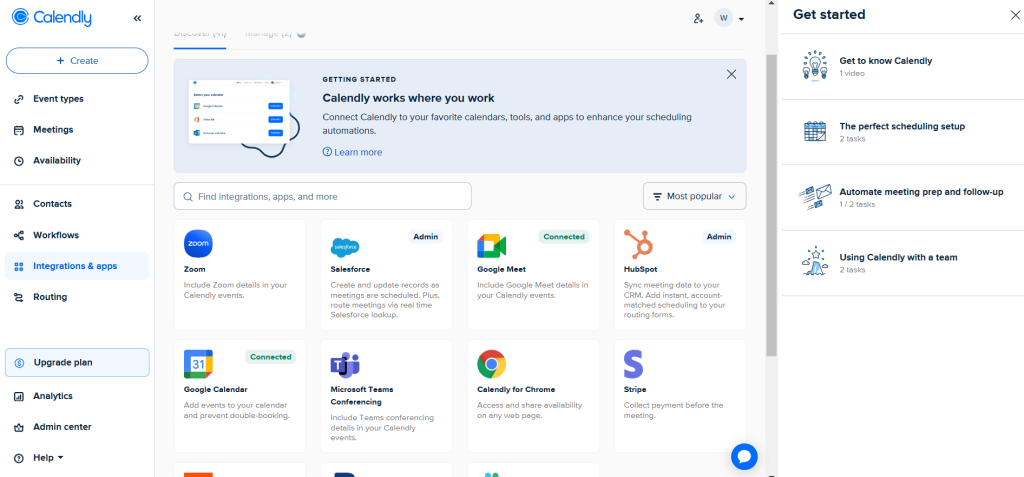
You do not have to do any of this by hand. Trying to email forty people one by one, tracking who opened what, is a fast way to lose your mind. I tried it once. Never again.
If you are running the whole event, from selling tickets to sending every reminder, Eventbrite makes this almost automatic. You set your reminder schedule once, and it handles the sending for you while you focus on the parts of the event that actually need your brain.
If your reminders are part of a bigger email plan, maybe alongside newsletters or promotions, Mailchimp lets you build a reminder sequence and reuse it for your next event too, so you are not starting from zero every time.
And if your event is really more like a scheduled meeting, a demo, or a one-on-one session, Calendly sends automatic reminders tied straight to the booking, so nobody has to remember to hit send.
Getting the Words Right
Here is something I got wrong for way too long. I used to write reminders like a robot. “This is a reminder that you have registered for an event.” Boring! Nobody wants to open an email that sounds like that.
Write it like you are talking to a real person, because you are. Say why you are excited. Say what they will get out of showing up. According to research on event reminder emails, event reminders actually get opened a lot, averaging around a 37 percent open rate, which is higher than most regular marketing emails. That tells you something important: people are not ignoring your reminders on purpose. They just need them to land in the inbox at the right moment, with words that make them want to click.
The same research pointed out that no-show rates for free events can climb toward 40 or even 50 percent when reminders are weak or missing entirely. That is a lot of empty chairs, and it is completely avoidable.
After the Reminder, Do Not Stop There
Sending the reminder is not the finish line. Once your event actually happens, you still have work to do. I always follow up afterward to see what people thought, because the feedback tells me what to fix before the next one. If you want a full walk-through on that part, our guide on how to collect feedback after your event covers exactly how to ask the right questions without annoying anyone.
A Quick Word on Timing
I get asked a lot: “How many reminders is too many?” Here is my honest answer. Three is usually the sweet spot. One a week before, one a few days before, and one on the day itself. Any more than that, and people start to feel nagged. Any less, and people forget. Three feels just right, like the porridge in that old story.
Also, think about when people check their inbox. Morning reminders work well for daytime events. Evening reminders work well if your event is after work. Match the reminder to the rhythm of your attendee’s day, not just your own schedule.
Mistakes I Made So You Do Not Have To
I want to be honest with you, because I made almost every mistake in the book before I got this right.
First, I used to send one giant reminder with way too much information crammed into it. Directions. Parking. Agenda. Dress code. Speaker bios. All in one wall of text. Nobody read the whole thing. Now I spread that information across the three reminders instead, so each one feels light and easy to skim.
Second, I used a subject line that just said “Reminder.” That is the fastest way to get ignored. Now I write something that tells people exactly why they should care, like “Your seat is waiting” or “See you tomorrow at nine.” Small change, big difference in how many people actually open the email.
Third, I forgot mobile. So many people read email on their phone while standing in line for coffee or waiting for a bus. If your reminder is a giant block of text with no breaks, people will just scroll past it. Short sentences and short paragraphs are not just easier to write. They are easier to read on a tiny screen too.
What Happens When You Get This Right
Let me tell you about the workshop I ran the very next month, after my disaster. Same size room. Forty people signed up again. This time, I sent three reminders, just like I described above. I wrote them like I was talking to a friend, not a stranger. I used a tool to schedule them so I would not forget.
Thirty-six people showed up. Thirty-six! Almost everyone. I stood in that same room, looking at almost every chair full instead of half empty, and I felt something completely different from that first time. Relief. Pride. And honestly, a little bit of “why did I not do this sooner?”
That is the power of a good reminder. It is such a small thing to send, and it changes everything about how your event actually goes.
My Biggest Lesson
That workshop with the empty chairs changed how I plan every single event now. Reminders are not busywork. They are not an afterthought you squeeze in the night before. They are part of the event itself, just as important as the venue or the snacks.
Send them early. Send them again closer to the date. Send one more on the day. Use a tool that does the heavy lifting for you. Write like a human, not a robot. Do that, and you will not be standing in a room full of empty chairs wondering what went wrong.
Here is a quick summary table to keep handy the next time you plan an event.
| Reminder | When to Send | What to Include |
|---|---|---|
| First reminder | About one week before | Date, time, location, one exciting detail |
| Closer reminder | One to three days before | Parking, what to bring, entrance details |
| Same-day reminder | Morning of, or a few hours before | Short, warm, “we can’t wait to see you” |
| Follow-up (after) | The next day or two | Thank you, feedback request |
Leave a Comment