Listen, if you are reading this, you probably just hired your first employee or you are staring down a spreadsheet realizing that paying people legally is wildly more complicated than just handing them a stack of cash on a Friday afternoon. You are not wrong. Running payroll manually is a lot like trying to assemble complex furniture in the dark, while the government stands in the corner timing you and threatening to fine you if you miss a single step. It is tedious, high-stakes, and completely unforgiving.
But do not panic. We are going to walk through this process step by step, entirely in plain English. No accounting degrees required.
The Absolute First Step: Getting Your Numbers Together
Before you can even think about writing a check or hitting “send” on a direct deposit, you need the right identification. The government wants to know exactly who is handing out money.
You need an Employer Identification Number. Think of it as a Social Security number for your business. You grab this directly from the federal government, and it is completely free. If you have been operating as a sole proprietor using your own Social Security number, that stops now. You need that distinct nine-digit identifier because every single tax form, unemployment filing, and year-end report requires it.
Next up, you have to register with your state. Actually, you have to register with your state government twice. First, you need an account with the state department of revenue for state income tax withholding. Second, you need an account with the state labor department for unemployment taxes. If your new hire lives in a completely different state than your business headquarters, guess what? You get to register in their state too. The geography of your workforce dictates where you pay taxes, which is why hiring remote workers across state lines suddenly turns your simple bookkeeping into a massive compliance headache.
W-2 Employees vs. 1099 Contractors
This is the single biggest trap new business owners fall into. You cannot just label someone a contractor because it is cheaper and requires less paperwork. The IRS has extremely strict rules about this, and getting it wrong means you could be on the hook for back taxes, unpaid overtime, and hefty penalties.
A contractor is an independent operator. They set their own hours, they use their own equipment, and they typically work for multiple clients. You hire them to deliver a result, but you do not dictate exactly how or when they do the work.
An employee, on the other hand, is under your direction. If you tell them to be at a desk from nine to five, provide their laptop, and dictate their daily workflow, they are an employee. Period. If you are unsure, you can check the IRS guidelines on employment taxes to see exactly how they weigh behavioral and financial control. Do not try to cheat this system. Labor boards love making examples out of companies that misclassify workers to save a few bucks on taxes.
Setting Your Payroll Schedule
You have to decide how often you are going to pay your team. It sounds simple, but your choice impacts your cash flow and your administrative workload.
Weekly payroll is fantastic for hourly workers, especially in industries like retail or hospitality. Your team loves it because they get cash in hand faster. You, on the other hand, might hate it because you have to run the payroll process 52 times a year. That is 52 opportunities to make a mistake.
Bi-weekly means paying every two weeks. This is the most common schedule in the US. It results in 26 pay periods a year, which means twice a year, you will have a month with three paydays. You need to ensure you have the cash reserves to cover those extra pay periods when they pop up.
Semi-monthly is paying twice a month, usually on the first and the fifteenth. This means exactly 24 pay periods a year. Salaried employees usually do not mind this, but it can be annoying for hourly workers because the paydays drift around the days of the week depending on the calendar.
Pick one and stick to it. Your state might actually legally require a specific minimum frequency, so double-check your local labor laws before making a final call.
The Math: Calculating Gross Pay
Gross pay is the total amount of money your employee earned before the government takes a bite out of it.
For salaried workers, this calculation is a breeze. You take their annual salary and divide it by the number of pay periods in your year. If they make 60,000 dollars a year and you pay them semi-monthly, their gross pay is exactly 2,500 dollars every single paycheck.
For hourly workers, it requires tracking time. You take their hourly rate and multiply it by the hours they worked. But then you have to factor in overtime. Federal law dictates that any hourly worker pushing past 40 hours in a single workweek gets paid time-and-a-half for those extra hours. Keep a close eye on this. Compensatory time off instead of overtime pay is generally illegal in the private sector. If they work 45 hours, you owe them 40 hours at the regular rate, plus five hours at 1.5 times that rate.
The Deductions Reality Check
Here is where the math gets genuinely miserable. You have calculated gross pay, but you cannot hand that amount over. You have to withhold taxes.
First, you have federal income tax. The amount you hold back depends completely on the W-4 form your employee filled out on their first day. It accounts for their filing status, dependents, and other adjustments.
Then you have FICA, which stands for the Federal Insurance Contributions Act. This covers Social Security and Medicare. It is a flat percentage. You withhold 7.65 percent from the employee’s paycheck. But here is the kicker: as the employer, you also have to pay a matching 7.65 percent out of your own pocket. This is your payroll tax burden. When budgeting for a new hire, always remember that their actual cost to your business is higher than their salary because of these employer-side taxes.
You also have to deduct state income taxes, and in some rare cases, local city or county taxes.
Finally, you handle voluntary deductions. If you offer health insurance or a retirement plan, you pull those premiums out before calculating certain taxes. If the court has ordered a wage garnishment for unpaid child support or back taxes, you have to intercept that money and send it directly to the agency.
Sending the Money (And Paying the Tax Man)
Once all the math is done, you arrive at the net pay. This is the actual amount that hits the employee’s checking account. You can issue a paper check, but almost everyone expects direct deposit these days.
But your job is not over when payday hits. Remember all that tax money you withheld from your employees? And the matching taxes you owe? You have to send that to the government on a strict schedule. Depending on the size of your payroll, you might have to make these tax deposits monthly or semi-weekly. If you are late, the penalties are automatic and they are aggressive. The IRS does not care if you had a busy week; they want their money.
Every quarter, you also have to file Form 941, which summarizes all the wages you paid and the taxes you withheld. At the end of the year, you have to generate W-2s for your employees and file a massive annual summary called Form 940 for your federal unemployment taxes.
Why You Should Never Do This Manually
I just explained how to do it manually so you respect the process, but I am now going to tell you to absolutely never do it yourself. Trying to manage tax brackets, withholding rules, and state compliance in a spreadsheet is asking for a disaster. According to recent Gartner research on human resources automation, businesses that automate their compliance processes save hundreds of hours a year and drastically reduce their liability.
You should use software. It is not even a debate. A good platform will automatically calculate taxes, file your quarterly reports, and handle direct deposits with a few clicks. It is the cheapest insurance policy you can buy against tax penalties.

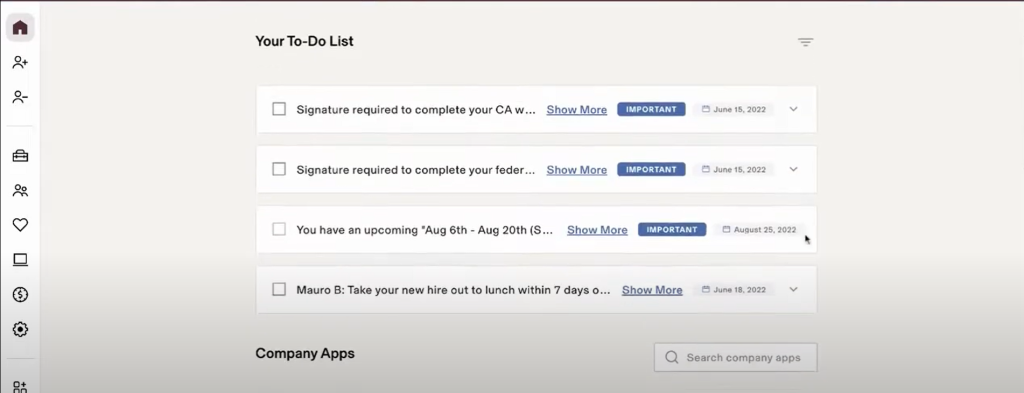
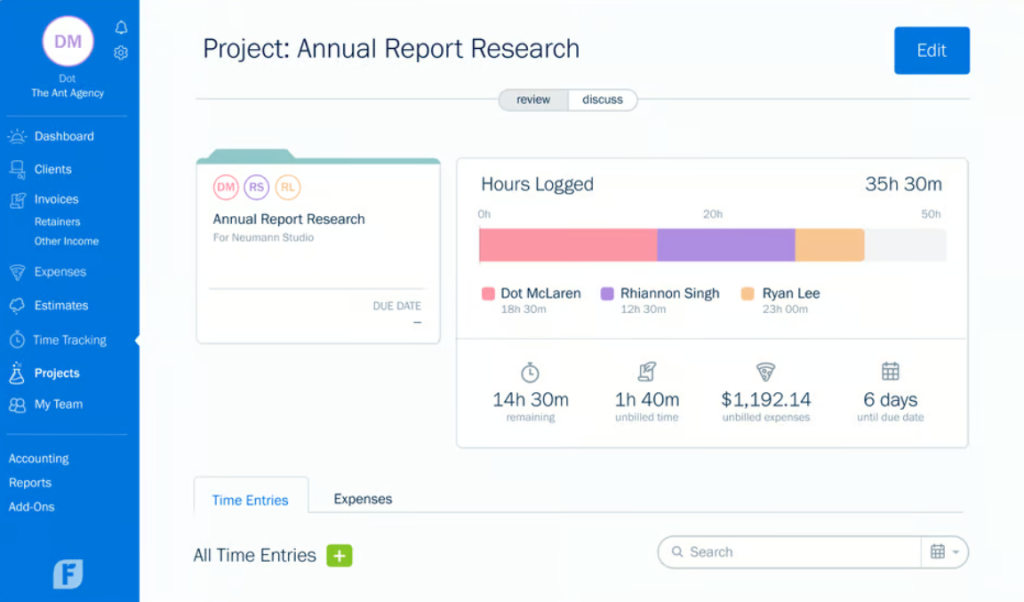
For most small operations, Gusto is wildly popular because the interface is essentially idiot-proof. It walks you through onboarding, handles all the state tax registrations, and runs the numbers automatically. If you already have a complex bookkeeping setup, QuickBooks has an integrated payroll module that keeps your ledger perfectly synced without manual entry. And if you are hiring internationally or dealing with a highly distributed remote workforce, something heavier like Rippling manages payroll while also handling IT equipment provisioning and deep HR workflows.
Whatever you choose, the software will handle the math. Your only job is to approve the hours and make sure there is enough money in the bank account to clear the draft.
Maintaining Immaculate Records
The final piece of the puzzle is keeping your receipts. The Fair Labor Standards Act requires you to keep payroll records for at least three years. That includes timesheets, records of wage changes, and proof of tax payments. IRS regulations recommend keeping tax-related records for four years.
If you ever get audited, or if a former employee disputes their pay from two years ago, you need an instant paper trail. Again, this is why using software is a lifesaver. It archives every single pay stub and tax filing in the cloud, meaning you never have to dig through a filing cabinet looking for a crumpled timesheet from years ago.
If you are struggling with the broader picture of how to structure your cash flow around these expenses, I highly recommend checking out our comprehensive guide to small business taxes. It connects the dots between your daily payroll runs and your end-of-year corporate tax filings.
Wrap Up
Before we wrap up, let’s cover a few classic unforced errors you need to actively avoid.
First, ignoring the unemployment tax rates. Your state assigns you an unemployment tax rate based on your industry and your history of firing people. If you lay off a bunch of staff, your rate will skyrocket the following year. Pay attention to those notices from the state labor department.
Second, paying cash under the table. Just don’t do it. It seems like an easy way to avoid the headache of paperwork, but it leaves you entirely exposed. If that worker gets hurt on the job or decides to report you to the labor board, the fines will easily bankrupt a small operation.
Third, messing up final paychecks. When someone quits or gets fired, states have very specific rules about how quickly they must receive their final pay. In some states, if you fire an employee, you literally have to hand them their final check on the spot as they walk out the door. If you miss the window, you might owe them a full day’s wages for every single day you are late.
Running payroll is a massive responsibility. You are dealing with people’s livelihoods and strict federal laws. But once you have your tax IDs established, your workers classified correctly, and a solid software platform running the background math, it essentially becomes just another routine admin task. Set up the right systems now, and you will never have to lose sleep over an IRS penalty notice.



Leave a Comment