Running a large event is exciting, but it can also feel like chaos if the right systems are not in place. When you are dealing with thousands of attendees, multiple tracks, dozens of vendors, and a packed agenda, small mistakes become big problems fast. Long check-in lines, session overcrowding, lost attendee data, and last-minute changes can ruin the experience for everyone.
That is why event management platforms matter so much for large events. They help you plan, promote, run, and measure everything in one place. They also make it easier for your team to stay organized and for attendees to have a smooth experience from registration to check-out.
In this guide, you will learn what to look for in an event management platform for large events, what features matter most, and how to choose the right tool for your event size and style.
What Makes Large Events Different?
A small event can survive with spreadsheets and manual checklists. A large event usually cannot.
Large events have a few things in common:
- High volume: More attendees, more check-ins, more tickets, more questions.
- More moving parts: Breakout sessions, sponsors, expo booths, speakers, VIP experiences.
- More pressure: One mistake can affect hundreds or thousands of people.
- Real-time needs: You need live updates, live reporting, and quick decisions.
This is where a strong platform becomes your backbone. It is not just a nice-to-have. It is what keeps the whole operation running.
What an Enterprise Event Platform Should Do
A true large-event platform should not just help you sell tickets. It should help you run the entire event like a system.
Here are the most important capabilities.
1. Registration That Can Handle High Volume
Large events need registration that is fast, flexible, and reliable.
Look for:
- Custom registration forms
- Multiple ticket types and pricing tiers
- Discount codes and group registration
- Payment processing and invoicing support
- Waitlists and capacity controls
If registration is confusing, people drop off. If the data is messy, your team suffers later.
2. Onsite Check-In That Moves Fast
Check-in is the first impression your event gives. If people wait in line for 30 minutes, their mood is already ruined.
The best platforms support:
- QR code check-in
- Badge printing
- Self check-in kiosks
- Offline check-in mode in case Wi-Fi fails
- Real-time attendance tracking
Many modern check-in systems focus on speed and flexibility. For example, event check-in apps often highlight QR scanning and fast badge printing as key features for smooth entry and less waiting.
3. Badge Printing and Access Control
For large events, badges are more than name tags. They control access.
You might need:
- Different badge types for VIPs, staff, media, sponsors, attendees
- Zone-based access, such as backstage or VIP lounge
- Session scanning and attendance tracking
- Secure entry systems for capacity control
Some platforms even support RFID and NFC-based access options for contactless check-in and tracking. RFID badges can be tied to attendee profiles to manage access control and track movement across areas in real time.
4. Agenda and Session Management
A large event often has multiple tracks running at the same time. You need strong agenda management to avoid confusion.
Your platform should support:
- Multi-track scheduling
- Speaker and session pages
- Session capacity limits
- Session check-in
- Session changes with live updates
If you run continuing education events, session tracking is also important for credits.
5. Mobile App and Attendee Experience
A mobile event app is no longer optional for many big events. Attendees expect it.
A good event app includes:
- Personalized agenda
- Speaker and sponsor info
- Push notifications
- Maps and wayfinding
- Networking and messaging
- Live polls and Q&A for sessions
This improves the experience and reduces the load on your support team, because attendees can find answers on their own.
6. Integrations With Your Marketing and Sales Stack
Large events usually connect to marketing and revenue goals. That means your platform must work with your other tools.
Common integrations include:
- CRM tools like Salesforce
- Marketing platforms like HubSpot and Marketo
- Analytics tools like Google Analytics
- Slack for internal coordination
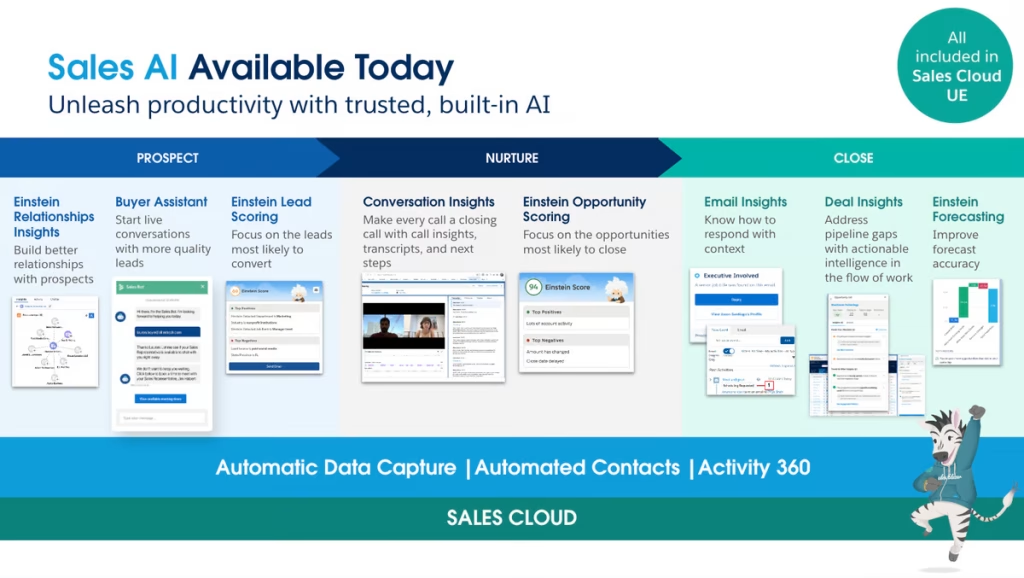
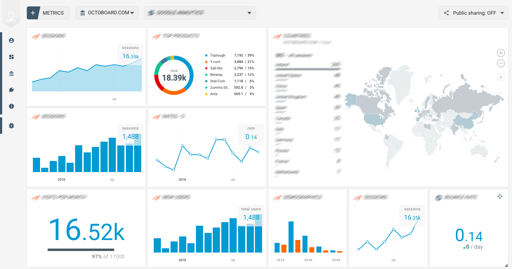
Some enterprise platforms highlight thousands of integrations through marketplaces, which helps big organizations consolidate their event tech stack instead of adding more tools.
7. Analytics That Prove ROI
When the event is over, leadership wants answers.
You should be able to measure:
- Registrations vs attendance
- Session popularity and engagement
- Sponsor performance
- Lead capture performance
- Revenue and cost tracking
- Attendee satisfaction
Good reporting helps you improve the next event and prove the event was worth the investment.
Types of Platforms Used for Large Events
Not every event platform is built the same. For large events, you will usually see three common setups.
All-in-One Enterprise Platforms
These aim to handle everything in one system: registration, check-in, agenda, app, and reporting.
Best for:
- Conferences
- Trade shows
- Multi-day events
- Global event programs
Event OS Plus Specialized Point Tools
Some teams prefer a core platform plus add-ons like advanced networking, wayfinding, translation, or captioning.
Best for:
- Complex event experiences
- Teams with existing tools they love
- High expectations for attendee engagement
Ticketing Plus Onsite Tools
Some events use a ticketing platform for registration and a separate onsite tool for check-in and badges.
Best for:
- Festivals
- High-volume entry events
- Events with simpler agendas
A Simple Checklist for Choosing the Right Platform
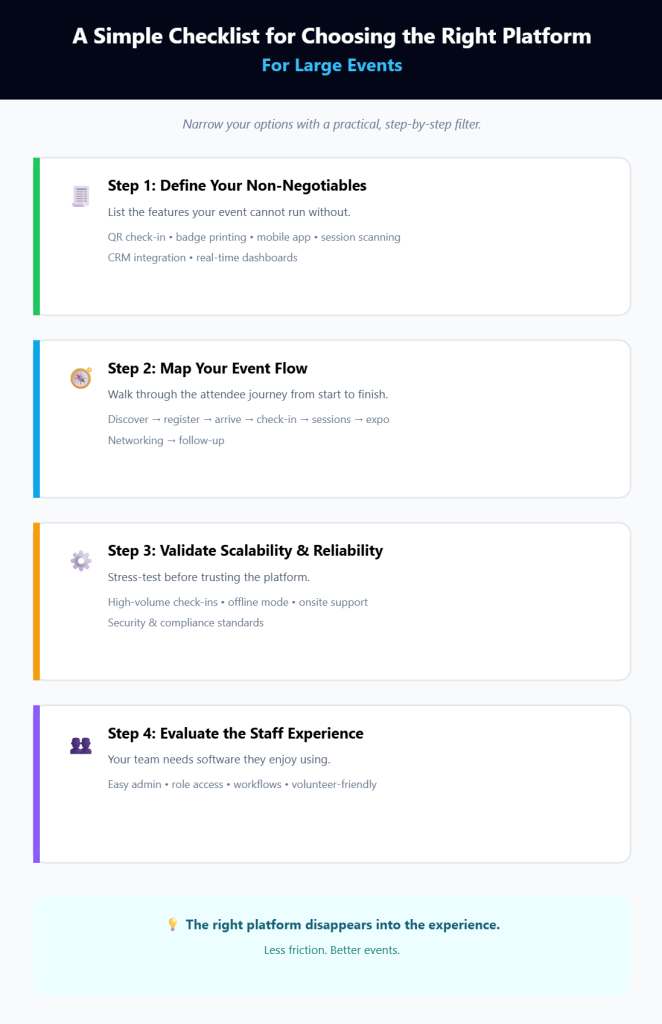
Choosing software for a large event can feel overwhelming. Here is a practical way to narrow it down.
Step 1: Define Your Non-Negotiables
Write down what must be included. For many large events, the list looks like this:
- QR code check-in
- Onsite badge printing
- Mobile app
- Session scanning
- CRM integration
- Real-time dashboards
Step 2: Think Through Your Event Flow
Walk through the attendee journey:
- Discover event
- Register and pay
- Receive confirmation
- Arrive onsite
- Check in and receive badge
- Attend sessions
- Visit expo booths
- Network
- Get follow-up after the event
If your platform cannot support a smooth journey, it will create stress for both attendees and staff.
Step 3: Confirm Scalability and Reliability
For large events, ask tough questions:
- Can the system handle thousands of check-ins per hour?
- Does it work offline if the internet drops?
- Do they offer onsite support or hardware partners?
- What security and compliance standards are supported?
A platform may look great in a demo but fail when real crowds arrive.
Step 4: Consider Staff Experience Too
Your attendees matter, but your team matters too.
Ask:
- Is the admin interface easy to use?
- Can different team members have different access levels?
- Does it support clear workflows and task ownership?
- Can volunteers learn it quickly?
If your team hates the software, they will work around it.
How Large Events Use Platforms in Real Life
Here are a few common real-world scenarios where the right platform makes life easier.
Scenario 1: Multi-Track Conference With Thousands of Attendees
Challenges:
- Session overcrowding
- Confusing agenda updates
- Long check-in lines
Platform features that help:
- Session capacity controls
- Mobile app with real-time agenda updates
- Badge printing and fast check-in
- Push notifications for room changes
Scenario 2: Trade Show With Sponsors and Exhibitors
Challenges:
- Proving sponsor value
- Capturing leads efficiently
- Managing booth traffic
Platform features that help:
- Lead capture and badge scanning
- Sponsor dashboards and reporting
- Analytics on booth engagement
Scenario 3: Hybrid Event With In-Person and Virtual Audiences
Challenges:
- Keeping both audiences engaged
- Managing live streams and recordings
- Tracking engagement across formats
Platform features that help:
- Built-in live streaming and session interaction tools
- Unified analytics for virtual and onsite engagement
- Flexible registration for different attendee types
Common Mistakes to Avoid
Large events have enough problems already. Avoid these common software mistakes.
Picking a Platform Based Only on Price
Cheap software that fails on event day costs more than premium software that works. For large events, reliability matters.
Ignoring Onsite Needs
Many teams focus on registration, but onsite is where the stress happens. Check-in, badge printing, scanning, and offline mode should be tested early.
Not Testing Workflows in Advance
Always run a rehearsal.
Test:
- Registration flow
- Payment and confirmation emails
- Badge printing
- Check-in speed
- Session scanning
- Staff permissions
Not Training Staff and Volunteers
Even the best tool fails if staff do not know how to use it. Build a simple training plan and run short practice sessions.
Best Practices for Large Events
If you want your large event to feel smooth and professional, these small choices help a lot.
- Keep check-in simple: QR scan, print badge, move on.
- Use clear ticket tiers: Avoid confusing ticket names and rules.
- Plan for offline mode: Always assume Wi-Fi will fail at some point.
- Use dashboards during the event: Monitor check-in flow, session attendance, and staffing.
- Send updates fast: Use push notifications and SMS if you can.
- Track what matters: Attendance, engagement, sponsor ROI, and satisfaction.
Wrap Up
Large events are not just bigger versions of small events. They are a different game. More people, more sessions, more risk, and more expectation.
A solid event management platform helps you stay in control. It speeds up registration, keeps check-in smooth, supports better attendee experiences, and gives you the reporting you need to prove ROI. Most importantly, it reduces stress for your team and creates a better experience for everyone attending.
If you are planning a big conference, trade show, or hybrid event, start by listing your must-have features. Then choose a platform that can handle volume, work offline, integrate with your tools, and support your onsite operations.
Once you have the right system, your event feels less like firefighting and more like running a well-organized show.
Leave a Comment