Great customer service is never just about rapid-fire typing or closing tickets as fast as humanly possible. It’s about knowing exactly who is on the other side of the screen. You need to know what they bought, what went sideways last time they reached out, and what needs to happen right now to make things right.
That is where a solid CRM platform steps in.
If your support team is constantly jumping between four different browser tabs, copying messy details into fresh tickets, or making frustrated customers repeat their story three times, your customer experience is going to feel broken. It’s stressful for your team and exhausting for your users. A proper customer service CRM pulls all of that scattered data into one clean timeline. Your team can respond with actual context, kill the guesswork, and solve problems before the customer loses patience.
Let’s cut through the noise. This guide covers what a great support CRM actually looks like, the features you shouldn’t ignore, and how to pick the right platform based on your team’s real workload.
CRM vs Helpdesk: Do You Need Both?
This question comes up constantly, and the honest answer is a bit of a mixed bag. Sometimes you absolutely need both, and sometimes you are just overcomplicating your tech stack.
Think of a traditional helpdesk as a tool built entirely around the ticket itself. It tracks the issue from open to close. A CRM, on the other side, is built around the relationship. It tracks the human being behind the ticket.
If your day-to-day operations involve answering simple, transactional questions where you don’t need to know the customer’s full billing lifecycle or lifetime value, a basic helpdesk might do the trick. But what if your support reps constantly need to see active sales pipelines, upcoming contract renewals, or high-level account health? You need a CRM view.
When you have multiple departments—like sales, customer success, and tech support—all touching the same accounts, a shared CRM is the only thing keeping everyone from stepping on each other’s toes. Many growing companies start out with a simple helpdesk tool like Freshworks to manage incoming chaos, and later plug it into a heavy-duty CRM ecosystem as their data needs scale.
What Makes a CRM “Good” for Support Work?
A CRM can be an absolute powerhouse for your sales team and still be completely useless for your customer support reps. Sales tools are built for linear pipelines; support tools have to handle messy, unpredictable, real-time human issues.
Here is what actually moves the needle when you are on the front lines:
- Clean Case Management: You need a brain-dead simple way to log, tag, route, and close issues without clicking fifteen buttons. If the interface is clunky, your agents will find shortcuts around it.
- The Full Story in One Timeline global view: Past conversations, old bugs, product upgrades, and billing notes belong in a single scrolling feed.
- True Omnichannel Support: It shouldn’t matter if a user emails you on Monday, drops a live chat on Wednesday, or pings your brand on social media over the weekend. All of those interactions need to tie back to the exact same customer profile automatically.
- Self-Service Foundations: Giving people a searchable knowledge directory or a basic portal means they can solve their own problems at 2 AM. That translates to fewer basic tickets clogging your team’s queues.
The Features That Actually Matter (And the Ones to Ignore)
Don’t buy a platform just because it has a massive list of shiny features you’ll never touch. Focus heavily on these core mechanics:
1. Simple, Stress-Free Ticket Management
A support case should flow naturally from one state to the next. Your agents need clear visibility into ticket priorities, active service level agreements (SLAs), and internal notes. If a tier-one agent needs to hand an enterprise issue over to an engineer, that handoff should happen seamlessly inside the tool without losing the customer’s chat history.
2. Automation That Removes the Grunt Work
Automation isn’t about turning your brand into a cold, robotic answering machine. It’s about killing repetitive tasks so your team can focus on complex human problems. Use smart routing rules to push high-priority clients to senior reps automatically, send automated follow-ups when a customer ghosts you, and let the system categorize incoming issues based on keywords. It saves hours of manual sorting every week.
3. Reporting You’ll Actually Look At
If your dashboards require a degree in data science to interpret, you won’t use them. Keep your eyes on the metrics that define the user experience: first response times, total resolution times, backlog volume, and customer satisfaction (CSAT) trends. If you can’t measure the bottlenecks, you can’t fix them.
Best CRM Platforms for Customer Service (Top Picks)
There is no magical, one-size-fits-all software. The right tool entirely depends on your budget, your team size, and how messy your current workflows are.
Salesforce Service Cloud (The Enterprise Heavy Hitters)
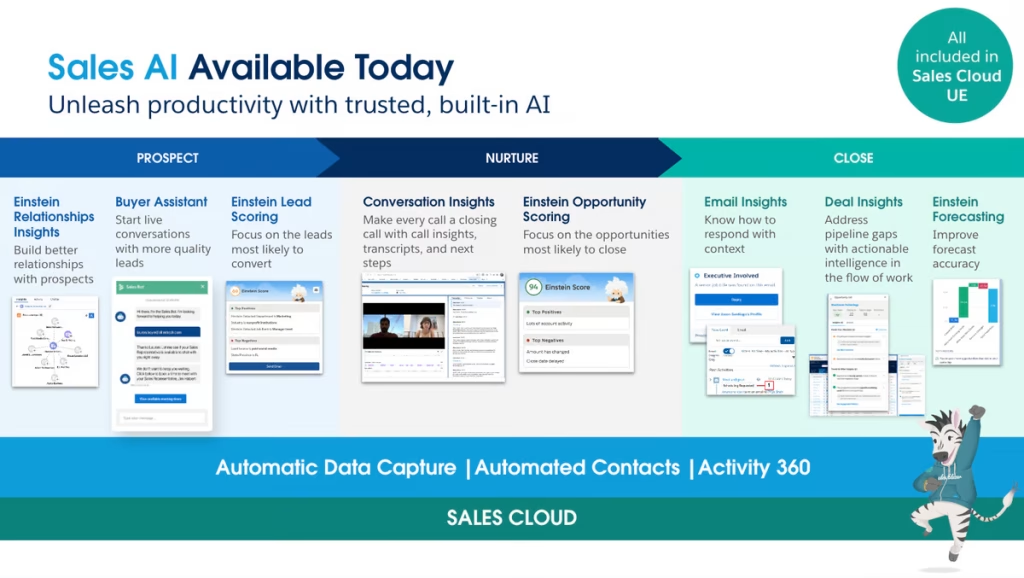
If you are running a massive support operation with intricate workflows, multi-tiered routing, and deep cross-department compliance needs, Salesforce is usually the default choice. It is incredibly powerful, but it comes with a steep learning curve.
- The Good: Unmatched customization, deep analytics, and an endless ecosystem of native integrations. It truly gives you a 360-degree view of the customer.
- The Reality Check: Setup takes real time, the licensing costs stack up quickly, and you will almost certainly need a dedicated administrator or partner to keep it running smoothly without breaking.
HubSpot Service Hub (Best for Quick Setup and Growing Teams)
HubSpot is incredibly popular because it doesn’t feel like a chore to use. If your team wants to get up and running by next Monday without sitting through weeks of technical training, this is your best bet.
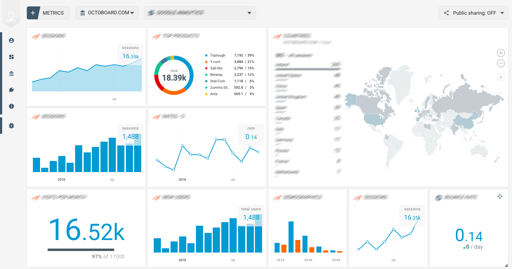
- The Good: Beautifully clean user interface, simple ticketing pipelines, and a fantastic out-of-the-box knowledge base builder.
- The Reality Check: If you have highly unusual data structures or enterprise-grade customization requirements, you might hit a wall. Plus, those tier upgrades get pricey as your database grows.
Zendesk (The Support-First Standout)
Zendesk approaches the problem from a pure customer service perspective. While it offers CRM-style context, its DNA is entirely built around optimizing the agent and customer experience during a live support crisis.
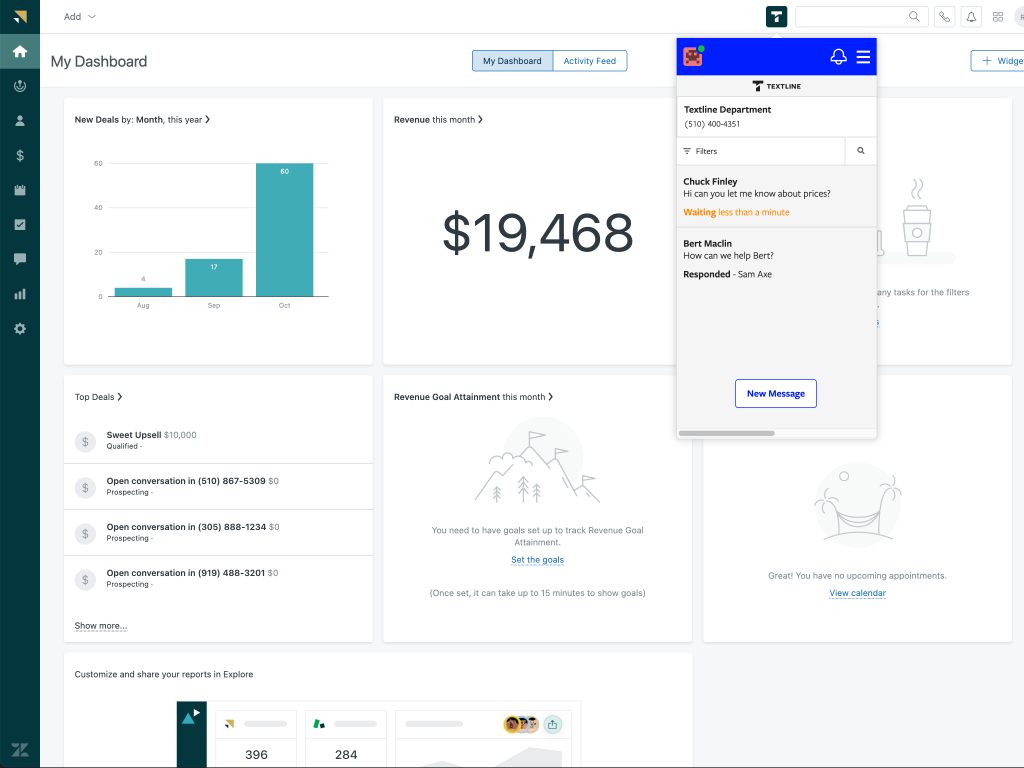
- The Good: Industry-standard omnichannel routing, exceptional native reporting tools, and a workspace designed to minimize agent fatigue.
- The Reality Check: If your organization needs a deeply unified sales and marketing pipeline built natively into the exact same database, you’ll find yourself relying heavily on third-party integrations.
How to Choose the Right CRM for Your Support Team
Most software implementation failures happen because leadership picks a platform based on industry hype rather than actual team workflows. Don’t fall into that trap.
First, look closely at your actual communication channels. If 90% of your volume comes from live chat and email, don’t pay a massive premium for an enterprise platform built around complex telephony setups. Second, map out your required customer context. Do your agents actually need to see a customer’s full historical billing data from an external platform like Stripe, or do they just need to know if the user is on a paid plan?
Finally, gather your core tools and write down your must-have integrations. Whether you run an e-commerce storefront or a custom SaaS application, ensure your chosen CRM plays nicely with your existing stack. A disconnected CRM is just an expensive, manual data-entry chore that your team will eventually stop using.
Wrap Up
Buying the software is only 10% of the battle. The rest is about how you configure it.
- Lock Down Your Case Statuses: Stop letting agents invent their own definitions for “Pending” or “On Hold.” Define exactly what each stage means so your historical reporting stays perfectly clean.
- Build Your Help Docs From Real Complaints: Don’t sit in a dark room guessing what articles to write for your knowledge base. Look at your top ten ticket categories from last month and write hyper-focused guides addressing those exact pain points.
- Keep Internal Notes Short and Punchy: Your internal CRM notes should be a lifeline for the next agent who handles the account. Skip the long-winded paragraphs. Just write what was promised, what action was taken, and any weird quirks the next rep needs to watch out for.
Software alone won’t save a broken customer experience. True transformation happens when you pair a clean, intuitive platform with predictable workflows, smart automated routing, and a culture that treats customer data with respect.



Leave a Comment