Missed deadlines rarely happen because the team stopped caring. They happen because someone didn’t know a task was late until it was already two days past due, or because three different people thought someone else was handling the same dependency, or because the project plan existed only in the project manager’s head and never got mapped to actual calendar dates with real owners attached.
Timeline and deadline tracking is the discipline of making due dates visible, dependencies explicit, and overruns catch-able before they compound into something serious. The difference between a team that consistently ships on time and one that’s always scrambling isn’t talent or effort—it’s visibility. Teams that hit deadlines reliably can see the full project map at any point: which tasks are behind, which tasks are at risk because of a dependency that hasn’t landed yet, and where someone is carrying more work than they can realistically finish before the next milestone.
The tools that do this well don’t just give you a task list with dates attached. They show you what’s blocking what and who owns it.
Why Lists With Due Dates Aren’t Enough
A task list with dates is a starting point, not a tracking system. The problem is that tasks don’t exist in isolation—they depend on other tasks finishing first, and they have people assigned to them who are also working on other things at the same time.
Without a timeline view, you can’t see whether your project is actually on track. A task might be marked not started on Day 1, but if it was supposed to have started three days ago, that’s a problem your task list won’t surface on its own.
The things that genuinely improve deadline reliability on any team are:
- Gantt-style timelines that map tasks against calendar dates so overruns are immediately visible
- Dependency mapping so that when one task slips, you can see exactly which downstream tasks are now at risk
- Milestone markers that break large projects into visible checkpoints rather than a single far-off end date
- Workload views that surface when a team member is overloaded across multiple concurrent projects
- Automated alerts that notify task owners when a deadline is approaching or a dependency has been completed
When these elements are in place, late tasks stop being surprises. They become visible early enough that there’s still time to do something about them.
Tools That Keep Deadlines From Slipping
Monday — Best for Visual Project Timelines
Monday is built around boards, but the timeline view is where it earns its place in deadline-heavy workflows. You drag task bars across a calendar grid, set start and end dates, and immediately see where tasks overlap, where someone is overcommitted, and what the overall project pacing looks like.
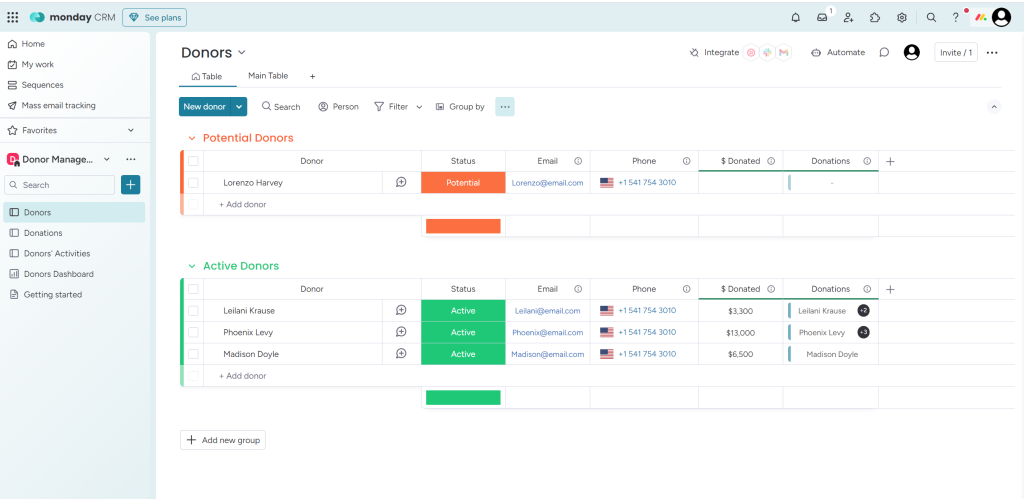
Dependencies connect tasks visually—if you push Task A out by a day, the downstream arrow tells you Task B can’t start on time either. Automations handle the notification side: when a due date is twenty-four hours away, the assignee gets a nudge. When a task is marked complete, the next task owner gets notified automatically rather than waiting for someone to relay the message.
For teams managing multiple concurrent projects, the portfolio view stacks timelines across projects so you can spot resource conflicts before they cause delays.
Smartsheet — Best for Complex Project Scheduling
Smartsheet sits in a category of its own for teams running genuinely complex projects with multi-level dependencies, critical path tracking, and formal resource management.
The interface looks like a spreadsheet but behaves like enterprise project software. You add tasks in rows, assign dates and owners, and toggle into a Gantt chart that calculates the critical path automatically. When you change a date anywhere on the critical path, Smartsheet ripples the change through every dependent task downstream without you having to manually adjust each one.
Baseline tracking lets you compare the original planned schedule against where you actually are, which is invaluable for reporting on scope and timeline performance to stakeholders who care about the numbers.
GanttPRO — Best for Dedicated Gantt Chart Management
When your primary need is Gantt charts and timeline visualization rather than a full project management suite, GanttPRO is the most direct tool for the job.
You build project timelines from the start with proper Gantt logic—task bars, dependencies, milestones, and critical path highlighting are all first-class features rather than add-ons. The drag-and-drop interface makes rescheduling fast, and the auto-scheduling feature recalculates downstream dates when you adjust a task higher in the chain.
For project managers who need to present timelines to clients or executives, GanttPRO’s export and sharing options produce clean, readable charts that don’t require the recipient to have a software account to view.
Jira — Best for Engineering and Sprint Deadlines
For software development teams managing sprints, epics, and release timelines, Jira handles deadline tracking at the level of detail engineering teams actually need.
Sprint boards show exactly which tasks are in progress, which are blocked, and what’s left before the sprint closes. The Roadmap feature provides the higher-level timeline view—epics mapped across quarters so the team and stakeholders can see how individual sprints contribute to broader release milestones. Velocity tracking across past sprints makes it easier to set realistic deadlines on future work rather than guessing at capacity.
Teamwork — Best for Client-Facing Projects With Billing
For agencies and service businesses where deadlines connect directly to client deliverables and invoices, Teamwork keeps project timelines and time tracking in the same platform.
Task dependencies, milestone calendars, and Gantt views all work as expected, but the standout feature for client-driven teams is the billable time integration. You set a task deadline, track time against that task, and Teamwork rolls that data directly into a client invoice. Late deliverables and budget overruns are visible in the same dashboard rather than tracked in separate systems.
Airtable — Best for Flexible Deadline Tracking Across Teams
Airtable lets you build deadline tracking in whatever format actually fits your workflow. If the standard project management layout doesn’t match how your team thinks about work, Airtable gives you the components to model it from scratch—date fields, status fields, owner fields—and then surface that data as a grid, calendar, timeline, or Kanban board depending on what you need to see.
The calendar and timeline views in particular make it easy to see what’s due when across multiple projects or teams without forcing everyone into the same rigid structure.
How to Make Deadline Tracking Actually Work
The tool is only part of the equation. How you run the process determines whether deadlines get hit.
- Break projects into milestones, not just tasks: A final deadline three months away doesn’t create accountability. Weekly or biweekly milestones do—they give the team a near-term target to hit and surface problems while there’s still time to fix them.
- Set due dates at the task level, not just the project level: If only the final deliverable has a date, nobody knows when their individual piece is due. Every task needs its own date tied to the work that comes after it.
- Make dependencies explicit in the tool: Don’t assume people know that Task B can’t start until Task A is done. Link them. When Task A slips, the person waiting on Task B should know immediately.
- Review timelines weekly, not just at kickoff: A project plan is accurate for about forty-eight hours after it’s created. Weekly check-ins against the actual timeline catch drift early.
- Build in buffer for the tasks that block everything else: The riskiest tasks in any project are the ones that everything downstream depends on. Give those more runway than you think they need.
Conclusion
Missed deadlines are almost always a visibility problem before they become an execution problem. When everyone on the team can see the full timeline, understands what blocks their work, and gets notified the moment something upstream slips, late deliverables go from being a regular occurrence to a rare exception rather than a normal part of the project cycle.
Monday, Smartsheet, GanttPRO, Jira, Teamwork, and Airtable all solve that visibility problem in different ways and for different team types. Some are built for engineering sprints, some for client deliverables, some for complex enterprise scheduling. What they share is the ability to show you where things stand on any given day without requiring someone to manually chase updates.
Pick the one that maps to how your projects actually run, get your dependencies documented in the tool, and use it consistently. The best deadline tracking system in the world doesn’t help if the team stops updating it after week two.


Leave a Comment