
You do not truly appreciate your backup system until the morning you walk into the office and realize your primary storage just died. That sick feeling in your stomach is proportional to how long it has been since you actually tested a restore. Most teams set up backups once, watch the first job complete successfully, and then never think about it again until something goes sideways.
The uncomfortable truth is that backup completion rates and recovery success rates are two completely different numbers. Your backup dashboard might show a clean one hundred percent job success rate for months, but that tells you nothing about whether those backups will actually restore cleanly when you need them. Industry surveys consistently find a gap between perceived backup reliability and actual tested recovery outcomes that would make most IT managers lose sleep.
Why “Backup Success” and “Recovery Success” Are Not the Same Number
Every backup tool reports job completion status. The nightly email saying all jobs finished successfully is comforting, but it only confirms that data was written somewhere. It does not confirm that the data is intact, that the restore process works, or that your recovery time falls within your business requirements.
A backup that completes but produces a corrupted archive is worse than no backup at all, because it gives you false confidence. You discover the corruption at the worst possible moment—mid-recovery, with your team standing behind you and your boss asking for an ETA.
The real metric that matters is tested recovery success rate: the percentage of backup sets that, when subjected to an actual restore operation, produce usable data within the expected time window. That number is almost always lower than your backup completion rate, and the gap grows wider the less frequently you test.
What the Industry Benchmarks Actually Show
Recovery success rates vary dramatically depending on the backup method, the storage target, and how aggressively the organization tests its restores. Here is what the data looks like across common backup approaches:
- Local disk-based backups tend to show recovery success rates in the ninety-two to ninety-six percent range when tested quarterly. The failures usually come from silent disk degradation, firmware issues on older NAS hardware, or backup agents that stopped running after an OS update without anyone noticing.
- Cloud-native backup services generally land between ninety-four and ninety-eight percent for file-level restores. The higher reliability comes from built-in integrity checks and redundant storage on the provider side. Where cloud recovery falls short is speed—restoring terabytes over an internet connection takes hours or days, which can blow past your recovery time objectives.
- Enterprise backup appliances pull in the top recovery scores, routinely clearing ninety-seven to ninety-nine percent. The secret isn’t magic hardware—it’s that they test themselves automatically. After every backup run, the appliance spins up the backup in an isolated sandbox to make sure it actually boots, catching silent file corruption immediately rather than letting it rot unnoticed on a server for six months.
- Continuous Data Protection (CDP) systems achieve near-perfect file-level recovery rates because they capture changes in real time rather than relying on scheduled snapshots. The tradeoff is higher storage consumption and more complex infrastructure.
The pattern is clear: the more automated verification your backup workflow includes, the higher your actual recovery success rate climbs.
Tools That Influence Your Recovery Benchmarks
Finding software that takes a proactive approach to restores comes down to matching the tool to your environment and data scale. Here is how popular backup software holds up when you actually need to pull data back:
Backblaze — Best for Low-Maintenance Cloud Backup
Backblaze runs continuously in the background, copying your local drives straight to cloud storage without making you sort through complex folder selections or storage tiers. It backs up everything automatically and lets you pull down individual files from a web browser or order a physical hard drive shipped directly to your door for large disaster recovery situations.
The reason Backblaze matters for recovery benchmarks is its radical simplicity. Fewer knobs to turn means fewer opportunities for a misconfigured backup job to silently fail. Their restore process has been battle-tested across millions of consumer and business accounts, keeping their file-level recovery success rate consistently in the high ninety percent range.
Commvault — Best for Enterprise Recovery Orchestration
If you are managing backup operations across hundreds of virtual machines, physical servers, and cloud accounts, Commvault gives you the kind of recovery control that lightweight tools simply cannot touch.
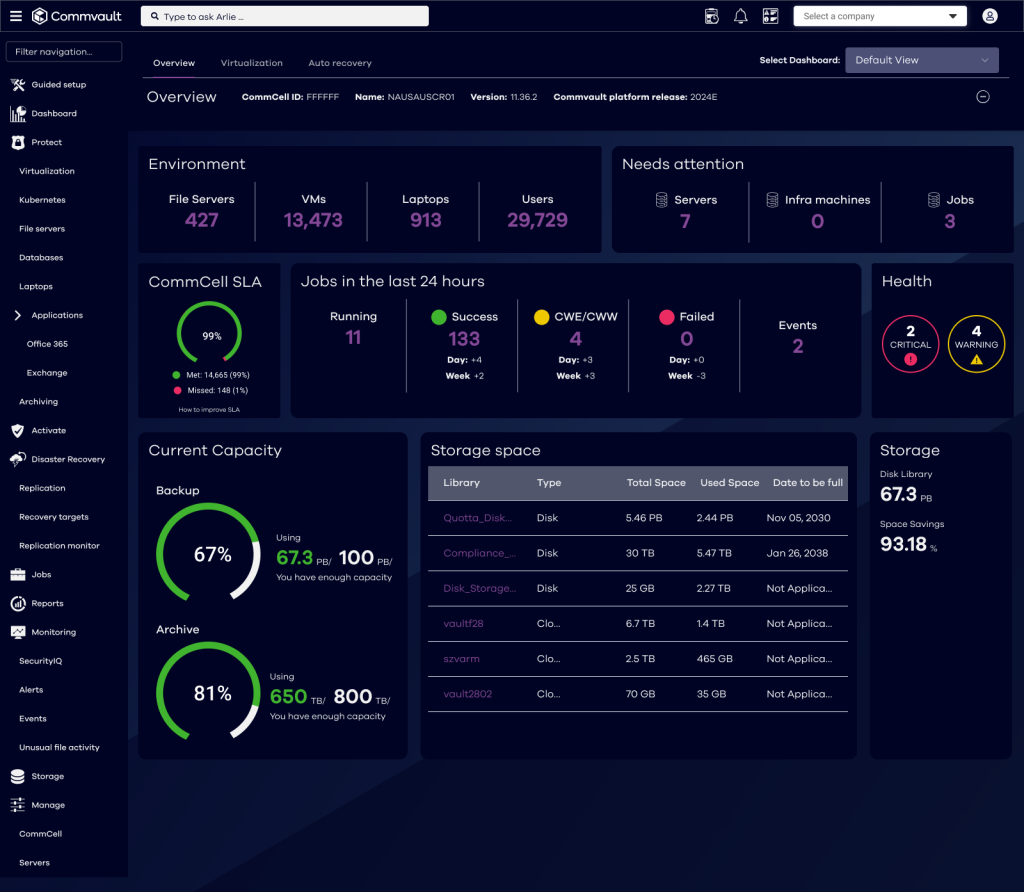
Commvault’s standout feature for recovery benchmarks is automated recovery validation. After every backup job, Commvault can automatically spin up a sandboxed virtual machine from the backup image, verify that the OS boots and critical services start, and log the result—all without any manual effort. That automated feedback loop is what keeps enterprise recovery success rates above ninety-seven percent consistently.
IDrive — Best for Versioned Recovery on a Budget
IDrive gives small businesses and freelancers cloud backup with file versioning at a price point that undercuts most competitors. You can store up to thirty previous versions of every file, which means accidental overwrites and ransomware encryption can be rolled back without calling a data recovery specialist.
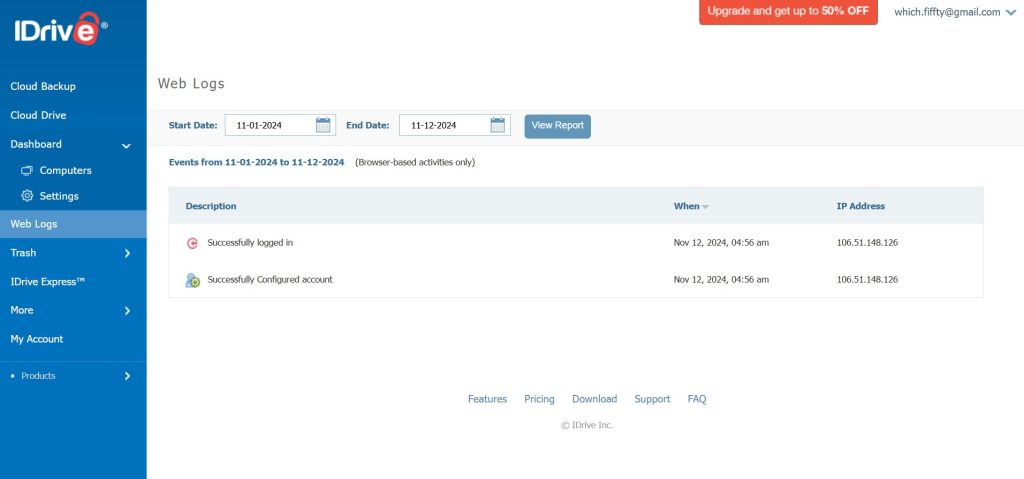
IDrive also supports physical shipment of your first full backup via IDrive Express, which solves the initial seed problem that makes cloud backup impractical for teams with large datasets and slow upload speeds. Their recovery dashboard shows restore status per file, so you can spot partial failures during recovery instead of discovering them after.
Druva — Best for SaaS and Cloud Workload Protection
If your organization runs heavily on cloud infrastructure and SaaS platforms, Druva protects workloads across AWS, Microsoft 365, Google Workspace, and Salesforce from a single console. Their backup architecture is entirely cloud-native—no on-premise appliances to maintain or firmware to update.

Druva’s recovery benchmarks benefit from their global deduplication and automated integrity checks. Because everything runs in the cloud, restore testing can happen on-demand without provisioning hardware, which makes quarterly recovery drills far less painful to schedule and execute.
EaseUS Todo Backup — Best for Desktop and Workstation Recovery
For individual machines and workstations, EaseUS Todo Backup handles full disk imaging, partition-level backups, and file-level recovery with a straightforward desktop interface.

The recovery success rate for disk image restores depends heavily on whether the backup was verified post-creation. EaseUS includes a built-in image verification feature that checks the integrity of your backup file immediately after the job completes. Teams that enable this verification step consistently report recovery success rates above ninety-five percent on workstation restores, compared to the low nineties for teams that skip it.
Duplicati — Best for Open-Source Encrypted Backup
For teams that want full control over their backup encryption and storage destination, Duplicati is a free, open-source tool that supports encrypted backups to virtually any cloud storage provider, including S3-compatible services, Google Drive, and OneDrive.
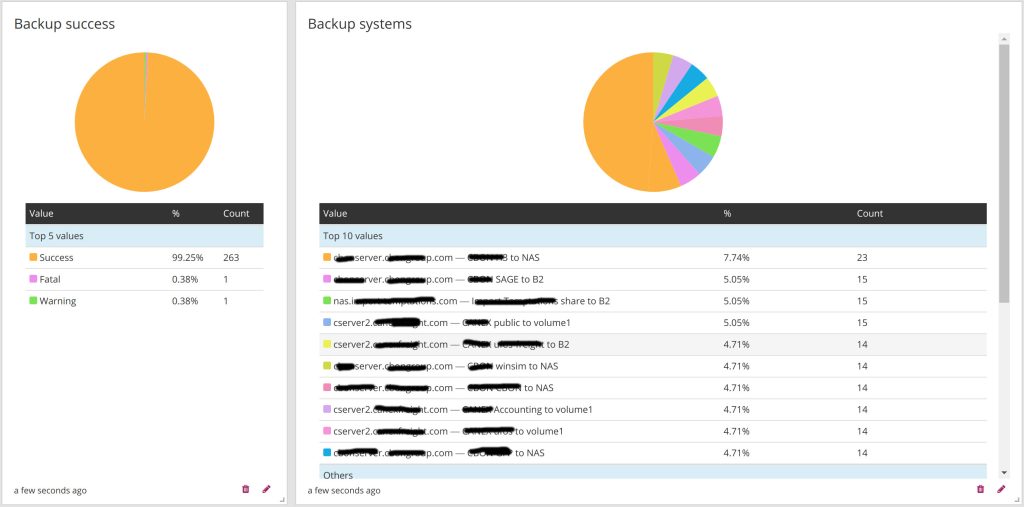
Duplicati uses block-level deduplication and AES-256 encryption by default, giving you ransomware resilience without paying for a premium backup suite. Because it is open source, the recovery process is well-documented and community-supported, but it does require more hands-on configuration than commercial alternatives.
How to Improve Your Own Recovery Success Rate
Regardless of which tool you use, a few practices consistently separate teams with high recovery success rates from teams that discover problems mid-crisis:
- Test restores quarterly at minimum: Pick a random backup set each quarter and run a full restore to a test environment. Document the result. If it fails, fix the root cause immediately—do not assume it was a fluke.
- Monitor backup job logs daily, not monthly: A backup job that silently started failing three weeks ago means three weeks of unrecoverable data. Set alerts for job failures and investigate the same day.
- Automate post-backup integrity checks: Don’t rely solely on green completion checkmarks. Choose backup software that automatically verifies read integrity immediately after writing data, catching silent file corruption before you ever need a restore.
- Track your own recovery success rate over time: Keep a simple log of every recovery test you run, whether it succeeded, and how long it took. After a year, you will have your own internal benchmark that matters far more than any industry average.
- Separate your backup storage from your production environment: Ransomware that encrypts your production servers will also encrypt backup files stored on the same network. Use air-gapped or immutable storage for your backup targets.
Conclusion
Industry benchmarks give you a frame of reference, but the only number that actually matters is your own tested recovery success rate. A backup system you have never tested is not a backup system—it is a hope. The tools listed here, from Backblaze for straightforward cloud backup to Commvault for enterprise orchestration, all provide features designed to push that recovery number as close to one hundred percent as possible. But none of them do it automatically. You have to build the habit of testing, documenting, and fixing recovery gaps before the day you actually need a restore.


Leave a Comment