Most sales teams lose deals not because they pitch badly but because they lose track. A lead goes cold because someone forgot to follow up. A deal dies because nobody logged what happened in the last call. A rep leaves and takes half the pipeline context with them in their head. A CRM is supposed to fix all of that—but only if it’s actually being used.
Here’s the thing: the best CRM for your sales team isn’t necessarily the most feature-rich one. It’s the one your reps will open every day without complaining. A tool that’s too complicated gets abandoned within a month. A tool that’s too simple gets outgrown within a year. Finding the right fit depends on your team size, your sales cycle, and how your reps actually work.
This is a practical look at what matters in a sales CRM and which tools are worth your time.
What Sales Teams Actually Need From a CRM
Before you look at any specific tool, it helps to know which problems you’re actually trying to solve. Because different CRMs solve different ones, and most sales teams have a fairly short list of real pain points.
- Pipeline visibility. Who’s in what stage, what’s the total value of the pipe, and what’s expected to close this month? Every CRM does this, but some do it much better than others. You want a pipeline view that’s fast to update and easy to read—something a rep can glance at in two minutes and know exactly what needs attention today.
- Follow-up tracking. The most common reason deals die is missed follow-ups. A good CRM reminds reps when to reach out, logs what was discussed last time, and makes it impossible to accidentally forget a prospect for three weeks. Automated task reminders tied to deal stages are the feature that pays for itself fastest.
- Email and call logging. Manually entering notes after every call is a habit that rarely sticks. The best CRMs pull in emails automatically through an inbox integration and let reps log calls in one tap from the mobile app. If logging requires more than 30 seconds, adoption drops.
- Reporting that management can actually use. Win rate by rep, average sales cycle length, deals lost by stage—these are the numbers that tell you what’s working and where to coach. Good CRM reporting makes this visible without exporting to a spreadsheet every time.
- Integrations with tools the team already uses. If reps live in Gmail or Outlook, the CRM needs to work there. If you use Slack for internal comms or a specific prospecting tool, the CRM should connect to it. Friction between tools kills adoption.
How to Choose Based on Team Size and Sales Motion
Small teams and solo reps don’t need the same thing as a 50-person sales org. Here’s a rough cut:
- Solo founder or freelancer: you just need a central spot for contacts, a clear pipeline view, and basic email tracking. Don’t pay for anything fancy yet—free tools work great here.
- Small sales crew (2–15 reps): you need everyone looking at the same pipeline, logging their daily calls, and getting automated nudges for follow-ups. Most standard tools handle this without breaking a sweat.
- Mid-market team (15–50 reps): you start needing territory management, more detailed reporting, forecasting, and integrations with marketing tools.
- Enterprise: you’re looking at Salesforce-class tools—custom objects, complex workflow automation, compliance features, and a dedicated admin who manages the platform.
Your sales motion matters too. High-volume outbound teams (cold calling 50+ prospects a day) need power dialer integrations and sequence automation. Relationship-driven teams with long sales cycles need deep account history, multi-contact tracking, and detailed note-taking. A tool built for one of those use cases will feel wrong to the other.
According to Salesforce’s State of Sales report, top-performing sales teams are significantly more likely to use their CRM consistently than average or underperforming teams—which underscores the point that the right tool matters less than the tool actually getting used.
Top CRM Tools for Sales Teams
HubSpot CRM — Best Free Starting Point That Scales
HubSpot has a genuinely free CRM tier that covers everything a small sales team needs to get started—contact management, deal pipelines, email tracking, meeting scheduling, and basic reporting. No trial period, no feature limits on the core CRM. You pay when you need advanced automation, more reporting, or deeper integrations.
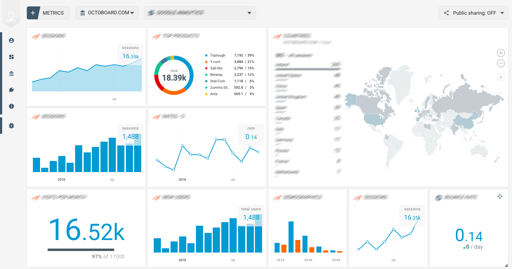
The thing HubSpot does better than almost anyone is keeping the whole customer journey in one place. Marketing, sales, and support all live on the same platform, so a rep can see the full history—which emails a prospect opened, what content they engaged with, what support tickets they’ve submitted—without switching tools. That context changes how you have conversations.
The free plan will serve most small sales teams for months or years before they hit its limits. When you do need more, the CRM scales up gradually rather than forcing you to jump to an expensive enterprise plan immediately.
Salesforce — Best for Complex Sales Orgs That Need Everything Custom
Salesforce is the most powerful CRM on the market and also the most complex. It can be configured to model almost any sales process, any reporting requirement, and any integration need—but that flexibility requires someone who knows how to configure it. Small teams without a dedicated Salesforce admin end up with a half-built implementation that nobody uses correctly.
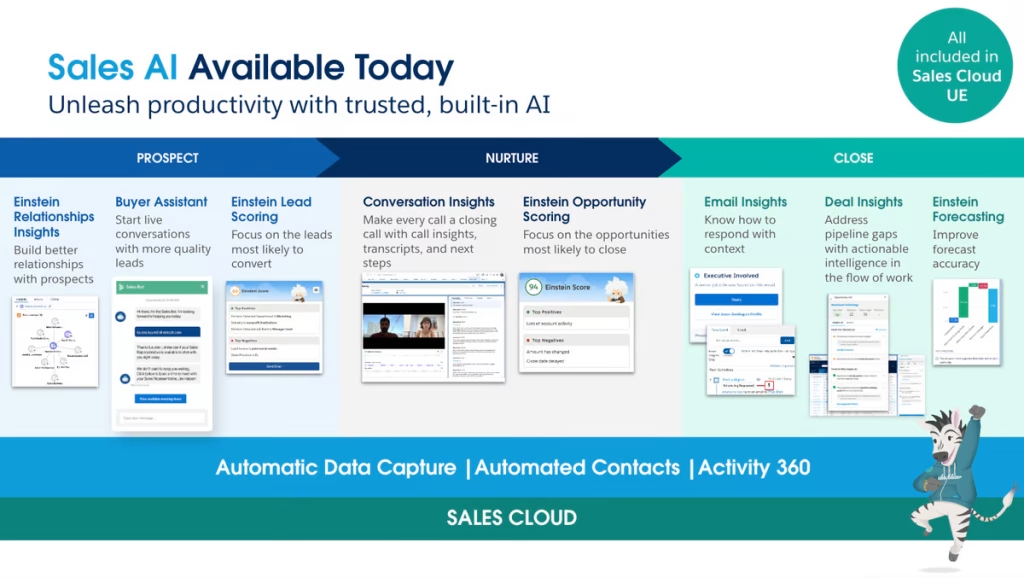
For mid-market and enterprise sales teams where you have dedicated RevOps or sales operations people, Salesforce is the right long-term platform. The reporting depth is unmatched. Custom objects let you build data models specific to your business. Plus, their app store lets you connect pretty much any tool on earth, from legal contracts to automated revenue forecasts.
Here’s the honest catch: it costs a ton, takes months to really learn, and feels clunky on day one unless you hire someone to set it up properly. So if you go with Salesforce, make sure you budget for setup help, not just the monthly user licenses.
Pipedrive — Best for Teams That Want Pipeline Focus Without the Complexity
Pipedrive is built around one thing: managing deals through a visual pipeline. The interface is clean, the deal view is fast to update, and the whole product is oriented around getting reps to move deals forward rather than managing data entry. That focus makes it one of the highest-adoption CRMs in its category.
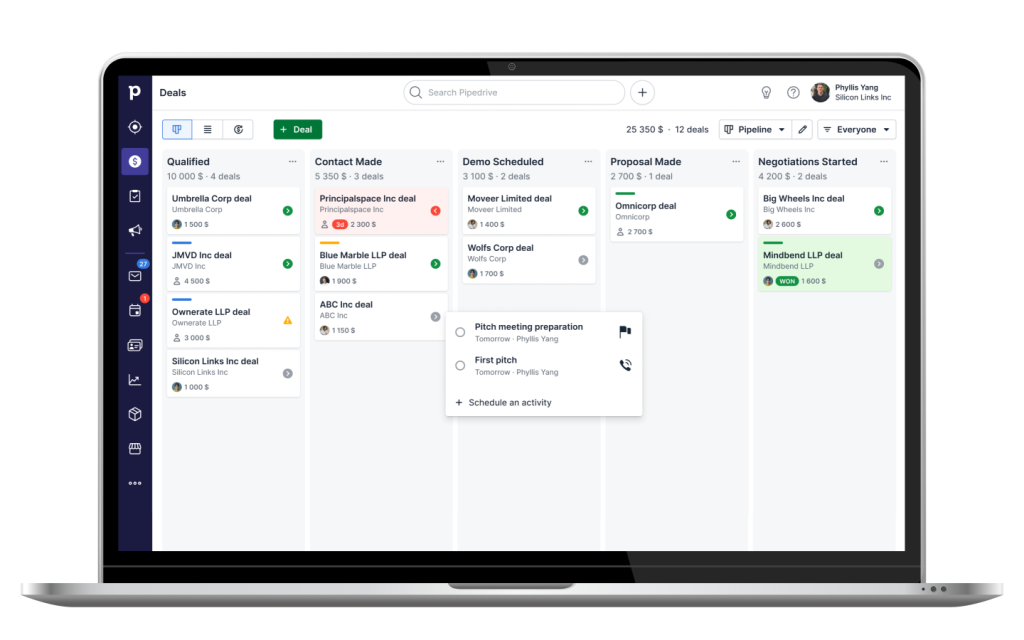
According to G2’s CRM category data, Pipedrive consistently ranks among the highest for ease of use—which matters directly to adoption and therefore to whether your investment actually pays off.
Pipedrive works best for sales teams with a clear, defined pipeline structure where deals move through predictable stages. It’s less suited for complex account-based selling or teams that need to manage many contacts per company across long relationship cycles. The reporting is solid but not as deep as Salesforce or HubSpot’s paid tiers.
Their pricing is pretty fair and easy to understand. Most growing sales teams will be totally fine on their basic or mid-level plans without ever needing the pricey top tier.
Close — Best for High-Volume Outbound Sales Teams
Close is designed specifically for outbound sales teams doing high-volume calling and emailing. The built-in power dialer lets reps work through a call list without leaving the CRM—no switching to a separate phone tool. Every call is automatically logged with duration, and reps can add notes in seconds before moving to the next one.

The email sequences feature lets you set up automated follow-up sequences that fire based on prospect behavior, keeping high-volume outreach consistent without requiring reps to manually send every follow-up. Combined with the built-in SMS feature on some plans, Close handles most of the communication stack that outbound teams need without requiring additional tool integrations.
The tradeoff is that Close is narrower than HubSpot or Salesforce. It’s genuinely excellent for outbound-heavy teams, but if your sales motion is more relationship-driven or you need marketing/support integration, you’ll feel that limitation.
Features Worth Paying Extra For
Not every CRM feature is worth the premium tier price. A few that actually move the needle:
- Automated email follow-ups. Chasing down dozens of cold prospects by hand every morning is exhausting. Having automated drip emails that stop the second someone replies saves your team hours of mindless typing every week.
- Smart lead scoring. Instead of guessing which leads to call first, the CRM highlights prospects who are actively clicking your links and visiting your pricing page. That way, your reps spend their energy on buyers who actually care.
- Conversation intelligence. Call recording with automatic transcription and highlight extraction—where the AI flags objections, competitor mentions, and action items—turns every call into coaching data. It shortens ramp time for new reps and surfaces patterns that management can use to improve the whole team’s pitch.
- Forecasting. Weighted pipeline forecasting that accounts for deal stage and historical win rates gives a more accurate revenue projection than summing up everything in the pipeline at face value.
The One Thing That Kills CRM Adoption
Every sales team that bought a CRM and stopped using it has the same story. The tool was implemented, training happened, and then within three months it turned into a glorified contact book that one person updates and nobody else looks at.
The cause is almost always the same: the reps didn’t see a personal benefit. They saw data entry work that helped the manager run reports. The fix is making sure the CRM does something useful for the rep directly—like surfacing follow-up reminders, pre-populating email templates, or showing them which accounts haven’t been touched in 30 days. When reps get value out of opening the CRM, they open it.
Get the team using it for 90 days before you try to enforce perfect data hygiene or complex pipeline stages. Momentum first, refinement later.
Conclusion
The right CRM for your sales team is the one your reps will actually use—consistently and without being forced to. Start with the simplest tool that solves your actual problems, get adoption solid, and add complexity as you grow into it.
For most small to mid-sized sales teams, HubSpot’s free tier or Pipedrive covers everything needed without the overhead of enterprise software. For high-volume outbound teams, Close is worth a serious look. And when your company grows massive and needs custom databases and heavy reporting, that’s when Salesforce actually makes sense.



Leave a Comment