Think of your CMS like a kitchen. You can have the freshest ingredients in the world, but if your oven isn’t calibrated, your plates aren’t clean, and you’re serving pasta at a sushi restaurant, none of it lands well. SEO works the same way — great content in a poorly configured CMS is just expensive effort going nowhere.
The good news: the fixes aren’t complicated. They’re a specific set of settings, habits, and structural decisions that most people skip because no one explained why they matter. Let’s fix that.
Intent First — Everything Else Is Just Decoration
Here’s the thing about keywords that most tutorials get wrong: the keyword isn’t the point. The intent behind it is.
Google doesn’t just match words. It figures out what someone is actually trying to do — find information, compare options, or buy something — and then ranks pages that satisfy that goal. Publish a blog post targeting “project management software” and you’re competing against comparison pages and product listings. You’ll lose. Not because your writing is bad, but because your content format doesn’t match what the searcher wants.
Before you create or optimize anything in your CMS, check the intent. Search your target keyword in an incognito window. What are the top results? Blog posts, product pages, listicles, videos? That tells you exactly what Google has decided satisfies this query. Match it.
Use SEMrush’s Keyword Magic Tool to filter keywords by intent category before you even start planning content. It’s faster than manually checking every query and removes the guesswork entirely.
The On-Page Checklist — Do All of This, Every Time
No skipping. These are the elements that signal relevance to Google on every page you publish.
Title tag. Primary keyword, as close to the front as possible, under 60 characters. This is not the place for cleverness — it’s the place for clarity. Write it like a newspaper headline: specific, direct, keyword-first.
Meta description. Not a ranking signal, but a massive click-through factor. Treat it like ad copy. What’s the benefit of clicking? Include the keyword naturally and make the last clause feel like an invitation. Keep it 150–160 characters. Anything longer gets cut off in search results anyway.
URL slug. Short, hyphens between words, keyword included. Drop articles like “a,” “the,” “an.” “cms-seo-guide” beats “how-to-a-guide-for-optimizing-your-content-in-a-cms” every time. Set your CMS permalink structure to enforce this site-wide — don’t leave it to chance on individual posts.
Heading hierarchy. One H1 per page, period. H2s for main sections, H3s for subsections. Google reads your heading structure to understand what a page covers. An H1 and then six H2s at the same level tells a clear story. A random mix of heading levels tells Google you don’t know what your page is about.
Images. Descriptive filename, descriptive alt text with your keyword where it fits naturally, and compressed to WebP format. A 4MB image with no alt text is invisible to Google and a speed penalty for everyone else.
Internal links. Every piece of content should link to at least two or three related pages on your site with anchor text that includes the target keyword of the destination page. This is where most content teams leave rankings on the floor. It’s free, it’s effective, and it compounds over time.
According to Backlinko’s analysis of Google ranking factors, pages with strong internal linking structures consistently rank higher and get indexed faster than comparable pages with thin link profiles. Two links per post is the floor, not the ceiling.
Technical Settings That Most People Never Open
Content optimization is half the job. Your CMS configuration determines whether Google can find, crawl, and correctly interpret what you’ve published.
Canonical tags. If the same content is accessible via more than one URL — common in CMS platforms with category filters, pagination, or multiple tag archives — you’re diluting your ranking authority across duplicates. Canonical tags tell Google which version is definitive. Check this for every key page type. It’s a quiet but common ranking killer.
XML sitemap. Google needs a map of your content. Most CMS platforms generate one automatically, but check what’s in it. Thank-you pages, admin pages, and duplicate archives shouldn’t be there. Your key landing pages, product pages, and published articles should be. This is a five-minute check that matters.
The core web vitals. Google’s page experience signals have a direct impact on rankings. Largest Contentful Paint under 2.5 seconds. Cumulative Layout Shift under 0.1. First Input Delay under 100 milliseconds. Run your key pages through Google’s PageSpeed Insights — it tells you exactly what’s failing and how to fix it. The issues are almost always image compression, script loading order, or font rendering.
robots.txt. This file tells crawlers which pages to ignore. A misconfigured robots.txt that accidentally blocks your main content from being crawled is the kind of mistake that takes weeks to notice and months to recover from. Check it after any major CMS update.
How Three CMS Platforms Handle SEO Differently
WordPress — Maximum Flexibility, Maximum Responsibility
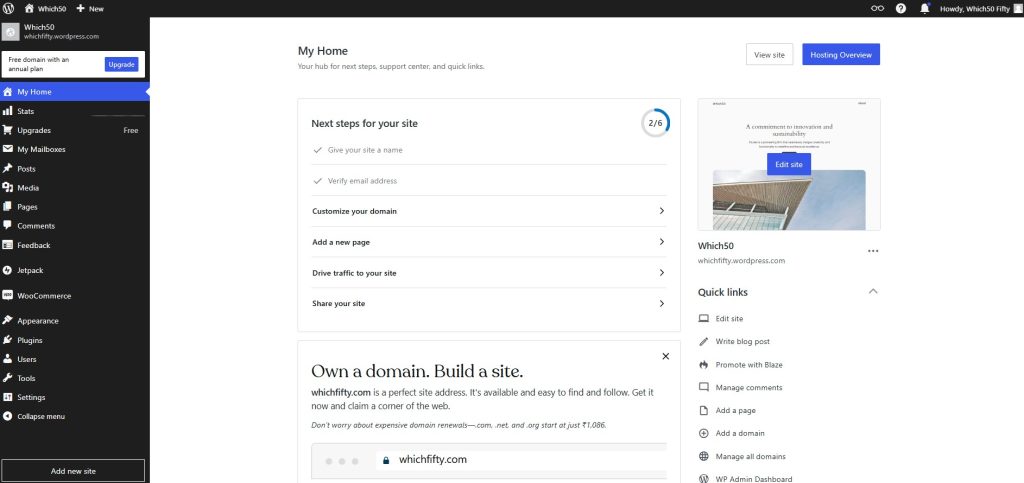
WordPress gives you the most control of any CMS — which is both its strength and its trap. The RankMath and Yoast SEO plugins put every on-page SEO field directly in your editor: title tag, meta description, canonical URL, schema markup, XML sitemaps, breadcrumbs. No code required.
But WordPress doesn’t do any of this for you by default. You have to install the plugin, configure it correctly, and actually use it on every page. You also have to handle performance separately — a caching plugin and CDN are non-negotiable if you want to pass Core Web Vitals on WordPress. Default setup on shared hosting won’t get you there. Use WP Rocket or a similar caching layer, run your assets through a CDN, and check PageSpeed Insights before you call a page done.
Webflow — Clean Code Without the Plugin Stack

Webflow builds clean semantic HTML by default. No plugin-bloated output, no unnecessary divs, no extra render-blocking scripts. Every page gives you direct access to title tag, meta description, canonical URL, Open Graph tags, and alt text fields — all in one panel, no extensions needed.
The performance story is strong too. Webflow serves through Fastly’s CDN with automatic image optimization built in. Sites on Webflow regularly hit solid Core Web Vitals scores without the performance tuning work that WordPress sites require. If you want clean technical SEO without spending time managing a plugin ecosystem, Webflow earns its place.
HubSpot — SEO Built Around Content Strategy
HubSpot approaches CMS SEO through its topic cluster model. Instead of optimizing pages in isolation, it structures content around pillar pages — broad, comprehensive topic hubs — with clusters of related subtopic pages all linking back and between each other. This architecture signals topical authority to Google in a way that stand-alone blog posts don’t.
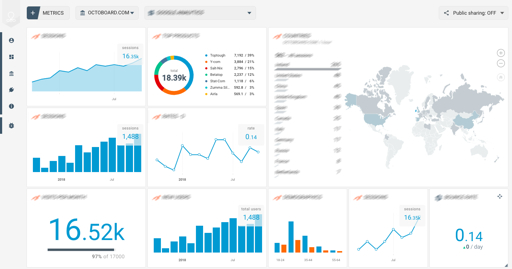
Its SEO recommendations tool actively scans your content library and surfaces specific issues: missing meta descriptions, keyword cannibalization between pages, broken internal links, and pages with low crawl priority. For teams managing hundreds of pieces of content, that automated audit is practically a dedicated SEO analyst running in the background. It also connects SEO performance directly to CRM data — so you can see which organic traffic is actually converting into pipeline, not just page views.
Content That Holds Its Rankings
Publishing is the start, not the finish.
Long-form content — 1,500 words or more — consistently outperforms shorter content for competitive keywords, but not because of length. It outperforms because longer pages tend to cover a topic more completely. Completeness is what holds rankings. Content that answers follow-up questions, covers edge cases, and is easy to scan outperforms content that simply hits a word count target.
Update your top-performing pages twice a year. Google favors fresh content, and your top twenty organic traffic pages are a higher-value investment than writing twenty new pieces. Update the statistics, fix broken links, expand sections that have become thin, and add new internal links to recent content. It’s maintenance, and it compounds.
For a look at how organic traffic connects to conversion rate — specifically how quickly you follow up with leads from content channels — our guide on lead response time impact on conversion covers the downstream side of what good CMS SEO actually earns you.
Conclusion
The sites winning in organic search are not doing anything exotic. They match keyword intent, complete every on-page element, keep their technical configuration clean, and update their best content regularly. Your CMS is where all of that either happens consistently or happens accidentally. Configure it deliberately, use the right tools for your platform, and treat SEO as a system rather than a one-time task. The compounding is real — it just takes time to see it.


Leave a Comment