
Most people do not have a note-taking problem. They have a finding problem.
You write something down in a meeting, in a lecture, or during a random burst of inspiration. It feels productive in the moment. Then two weeks later, you are thinking, “Where did I put that?” You scroll. You search. You give up. And you end up repeating the work.
This blog is about fixing that. Not with a complicated system, not with 50 apps, and not with perfect discipline. Just a simple way to take notes so they stay useful and easy to find later.
Why Notes Get Lost (Even When You Take a Lot of Them)
Notes usually disappear for a few reasons:
- They are stored in too many places (phone notes, docs, paper, email drafts).
- They have no consistent titles, so search does not help.
- They have no structure, so your brain cannot remember where to look.
- You never review or organize them, so everything becomes a messy pile.
The goal is not to build a fancy second brain. The goal is to make your notes easy to capture, easy to store, and easy to retrieve.
The Golden Rule: Write Notes for Future You
Here is a quick mindset shift that changes everything.
When you take notes, you are not writing for “right now.”
You are writing for the version of you who will need that information later.
So whenever you write something down, ask:
- What would I search for to find this again?
- What project or topic does this belong to?
- What action will I take next?
If you do that, you automatically start writing notes that are easier to find.
Pick One Home for Your Notes
If your notes live in five places, you will never trust any of them.
Pick one main “home base” and commit to it.
Your home base can be:
- A notes app such as Evernote, UpNote, Bear, and Obsidian.
- A folder of documents
- A notebook you always carry
- A combination (example: paper for capture, digital for storage)
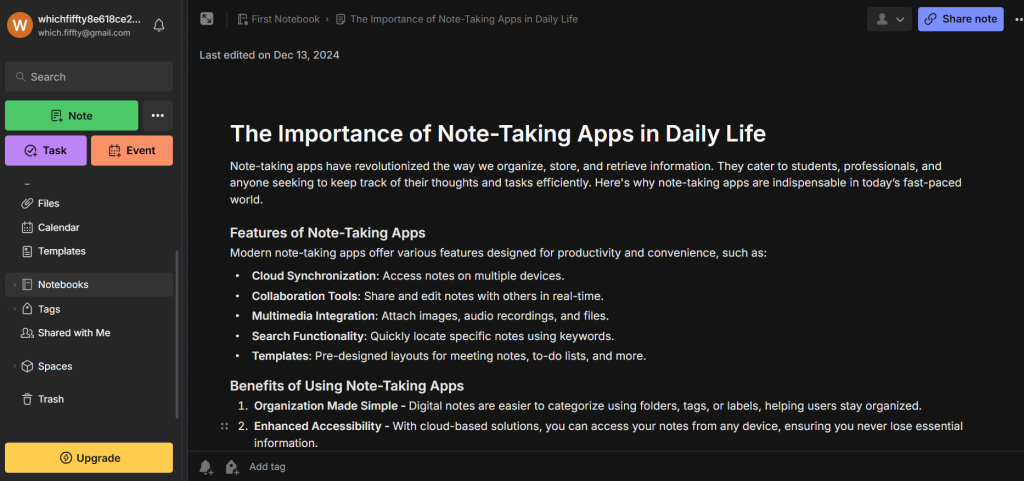

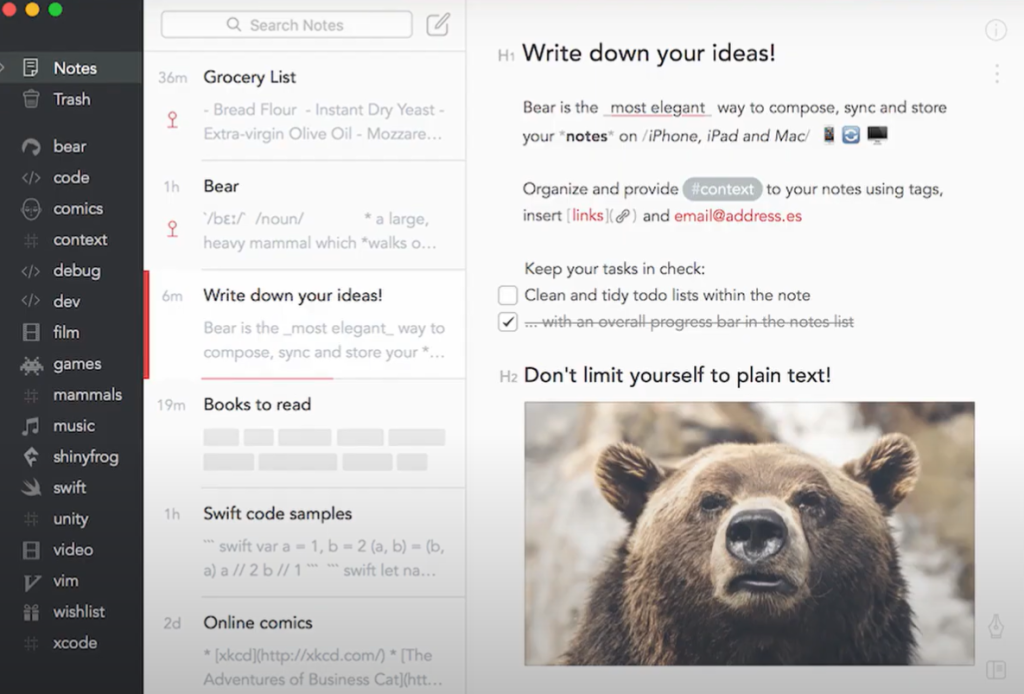
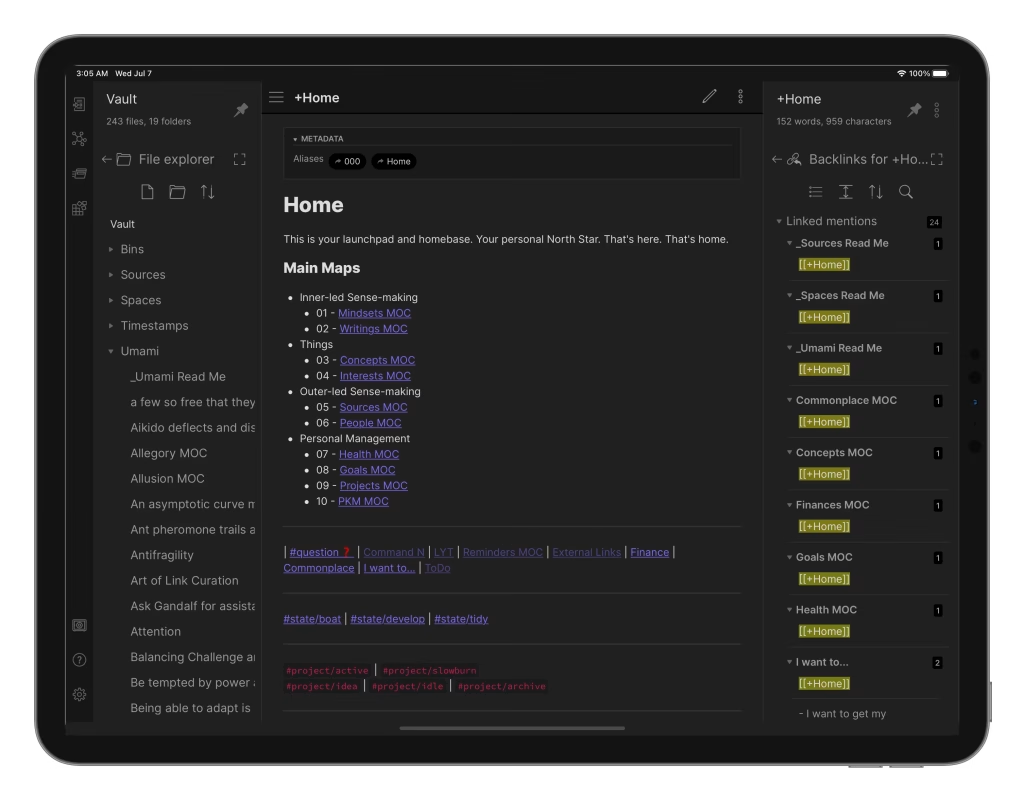
The key is this: everything important must end up in one searchable place.
If you love paper notes, that is fine. But build a habit of scanning or typing the key points into your main system weekly.
Use a Simple Organization System (PARA)
If you want an easy way to organize notes so you can find them later, the PARA method is one of the simplest systems out there.
PARA stands for:
- Projects: Things you are actively working on (launching a course, planning a trip)
- Areas: Ongoing responsibilities (health, finances, team management)
- Resources: Useful information you might need later (templates, guides, research)
- Archive: Old projects and inactive notes
This is popular because it matches how real life works. You look for notes based on what you are doing right now, not based on some perfect category system you created once and forgot.
A simple setup looks like this:
- Projects
- Client onboarding process
- Website redesign
- Areas
- Leadership
- Personal finance
- Resources
- Writing tips
- Marketing ideas
- Archive
- Old projects folder
This makes finding notes easier because you are always starting from the same four buckets.
Title Notes Like You Mean It
Bad note titles are a huge reason notes vanish.
Titles like:
- “Meeting notes”
- “Ideas”
- “Random”
- “Stuff”
These are basically invisible.
Instead, try this format:
Topic + context + date (optional)
Examples:
- “Q1 Hiring Plan, team meeting notes (Jan 2026)”
- “Client X onboarding checklist”
- “Podcast episode ideas, productivity theme”
- “How to handle refunds, updated policy”
When your titles are clear, your search works instantly. You will not need a perfect folder system because the title does most of the work.
Write Notes in a Repeatable Template
When every note looks different, your brain has to work harder.
A simple note template makes everything feel familiar.
Here is a template that works for most situations:
1. What this note is about
One sentence.
2. Key points
Bullet list.
3. Decisions made
If relevant.
4. Next actions
Clear action steps.
5. Tags or location
So you can find it later.
This is not fancy, but it solves the biggest problem: you can scan notes fast when you need them.
Use the Cornell Method for Meetings and Learning Notes
If you take notes in meetings, classes, or training sessions, the Cornell method is great because it forces your notes to be easy to review later.
The Cornell system divides a page into three parts:
- Note-taking area: where you write the main notes
- Cue column: where you add keywords or questions later
- Summary: a short summary at the bottom
The best part is the cue column. It creates built-in search terms. Even if your notes are messy, those cues tell you what mattered.
A quick way to use it digitally:
- Main notes section
- “Cues” section with keywords, questions, or prompts
- One-paragraph summary at the bottom
If you do this, you will find information faster and review it better too.
Tagging That Actually Helps (Not Tag Chaos)
Tags can be amazing. They can also turn into a mess.
Here is how to keep them useful:
Keep Tags Short and Consistent
Good tags:
- meeting
- follow_up
- idea
- customer_feedback
- q1_goals
Not great tags:
- random
- stuff
- things_to_do_later_when_i_have_time
Short tags make searching and filtering easier. Also, decide your format once and stick with it. Lowercase, underscores, whatever you prefer. Just be consistent.
Use Tags for Cross-Connections
Folders help you store notes in one place. Tags help you find notes across different folders.
Example: A note about “website redesign” can live in Projects, but also have tags like:
- copywriting
- seo
- follow_up
That way, you can pull up all your SEO-related notes in one click later.
Limit the Number of Active Tags
A simple rule: if you have more than 15 active tags, you probably have too many.
Keep a short list of “approved tags” and delete duplicates regularly.
Link Notes Together Like a Web
This is one of the most underrated tricks.
When you write a note, add a small section at the bottom called:
Related Notes
Then link to:
- the meeting notes from last week
- the project plan
- the decision log
- the doc where you store templates
Even if your system is not perfect, links create a trail you can follow later.
It is like leaving breadcrumbs for yourself.
Make Notes Search-Friendly
Search is your superpower, but only if you feed it good inputs.
To make search work better:
- Use clear titles
- Repeat key terms once in the first lines of the note
- Use consistent naming for people, projects, and clients
- Add 3 to 5 keywords at the bottom if needed
Also, try a tiny habit that helps a lot:
Write the problem the note solves in the first line.
Example:
- “Problem: refunds are taking too long to process.”
- “Problem: I forget what we decided in leadership meetings.”
Later, you can literally search “refunds taking too long” and find it.
A Simple Workflow That Works in Real Life
Here is a practical system you can actually keep up with.
1) Capture Fast
During a meeting or call, do not worry about making notes pretty. Just capture.
Use:
- bullet points
- short phrases
- messy raw notes
2) Clean Up for 2 Minutes
Right after, spend 2 minutes doing a quick cleanup:
- Add a clear title
- Add “Next actions”
- Add 1 to 3 tags
- Move it into the right place (Projects, Areas, Resources, Archive)
That tiny cleanup is what makes notes findable later.
3) Weekly Review
Once a week, review your recent notes for 10 to 15 minutes:
- Move old projects into Archive
- Combine duplicate notes
- Pull out action items
- Make sure key notes are labeled properly
This is where your system stays clean without becoming a chore.
Examples of Notes You Will Actually Find Later
Here are a few examples of what “findable notes” look like.
Example: Meeting Notes
Title: “Client onboarding call, steps and action items (Jan 2026)”
Key points:
- Client wants weekly check-ins
- They need access to dashboard by Friday
- Billing contact is Sarah
Next actions:
- Send dashboard invite
- Confirm weekly call time
- Draft onboarding email
Tags: client, onboarding, follow_up
Example: Learning Notes
Title: “Email copywriting, subject line patterns that work”
Key points:
- Curiosity plus benefit works best
- Keep subject lines under 50 characters
- Use numbers when possible
Summary: Simple subject lines perform best when they promise one clear outcome.
Tags: copywriting, marketing, ideas
Example: Personal Notes
Title: “Health plan, what worked in December”
Key points:
- Walking after lunch helped energy
- Protein breakfast kept cravings down
- Late caffeine ruined sleep
Next actions: - Repeat lunch walks 4x per week
- No caffeine after 2 pm
Tags: health, habits
You can see why these are easy to search later. The title is clear, the tags are useful, and the actions are obvious.
Common Mistakes That Make Notes Useless
Let’s make sure you avoid the big traps.
Taking Notes Without Any Context
If you write “Call John about this,” you will have no clue what “this” is later.
Add one line of context:
- “Call John about the pricing change for Q1.”
Saving Notes Without a Title
If you take notes in a rush and do not name them, they become impossible to find.
A quick fix is to title them the moment you finish.
Creating a Folder for Everything
Too many folders becomes a maze.
Stick to simple buckets. PARA works because it keeps things limited.
Never Reviewing Notes
If you never look at your notes again, they will always feel messy.
A short weekly review keeps your system clean without stress.
Wrap Up
Taking notes is easy. Taking notes you can find later is the real skill. If you want your notes to actually help you, keep it simple:
- Use one home base for storage
- Organize with an easy structure like Projects, Areas, Resources, Archive
- Write clear titles that match what you would search later
- Add a short cleanup step right after you take the note
- Review weekly so things do not pile up
You do not need a perfect system. You just need one you can stick to. Once you trust your notes, your brain relaxes. You stop redoing work. And you start using your notes like a real support system for your life and work.



Leave a Comment