Sharing notes with your team sounds like the simplest task in the world. You write some details down, you copy the link, you send it over, and you move on.
But in reality? It quickly turns into a complete mess. Files get lost in the digital void, people accidentally work on three different versions of the same outline, and critical action items get completely forgotten. If you’ve ever spent twenty minutes scrolling through Slack search history trying to locate “that one document someone mentioned in a meeting last Tuesday,” you already know how incredibly frustrating this is. It’s a massive time sink, and frankly, it drains your energy before you even start doing real work.
The good news is that note sharing doesn’t have to feel like sorting through a digital scrapyard. By putting a simple system in place and picking the right tools for your specific workflow, you can keep everyone aligned without the constant back-and-forth messaging. Let’s walk through how to build a note-sharing system that actually works in the real world.
Why Note Sharing is Secretly a Productivity Superpower
When a team fails to share notes properly, it’s rarely because people are lazy. Usually, it’s just that there’s no clear path of least resistance. But when notes are scattered, small communication gaps quickly turn into project-delaying roadblocks. You get people duplicating tasks because they didn’t know someone else already took care of it, or decisions made during meetings vanish because they were never written down.
On the flip side, when you get note sharing right, a lot of daily headaches just disappear:
- Everyone stays on the same page: Project scopes and deadlines are clear to everyone, not just the manager.
- Decisions are documented: You have a paper trail of why a decision was made, which saves you from having the same debate three times.
- Zero wasted effort: No more writing the same report or doing the same research twice because of a lack of visibility.
- Training new hires doesn’t take forever: Instead of spending hours repeating the same training spiel to every new person, you can just hand them a folder of clear guides.
- Building a shared history: You end up creating a searchable archive of the team’s brain, so you don’t have to keep relearning the same lessons.
Look, writing stuff down is only half the battle. The real trick is making sure that once information is documented, it is actually easy to find and use when someone needs it a month from now.
Choosing the Right Tool for Your Team’s Vibe
The very first step is picking a platform that fits how your team actually works. Don’t just select the most complicated software on the market because it has the most features. Often, the most feature-heavy tools end up ignored because they are too annoying to open.
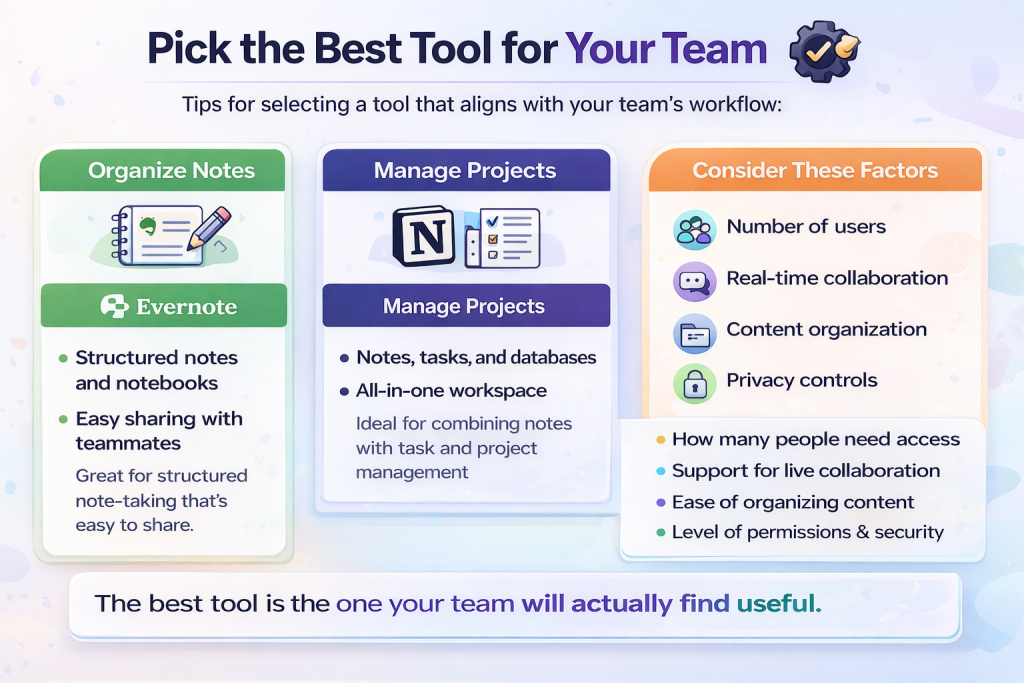
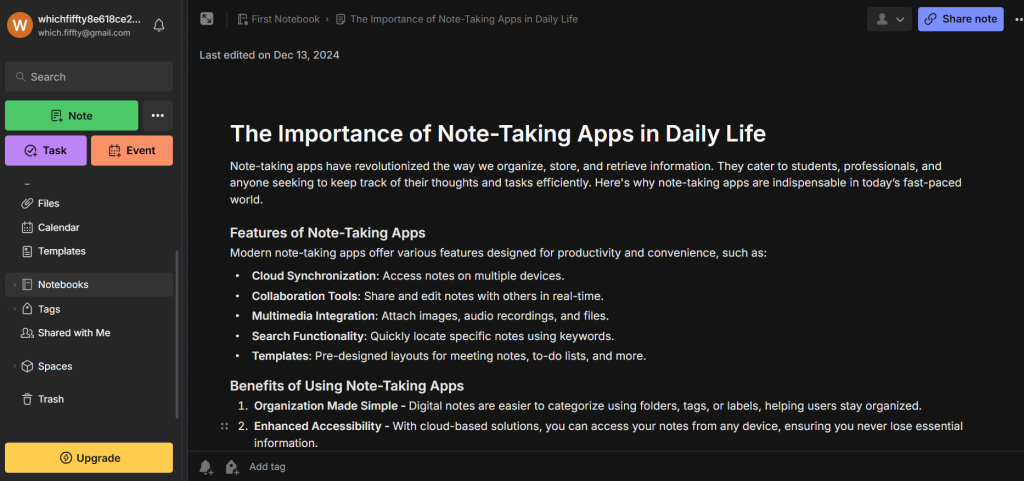
For example, if your team prefers structured, notebook-style organization, a classic tool like Evernote is great. It lets you organize notes into clean virtual notebooks and share them with specific team members with a couple of clicks.
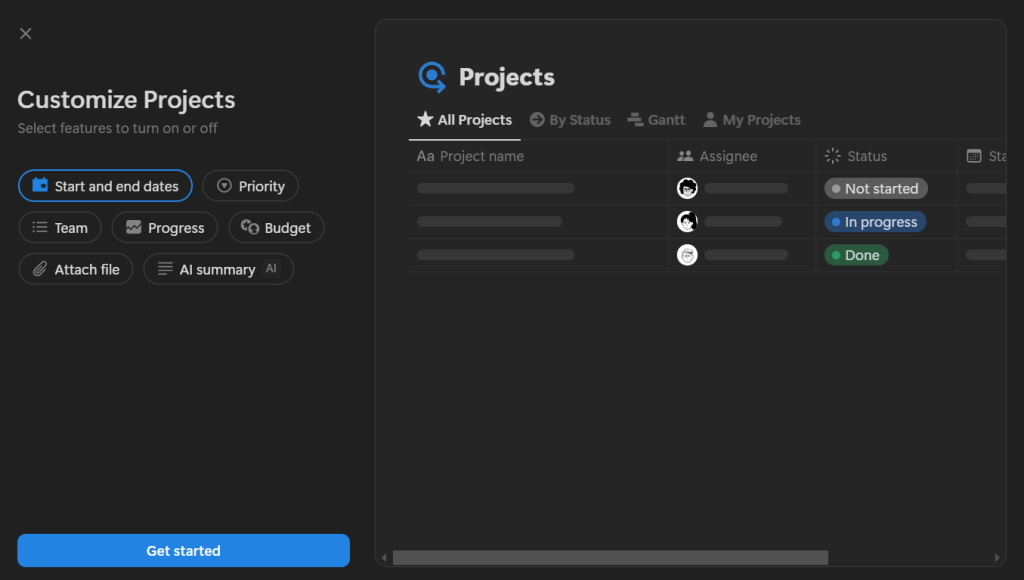
If your team is highly project-driven and needs notes to live side-by-side with tasks and databases, Notion is a powerhouse. It lets you build custom workspaces where notes, tasks, and project boards connect.
When you are trying to decide which tool to roll out, ask yourself:
- How are the permissions? Make sure you can control who can edit versus who can only read.
- How big is your team? A tool that works for three people might crash and burn when you scale to fifty.
- Do you need to write together simultaneously? If you want to take notes live during a call, real-time sync is a must-have.
- Is it easy to search? The best note in the world is useless if the search bar can’t find it.
Organizing Notes from the Start (So You Don’t Build a Digital Junk Drawer)
One of the biggest traps teams fall into is dumping notes into a single shared folder and hoping for the best. It works fine for the first week, but by month three, it’s a disaster.
If you want to keep your shared space from becoming a complete mess, try categorizing things using a few simple rules:
- Set up department spaces: Let marketing, sales, and product have their own separate workspaces so they don’t get in each other’s way.
- Put related things in the same folder. Drop customer rants, competitor research, or design assets into their own logical buckets. That way you aren’t digging through a dozen folders just to find a logo.
- Keep recurring meetings in chronological order. If you do a sync every week, stack them by date. It makes it super easy to look back and trace exactly when you decided to change course.
Also, for the love of sanity, stop naming files “Meeting Notes” or “Draft”. That is a surefire way to lose them forever. Give your files a predictable name like [Marketing] Weekly Standup - July 2026. That tiny habit alone saves you so much search time later. And once you’re inside the note, keep the layout consistent. Start with the main goal of the meeting, list out what you actually talked about, and end with a clear list of who’s taking care of what.
Writing Together (Instead of One Stressed-Out Typist)
There is nothing worse than being the designated note-taker in a fast meeting—you’re trying to listen, type, and participate all at the same time, and you usually end up doing a mediocre job at all three. Real-time document editing changes everything.
It makes things like brainstorming or planning calls much smoother. While one person is jotting down the main decisions, someone else can drop in relevant links, and another person can list out the action items. If a point seems off, anyone can leave a quick comment right there instead of waiting to send an email later. By the time the call wraps up, the notes are already done and everyone is on the same page.
Locking Down Permissions (Because Not Everything is Public)
Transparency is awesome, but let’s face it: not everyone on the payroll needs to see the budget projections, HR logs, or early drafts of a project that isn’t ready.
Most note tools give you three basic settings to play with:
- View Only: Perfect for static files like company handbooks or project specs where you want zero accidental edits.
- Comments Only: Great when you want feedback on a draft but don’t want people rewriting your paragraphs.
- Edit Access: Keep this limited to the people who are actively working on the document with you.
Getting these boundaries set early keeps your docs secure and saves you from the horror of someone accidentally deleting a whole page.eded.
A Simple Routine to Keep Notes from Getting Lost
If you don’t have a clear routine, notes will still get scattered across random Google Docs and personal folders. You need a simple, repeatable flow that everyone follows:
- Tag the action items: Highlight who is doing what so tasks don’t slip through the cracks.
- Write as you go: Take notes during the meeting or task, not two hours later when you’ve already forgotten half of it.
- Save it immediately: Put it in the shared space right away, before it gets lost on your desktop.
- Drop the link in chat: Throw the link into Slack or Teams so the team actually knows it exists.
Make Notes Easy to Scan
No one has time to read a wall of dense text. If your notes look like a chapter of a textbook, your team will ignore them.
Make your documents scannable by using short paragraphs, bold headers, and bullet points. When you’re writing up notes, divide them into clear buckets: what you talked about, what you decided, and what needs to happen next. Bold the names of people assigned to tasks so they jump off the page. This formatting takes an extra minute when writing, but it saves hours of collective team reading time.
Keep Notes Updated (Or Archive the Old Stuff)
Outdated notes are worse than no notes at all. If a project plan changes, update the original document instead of starting a new file named Project Plan v2 Final (Updated).
If you must keep track of changes, use version control features or add a “Last Updated” date at the very top of the page. Once a project is finished, move the notes to an archive folder so they don’t clutter your daily search results.
Building a Shared Brain
If you do this consistently, something cool happens: your shared notes turn into a wiki for your business. Instead of explaining how to set up a client account or write a blog post for the tenth time, you can just send over a link to the note. This makes training new hires a million times easier, and it ensures that when someone leaves the company, their knowledge doesn’t walk out the door with them.
Common Traps to Avoid
Even with a great tool, it’s easy to make simple mistakes that ruin the system:
- Dropping links without context: Don’t just paste a URL into Slack and disappear. Tell people what it is and what they need to do with it.
- Leaving out the action items: If a meeting note doesn’t have a list of next steps, it’s just a transcript. Always write down who is doing what, and by when.
- Making organization too complex: Keep your folder structure flat. If people have to click through five subfolders to save a document, they simply won’t do it.
Fixing these small things can improve how your team works together.
Wrap Up
At the end of the day, note sharing is a habit, not a software feature. The best tool on the planet won’t save a team that isn’t consistent.
Just make it a habit to put notes in the right spot, keep them clean, and clean out the old stuff every once in a while. Your notes don’t need to be works of art—they just need to be clear and easy to find. Once your team gets into the habit, you’ll wonder how you ever got things done without it.



Leave a Comment