Running an event isn’t just about the day itself. It’s everything before and after—getting people to actually register, reminding them so they don’t forget, checking them in without a line stretching out the door, and figuring out afterward who showed up and who didn’t. Most of the stress around events comes from doing that stuff manually. You don’t have to.
Here’s the thing: the tools to manage all of this exist, they work, and most of them aren’t that expensive. The real question is knowing what to set up before your event goes live so you’re not scrambling the night before.
Start With a Clean Registration Process
Your registration form is the first thing attendees see. If it’s confusing, too long, or looks sketchy, people will drop off before they complete it. Keep it short. Ask for what you actually need—name, email, maybe a ticket type or dietary preference if that’s relevant. That’s it. Every extra field you add costs you some percentage of completions.
Use a form tool that sends a confirmation email automatically the moment someone registers. That email is your first piece of communication. Include the date, time, location (or virtual link), and a calendar invite file. People will not remember to add it to their calendar unless you make it absurdly easy.
Also decide upfront whether your event is free or paid. Free events consistently see 40 to 50 percent no-show rates according to Eventbrite’s event industry data. Paid events have significantly lower drop-off. If your event is free but attendance really matters, consider collecting a small deposit you refund on arrival, or at least require registration so you have real contact information for follow-ups.
The Reminder Sequence That Actually Works
People register for events weeks in advance and then forget. A single confirmation email isn’t enough. You need a simple reminder sequence.
The formula that works for most events:
- One week before: reminder with logistics, location or link, and any prep they need to do
- One day before: short reminder, what to bring or expect, and how to reach you if something goes wrong
- Day of: final reminder with the link or address, start time, and a contact number
That’s three emails. It’s not spam—it’s helpful. People genuinely appreciate the day-of reminder because they’re busy. Keep each one short. No fluff, just the information they need right now.
If you’re running a virtual event, add one more email thirty minutes before the session with the direct join link so they don’t have to dig through their inbox.
Check-In That Doesn’t Create a Queue
Manual check-in is the fastest way to start your event on a bad note. One person with a clipboard and a printed list for fifty attendees means ten minutes of people standing around before anything starts.
Use a QR code check-in system. Most event registration tools generate a QR code for each attendee in their confirmation email. At the door, you scan it with a phone or tablet and they’re marked as attended. The whole thing takes three seconds per person. You can run multiple check-in stations simultaneously for bigger events.
If you’re collecting physical tickets or passes, have those printed and ready in alphabetical order by last name. Low tech but it works in a pinch.
Tools That Handle the Heavy Lifting
Eventbrite — Best for Public and Ticketed Events
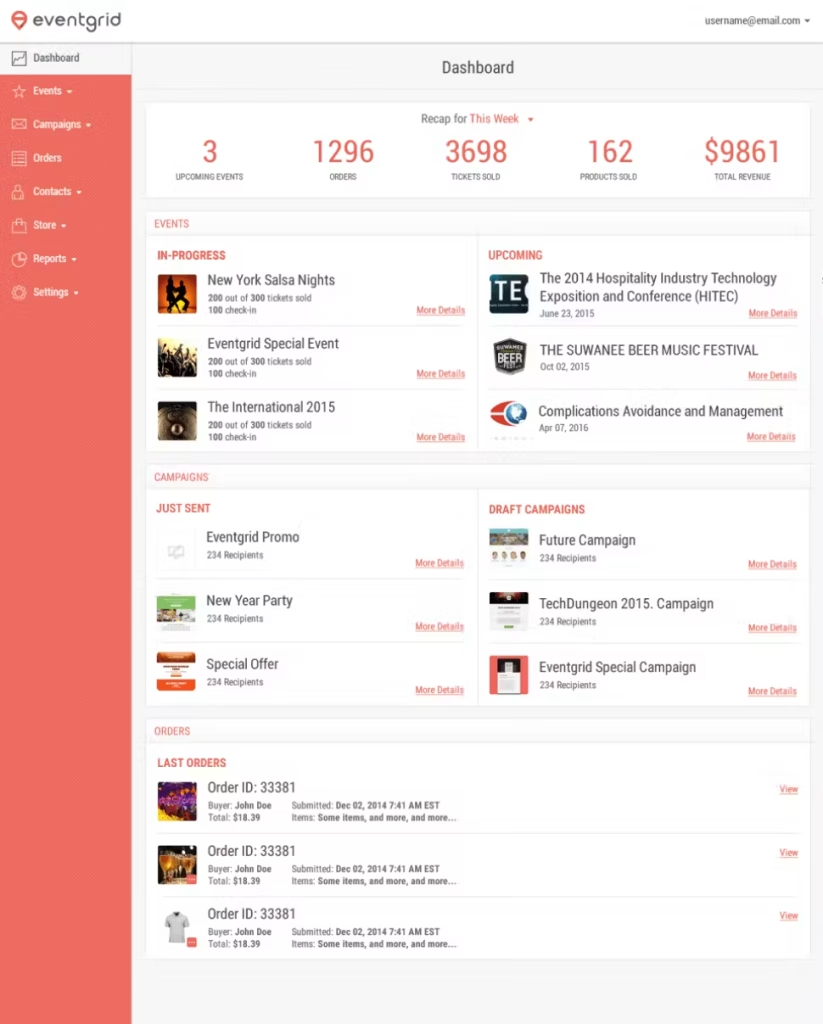
Eventbrite handles everything from registration to ticket sales to on-the-day check-in. You create your event, set up ticket types (free, paid, VIP, early bird), and Eventbrite gives every registrant a unique QR code in their confirmation email. At the door, the Eventbrite Organizer app on your phone scans it instantly.
It also takes care of payment processing if you’re selling tickets, with payout to your bank account after the event. The free plan works fine for free events. For paid events, Eventbrite takes a percentage plus a flat fee per ticket—worth factoring into your ticket pricing from the start.
The discoverability aspect is real too. Eventbrite has its own marketplace where people search for events nearby. If your event is open to the public, being listed there gets you registrations you wouldn’t have otherwise.
Eventzilla — Best for Budget-Conscious Organizers
Eventzilla does most of what Eventbrite does at a lower cost for paid events. Registration pages, ticket types, QR code check-in, attendee management—all covered. The platform is less polished visually but the core functionality is solid.
If your event is recurring—weekly meetups, monthly workshops, quarterly conferences—Eventzilla handles multi-session registrations without requiring attendees to fill out a new form each time. That’s a real time saver for organizers running regular programming rather than one-off events.
Bizzabo — Best for Professional and Corporate Events
Bizzabo is designed for enterprise-level event management where you need branded registration pages, detailed attendee data, session-level registration, and integration with your CRM. According to Bizzabo’s event experience research, in-person and hybrid events consistently produce higher attendee satisfaction scores than fully virtual formats—which makes the logistics and check-in experience even more important to get right.
Bizzabo handles speaker and sponsor management, networking features, and post-event analytics that go beyond a basic headcount. If you’re running a conference with multiple tracks, session sign-ups, and a sponsor presence, this is the platform built for that complexity. It’s priced accordingly—aimed at organizations running events as a meaningful part of their business rather than occasional workshops.
Jotform — Best for Custom Registration Forms With Embedded Payments
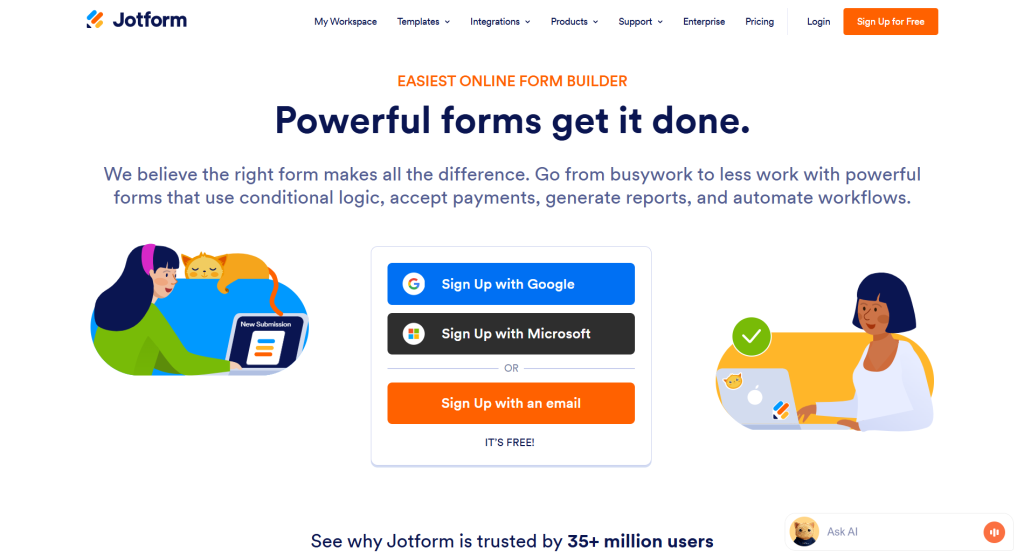
Jotform isn’t a dedicated event tool, but it’s great if you want complete freedom over your sign-up flow. You can hook up Stripe or PayPal right on the page, route attendee names straight into a Google Sheet, and trigger your own custom email receipts automatically.
Here’s why some people prefer this over Eventbrite: you own the whole page. You aren’t stuck inside someone else’s template. You can set up smart rules—like showing extra questions only if someone picks a VIP pass—and embed the form directly onto your existing site so visitors never have to leave.
But here’s the catch: you have to piece things together yourself. Jotform won’t hand you an on-site check-in app or generate entry QR codes out of the box, so you’ll need another plan for scanning people in at the door.
Tracking Actual Attendance
Knowing how many people registered is easy. Knowing how many actually showed up—and who specifically—is where most organizers fall down.
Make sure your check-in system marks attendees in real time so you have a live count during the event, not just afterward. For virtual events, most platforms track join time and duration automatically—but pull that report within 24 hours while you remember what happened.
After the event, calculate your attendance rate: actual attendees divided by registrations. Track this across events over time. If your rate is consistently low, the problem is usually one of three things: your reminder sequence isn’t strong enough, your audience isn’t well-qualified, or the event time or format isn’t convenient for your specific crowd. Each of those has a different fix.
What to Do After the Event
Don’t disappear the moment the session ends. Send a follow-up email within 24 hours to everyone who attended. Include a thank-you, any resources you promised, and a link to register for your next event or join a waitlist if you have one.
Send a separate email to registered people who didn’t show up. Keep it short—acknowledge they couldn’t make it, offer a recording or summary if you have one, and give them an easy way to stay connected for next time. Some of your best future attendees are people who registered but couldn’t make the first one.
Both of those emails have significantly higher open rates than a cold newsletter because the person already has context for why they’re hearing from you.
Conclusion
Good event management is mostly systems. Once you have a clean registration form, a simple reminder sequence, a QR check-in process, and a post-event follow-up template, running events gets dramatically less stressful. You set it up once and reuse it.
The tools above handle the technical side. Your job is to pick the right one for your event size and complexity, get it set up before you open registration, and test the whole flow end-to-end before you publish the link.
Leave a Comment