Editing podcast audio can feel scary at first. You open an editor, see waveforms everywhere, and suddenly that fun recording session turns into, “Wait… what do I even click?”
Here’s the truth: you do not need to be a sound engineer to make a podcast sound clean and professional. You just need a simple workflow and a few basic habits that make editing faster every week. Once you learn the basics, editing becomes routine, like making coffee. You know the steps, you know what good sounds like, and you stop overthinking it. This beginner guide will walk you through everything in plain English: what to fix first, what to ignore, and how to make your podcast audio sound good without spending hours.
What “Good Podcast Audio” Really Means
A beginner mistake is thinking podcast editing means making your voice sound like a movie trailer. That is not the goal.
Good podcast audio usually means:
- Clear voices you can understand without effort
- Consistent volume so listeners are not constantly turning the volume up and down
- Low distraction from background noise, clicks, loud breaths, and long silences
- Smooth pacing so the episode feels tight and easy to follow
- Export settings that sound right on phones, cars, and earbuds
If you can hit those points, your podcast will sound more “professional” than many shows that have been running for years.
Pick the Right Editing Setup (Keep It Simple)
You can edit on almost any laptop. The key is keeping your setup beginner-friendly.
Beginner-Friendly Editing Tools
A few popular options are:
- Audacity: Free, solid, and great for learning the basics. It works well for cutting, noise reduction, and exporting clean audio.
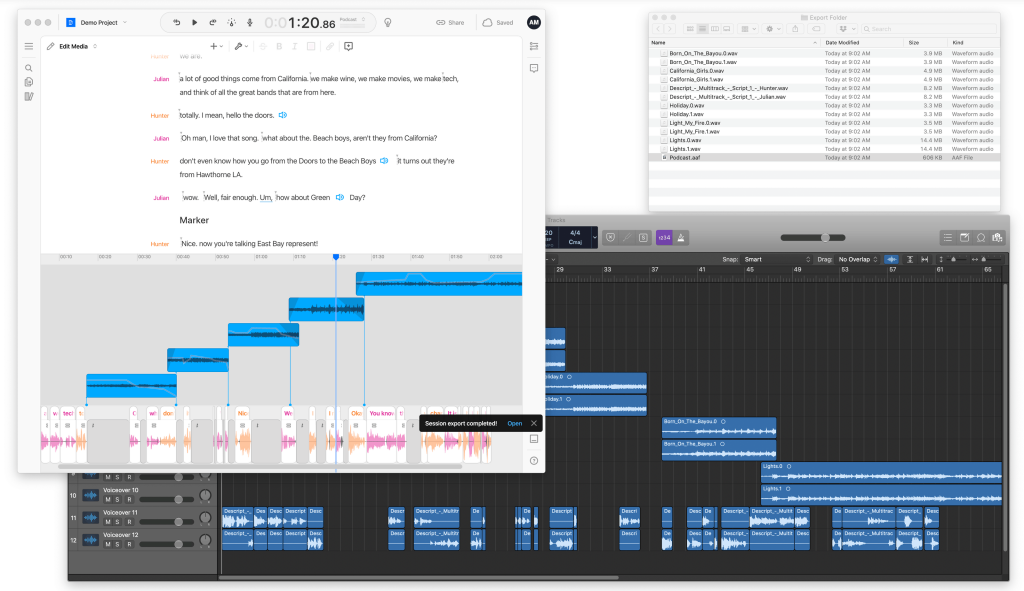
- Descript: Great for beginners because you can edit audio by editing text. It is a faster way to remove filler words and tighten conversations.
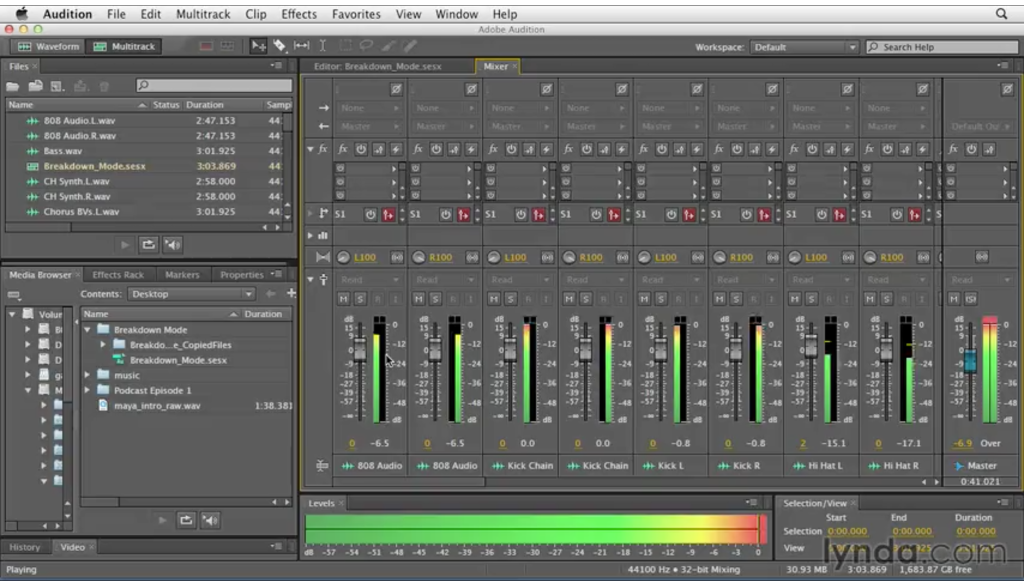
- Reaper / GarageBand / Adobe Audition: Also good, but beginners can get overwhelmed fast if they jump into advanced tools too early.
If you are brand new, start with one tool and stick with it for at least 10 episodes. Constantly switching tools slows your learning.

Helpful Gear (But Not Required)
- Headphones: Basic over-ear headphones help you hear noise and mouth clicks better than speakers.
- A quiet space: The room matters more than the microphone.
- A simple mic: You can get good results without going expensive.
The Beginner Podcast Editing Workflow (Use This Every Time)
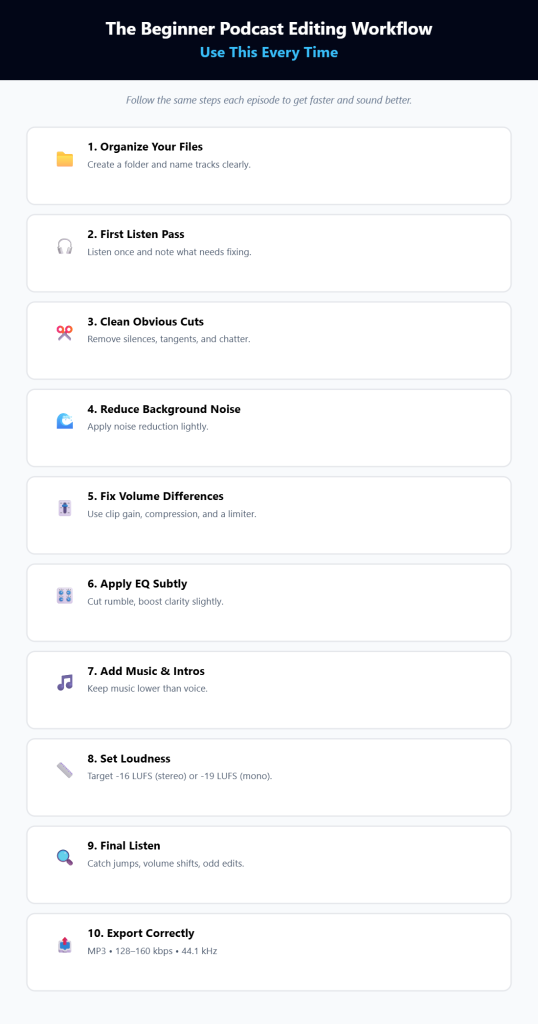
The fastest way to get good at editing is to follow the same steps every episode. Here is a simple workflow you can copy.
1) Organize Your Files First
Before you edit anything:
- Create a folder for the episode
- Put audio files, music, and notes inside
- Name your files clearly like:
- Episode_12_Host.wav
- Episode_12_Guest.wav
- Episode_12_IntroMusic.wav
This sounds boring, but it saves you hours later.
2) Do a “First Listen” Pass
Play the episode once without editing. Just listen and take notes.
Write down timestamps for:
- Bad audio moments
- Repeated questions
- Long pauses
- Parts that feel confusing
- Places where an ad or intro should go
This step makes the editing stage faster because you already know what needs fixing.
3) Clean Up the Obvious Stuff (Cuts and Trimming)
This is where beginners get the biggest improvement.
Start by removing:
- Long silences
- Off-topic tangents
- Awkward starts and endings
- “Can you hear me?” setup chatter
- Technical issues like restarting a question
Keep it natural. Do not try to remove every breath. That can make voices sound weird and robotic.
Quick tip: If you delete a section, add a short fade so the cut sounds smooth.
4) Remove Background Noise Carefully
Noise reduction is helpful, but it is easy to overdo.
Common background noise includes:
- Air conditioner hum
- Laptop fan noise
- Room hiss
- Street noise in the distance
If your tool lets you capture a noise profile from a silent section, do that. Then apply noise reduction lightly. Heavy noise reduction can make your voice sound like it is underwater.
A good rule: if you notice the noise reduction effect more than the noise itself, you went too far.
5) Fix Volume Differences (So Listeners Do Not Suffer)
This is one of the biggest reasons podcasts sound “amateur.”
You want your audio to feel consistent. That means:
- Quiet speakers get boosted
- Loud spikes get controlled
- Everyone sounds balanced
Here are the main tools you will use:
Clip Gain (Best for Beginners)
If one sentence is too loud, lower just that part.
If a guest is always quiet, raise their track slightly.
This is the most natural way to fix uneven audio.
Compression (Use Light Settings)
Compression evens out loud and quiet parts so the voice stays steady. Beginners should keep compression gentle.
A simple beginner approach:
- Use a mild compressor preset if your tool has it
- Avoid pushing it until voices sound “flat” or harsh
Compression is powerful, but too much makes the episode tiring to listen to.
Limiter (Stop Sudden Loud Peaks)
A limiter catches sudden loud moments so they do not spike and distort. Think of it as a safety net.
6) Use EQ for Clearer Voices (But Keep It Subtle)
EQ is just tone control. It helps remove rumble and add clarity.
Beginner-friendly EQ moves:
- Cut low rumble using a high-pass filter around 70 to 100 Hz
- Make voices slightly clearer with a small boost in the upper mids
- Keep changes small, like 1 to 2 dB at a time
If you boost too much, voices can sound sharp and unpleasant.
7) Add Music and Intro/Outro (If You Use It)
Music is optional, but if you use it:
- Keep the intro short (5 to 12 seconds is plenty for most shows)
- Fade music under your voice smoothly
- Make sure music is quieter than speech
A common beginner mistake is music that is too loud, especially at the start. Always compare it against your voice level.
8) Set Loudness (So Your Podcast Sounds Consistent Everywhere)
Loudness is a big deal. Listeners hate when one episode is much louder than the next.
A common podcast target is:
- -16 LUFS for stereo episodes
- -19 LUFS for mono episodes
You do not need to obsess over it. Just aim for consistency using loudness normalization if your editor supports it.
9) Do a Final Listen Before Exporting
Never skip this. It saves you from embarrassing mistakes.
Listen for:
- Weird jumps where you cut too tight
- Sudden volume changes
- Background noise that got worse after processing
- Overlapping audio if you have multiple tracks
- Anything that sounds “unnatural”
Pro tip: Listen at 1.25x speed during the final check. It helps you spot pacing problems faster.
10) Export with Beginner-Friendly Settings
Most podcasts will be fine with:
- MP3
- 128 kbps (voice) or 160 kbps (slightly better quality)
- 44.1 kHz sample rate
If your host requires something specific, follow that. Otherwise, do not overthink it.
Editing a Podcast in Audacity (Simple Walkthrough)
If you are using Audacity, this is a very beginner-friendly order:
- Import your audio tracks
- Trim the beginning and end
- Remove long silences and mistakes
- Use light noise reduction if needed
- Adjust volume with clip gain or amplify
- Apply gentle compression
- Apply a limiter to catch peaks
- Export your final MP3
Keep it simple. You can always refine later.
Editing a Podcast in Descript (Simple Walkthrough)
Descript is different because you edit the transcript like a document.
A beginner flow looks like this:
- Import your audio and let it transcribe
- Delete text where you want cuts
- Remove filler words like “um” and “like” carefully
- Tighten the pacing by cutting long pauses
- Balance volume using presets
- Export the audio file
Descript is great for speed, especially if you want transcripts and fast edits.
Common Beginner Mistakes (And How to Avoid Them)
Most beginners struggle with the same problems. Fix these and you will improve fast.
Trying to Make It Perfect
You do not need perfection. You need clean and consistent. Listeners forgive small imperfections. They do not forgive messy volume and painful noise.
Overusing Noise Reduction
Heavy noise reduction can ruin your voice. Use it lightly and only if needed.
Over-Compressing
Too much compression makes the voice sound crushed and tiring. Keep it gentle.
Cutting Too Tight
If you cut every breath and pause, the conversation feels unnatural. Leave small pauses so it feels human.
Ignoring Room Sound
If you record in a noisy space, editing gets harder. Improving your recording space can reduce editing time by half.
How Long Should Editing Take?
A common beginner question is, “Why am I spending 6 hours editing a 45-minute episode?”
That is normal at first.
A rough guideline:
- Beginner: 3 to 6 hours per 1 hour of audio
- Intermediate: 2 to 3 hours per 1 hour of audio
- Efficient workflow: 1 to 2 hours per 1 hour of audio
The more consistent your recording setup and workflow, the faster editing becomes.
A Simple “Checklist” You Can Reuse Every Episode
Copy this into your notes:
- Clean up obvious mistakes and long pauses
- Apply light noise reduction if needed
- Balance volume between speakers
- Apply gentle compression
- Add limiter for peaks
- Use subtle EQ if needed
- Add intro/outro music (optional)
- Loudness check and normalize
- Final listen
- Export MP3 and upload
Wrap Up
Podcast editing for beginners is not about fancy effects. It is about making voices clear, volume consistent, and pacing smooth. If you follow a simple workflow and repeat it every episode, you will improve fast without burning out.
Start with the basics: cut the clutter, fix volume issues, and avoid over-processing. Then slowly add things like EQ and loudness targeting as you get comfortable. The goal is to make your show easy to listen to, not to chase perfection.
After a few episodes, you will notice something great: editing stops feeling like a chore and starts feeling like your podcast’s finishing touch.


Leave a Comment