Most customer feedback surveys get ignored. Not because people don’t have opinions—they do—but because the survey is too long, shows up at the wrong time, or asks questions that feel like they’re for the company’s benefit rather than actually trying to understand the customer’s experience. If you’ve sent surveys and gotten a two percent response rate, that’s usually why.
Here’s the thing: a well-built survey takes less than five minutes to complete, asks the questions that actually matter, and gets sent to the right person at the right moment. That’s not complicated to pull off. It just requires being intentional about a few things from the start.
Decide What You Actually Want to Learn
Before you open any survey tool, write down one sentence: what decision will this survey help you make? If you can’t answer that, you’re not ready to build the survey yet.
This matters because the most common survey mistake is asking too many questions. You want to know everything—product quality, customer service, website experience, pricing perception, likelihood to recommend—so you jam it all into one form. The result is a fifteen-question survey that most people abandon after the third question.
Pick one focus. If you want to know why customers churn, build a cancellation survey. If you want to understand the post-purchase experience, build a short follow-up survey that goes out two days after delivery. If you want a quick read on overall satisfaction, use a standard NPS (Net Promoter Score) format—one rating question and one open-ended follow-up. One purpose per survey, every time.
Keep It Short. Actually Short.
According to SurveyMonkey’s response rate research, completion rates drop significantly once a survey exceeds seven to eight minutes. For customer feedback specifically, three to five questions is the sweet spot. People will answer that. They won’t answer twenty.
Every question on your survey should pass this test: if you removed this question, would it change how you use the data? If the answer is no, cut it.
A few question types that actually work for customer feedback:
- Rating scales (1-5 or 1-10): easy to answer, easy to analyze across responses
- NPS question: “How likely are you to recommend us to a friend?” — a single number that’s trackable over time
- One open-ended question: “What’s one thing we could do better?” — the most valuable question you can ask, and it takes up one field
Avoid leading questions. “How much did you enjoy your experience?” pushes the respondent toward a positive answer. “How would you describe your experience?” doesn’t. The difference shows up in your data.
Timing Is Half the Work
Sending a survey at the wrong moment is almost as bad as not sending one. The best time to ask for feedback is right after the experience you’re asking about. That means within 24 to 48 hours of a purchase, support ticket resolution, onboarding call, or product interaction—while it’s still fresh.
Waiting two weeks and then emailing a survey is a recipe for low response rates and vague answers. The customer barely remembers what happened. And they’re definitely not emotionally engaged with it anymore.
If you’re gathering ongoing satisfaction data rather than post-event feedback, set a consistent cadence—quarterly is typical for most businesses. Don’t survey the same customers every month. Survey fatigue is real, and it drives down both response rates and data quality.
Distribute It Where Your Customers Actually Are
Email is still the highest-converting channel for survey distribution for most businesses. A direct email with a clear subject line (“Quick question about your recent order”) and a prominent button to start the survey gets opened. A survey buried in your monthly newsletter does not.
You can also reach people outside their inbox depending on how they interact with you:
- Little popups inside your app or site: show a single question right after someone finishes onboarding or buys something. They’re already on your page, so replying takes zero extra effort.
- Quick text messages: texts get opened almost instantly. Keep it to one rating question so people can reply with a single number from their phone.
- QR codes on tables or receipts: perfect for retail shops, cafes, or events. People can scan with their phone camera on the spot without typing in an email.
- Automated notes right after support tickets close: ask how the agent did within five minutes of solving their issue. Response rates here are huge because the interaction is still top of mind.
Here’s the rule of thumb: ask where the experience happened. If they bought online, send an email. If they walked into your shop, use a QR sticker on the counter. If they just chatted with support, fire off an instant one-click rating.
Tools That Make This Easy
Typeform — Best for High Completion Rates
Typeform presents one question at a time, which sounds like a small thing but has a noticeable impact on how far people get through a survey. The conversational format makes a four-question survey feel quick rather than like a form to fill out. Branching logic lets you show different follow-up questions based on a previous answer—so if someone rates their experience a 3 out of 5, you can automatically ask what went wrong, and skip that question for people who rated 5.
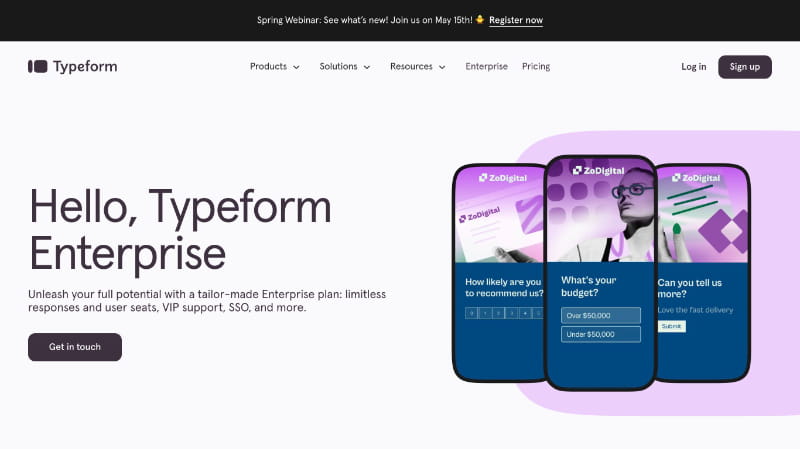
The free plan covers basic surveys with up to ten questions and a hundred responses per month. Paid plans unlock more responses, integrations, and custom branding so the survey doesn’t show Typeform’s own logo on your customer’s screen.
SurveyMonkey — Best for Structured Analysis and Benchmarking
SurveyMonkey is the most established name in survey software and the one most businesses default to for a reason. The question library is extensive, the reporting dashboard makes it easy to spot patterns across hundreds of responses, and the platform includes industry benchmark data so you can compare your NPS or CSAT scores against similar businesses.
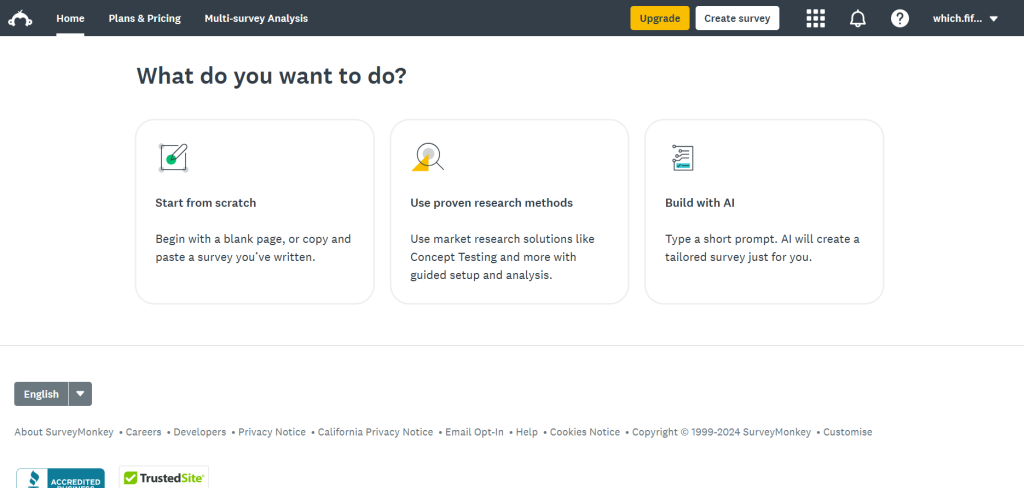
If you’re running surveys as a recurring business process—quarterly satisfaction checks, annual employee surveys, post-event feedback—SurveyMonkey’s template library and reporting tools save significant setup time. The free plan is limited on responses and analysis features; the paid plans are priced for businesses running regular survey programs.
Jotform — Best for Surveys Embedded in Existing Workflows
Jotform is the most flexible option if you want a survey that’s embedded directly on your website or connected to your existing tools. You can build a customer feedback form, embed it into a page or post-purchase confirmation screen, and automatically pipe responses into a Google Sheet, CRM, or email notification—all without writing code.
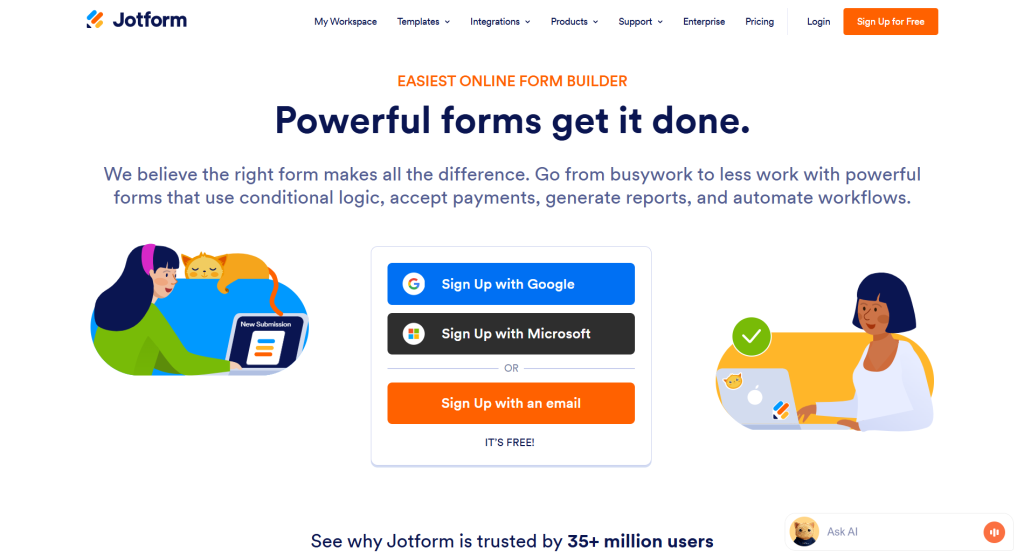
The visual builder supports complex conditional logic, file uploads, signature fields, and payment collection in the same form if you need them. For businesses that want a survey experience that feels native to their own brand and website rather than a redirect to a third-party platform, Jotform gives you that level of control.
Tally — Best Free Option for Simple Surveys
Tally is completely free for unlimited forms and unlimited responses, which immediately makes it the right starting point for anyone who needs to collect customer feedback without a budget. The form builder is clean and fast—you build forms in a document-style editor rather than dragging and dropping fields, which speeds things up once you get used to it.

It handles standard feedback survey formats well: rating scales, multiple choice, short text answers, NPS questions. Branching logic is available on the paid plan. The free tier works for most basic feedback use cases, and the lack of a response limit means you don’t hit a paywall mid-survey-campaign the way you do with SurveyMonkey’s free plan.
What to Do With the Data
Collecting survey responses is the easy part. The harder part is actually using them.
A few habits that turn raw feedback into something actionable:
Set a regular time to review responses—weekly for high-volume surveys, monthly for lower-frequency ones. Don’t let them pile up for three months and then do a massive review. You lose the ability to act on the feedback while it’s still relevant.
Tag open-ended responses by theme. If twenty people mention slow shipping, that’s a category. If five people mention confusing checkout, that’s a category. You don’t need software to do this—a simple spreadsheet works. But once you see patterns, you have something to act on.
Close the loop with respondents when possible. If someone left a low rating and specific complaint, a direct follow-up email from a real person—acknowledging what they said and telling them what you’re doing about it—turns a frustrated customer into a loyal one more reliably than most retention tactics.
According to the Nielsen Norman Group’s research on survey UX, users are significantly more likely to complete a survey when they feel the questions are relevant and the process respects their time. That’s worth keeping in mind every time you’re tempted to add just one more question.
Conclusion
A good customer feedback survey is short, specific, timed correctly, and connected to a decision you actually need to make. Everything else is noise.
Pick a tool that fits your workflow, send it within 48 hours of the interaction, keep it under five questions, and have a plan for what happens to the data before you hit send. That’s the whole system.


Leave a Comment