If team collaboration feels messy right now, there is a good chance the problem is not your people. It is your process.
Most teams still brainstorm in long meetings, random docs, or message threads that go nowhere. Great ideas get lost, decisions are unclear, and the same topics come up again next week. A shared mind map fixes that. It gives everyone one place to think, plan, and connect the dots.
In this guide, you will learn how to collaborate on mind maps with your team in a simple, repeatable way. You will get practical steps, real examples, and a few templates you can copy right away.
What Team Mind Mapping Really Means
A mind map is a visual way to organize ideas. You start with one main topic in the center, then branch out into subtopics, actions, notes, and links.
When you collaborate on mind maps, it becomes more than brainstorming. It turns into a shared workspace where your team can:
- Build ideas together in real time
- Add context and supporting notes
- Spot gaps and duplicates quickly
- Turn discussions into clear next steps
This works in the same room or across time zones. Many modern mind map tools support real-time editing where changes show instantly for everyone, so the team stays aligned while the map grows.
When Mind Maps Help the Most
Mind maps are not only for creative sessions. They are great for work that usually feels chaotic.
Here are common team situations where mind maps shine:
- Brainstorming campaigns, features, or content ideas
- Planning a project with tasks and owners
- Running retrospectives and collecting feedback
- Organizing research and findings
- Solving problems using cause-and-effect thinking
- Meeting prep so the meeting stays focused
If your team ever says “Wait, what did we decide?” a shared mind map is a strong fix.
Pick the Right Collaboration Style
Mind map collaboration usually falls into two styles. Both work. Choose based on your team and the type of work.
Real-Time Collaboration
This is when everyone works on the same map at the same time. It is great for:
- Live brainstorms
- Workshops
- Sprint planning
- Problem-solving sessions
Real-time tools often include features like live cursors, comments, and instant updates, so the group can build momentum fast.
Async Collaboration
This is when people contribute at different times. It is ideal for:
- Remote teams across time zones
- Deep work and research
- Long-term planning maps that evolve weekly
Async works best when the map has clear structure and rules, so it does not become cluttered.
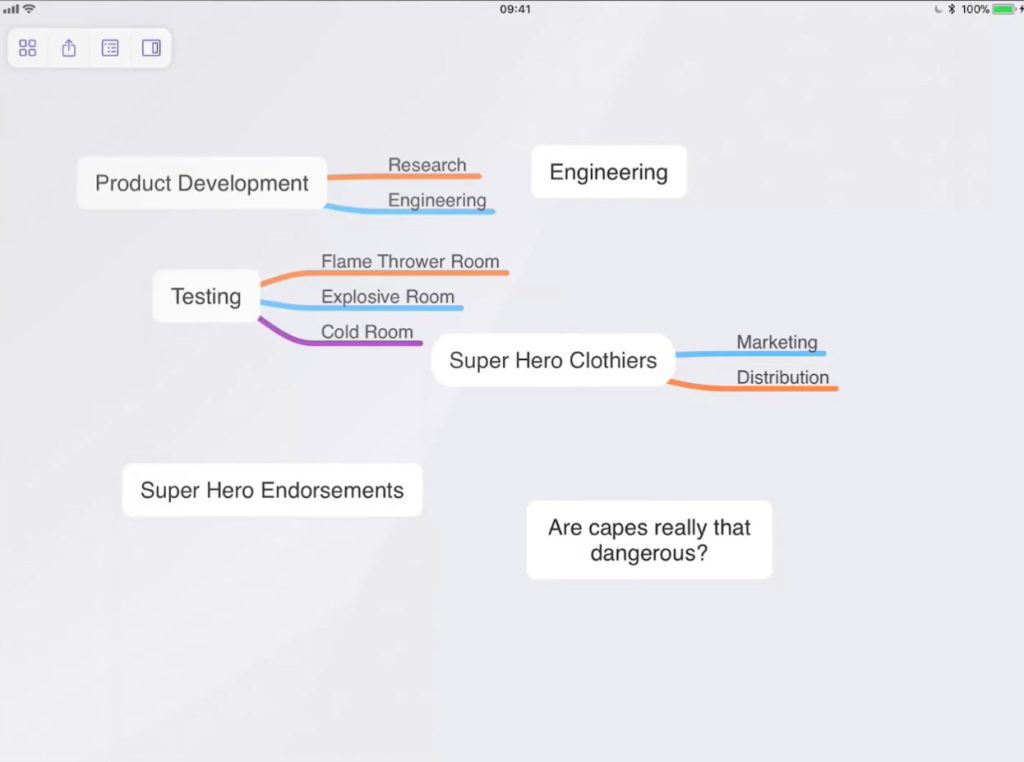
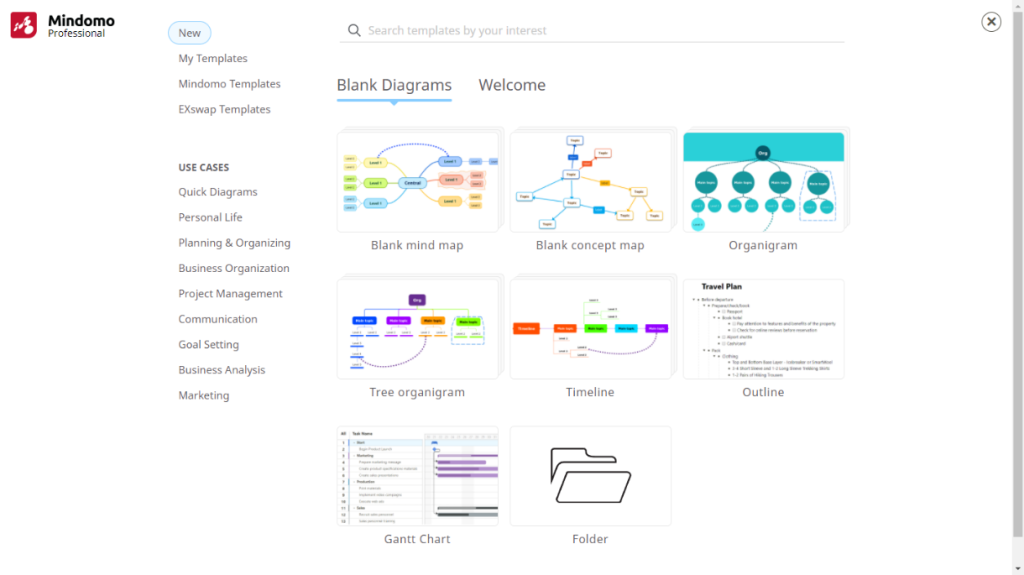
Most teams use a mix. They start with a live session, then refine, or use some of the mind-mapping tools such as Coggle, MindNode and Mindomo and add detail asynchronously over the next few days.

What to Set Up Before You Start
Team mind mapping goes smoothly when you set up a few basics first. This saves you from the typical chaos of “everyone typing everywhere.”
1. Define the Goal in One Sentence
Start with a clear goal like:
- “Plan Q1 product launch”
- “Reduce churn in onboarding”
- “Generate 30 blog ideas for February”
- “Map customer journey for the new feature”
Keep it short and specific. If the goal is fuzzy, the mind map will be fuzzy too.
2. Choose a Facilitator
This is the person who keeps the session moving. They do not need to be the boss. They just need to:
- Keep the goal visible
- Invite quieter people in
- Watch the time
- Park off-topic items into a “Later” branch
Facilitation is a huge reason why some mind mapping sessions feel smooth and others feel like a mess.
3. Set Ground Rules for Editing
Simple rules make a big difference. Try these:
- One branch = one idea
- Keep words short, avoid full paragraphs
- Use comments for longer details
- Add sources or links in notes, not in the main branch text
- Do not delete someone’s work, move it into a “Parking Lot” branch
Step-by-Step: How to Collaborate on a Mind Map
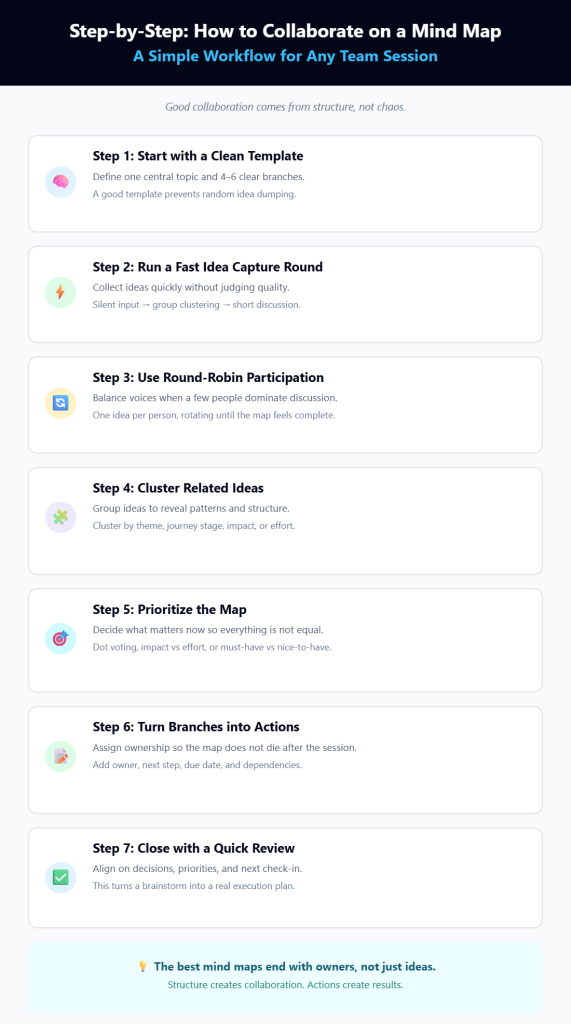
Here is a simple workflow you can reuse for almost any team session.
Step 1: Start with a Clean Template
Create a central topic, then add 4 to 6 main branches. Keep it simple.
Example for a project plan:
- Goals
- Audience / users
- Key tasks
- Risks
- Timeline
- Owners
Example for brainstorming content:
- Topic buckets
- Audience questions
- Competitor angles
- Case studies
- Offers
- Distribution
A good template prevents the map from turning into a “random ideas dump.”
Step 2: Do a Fast Round of Idea Capture
Give the team 5 to 10 minutes to add ideas without judging. The goal is volume, not perfection.
To keep it fair, you can run a simple structure like:
- Everyone adds ideas silently for 5 minutes
- Group reads and clusters ideas for 10 minutes
- Discuss and refine for 10 to 15 minutes
Silent idea capture is great because it reduces interruptions and helps introverts contribute.
Step 3: Use a Round-Robin if One Voice Dominates
If your sessions always get taken over by the same people, try a round-robin approach:
- Each person adds one idea at a time
- Then the next person goes
- Repeat until the map feels complete
It sounds basic, but it keeps participation balanced and reduces groupthink.
Step 4: Cluster Similar Ideas
Once ideas are on the map, group them. This is where collaboration gets powerful.
Ways to cluster:
- By theme (same topic bucket)
- By customer journey stage (awareness, consideration, decision)
- By impact (high vs low)
- By effort (easy vs hard)
This step turns a messy brainstorm into an organized plan.
Step 5: Prioritize the Map
A mind map is not useful if everything looks equally important. Pick a simple prioritization method.
Here are three easy options:
- Dot voting: Each person gets 3 votes and places them on branches they like
- Impact vs effort: Mark ideas as high impact / low effort first
- Must-have vs nice-to-have: Separate core items from optional ones
Keep prioritization simple. You can always do deeper scoring later.
Step 6: Turn Branches into Actions
This is the step most teams skip, and then the map dies in a folder.
For each priority branch, add:
- Owner
- Due date
- Next step
- Dependencies
You can format actions like this:
- Branch: “Email onboarding fixes”
- Owner: Sam
- Next step: Draft new sequence
- Due date: Jan 25
If your mind map tool supports it, convert branches into tasks and assign them. If not, just add an “Action Items” branch and track tasks there.
Step 7: Wrap the Session with a Quick Review
Before ending, do a 3-minute wrap:
- What did we decide?
- What are the top 3 priorities?
- Who owns the next steps?
- When do we check progress?
This step makes your mind map feel like a real plan, not a brainstorm artifact.
How to Keep Mind Maps Clear (Even with Big Teams)
Mind maps can get messy fast, especially with 8+ people. Here are practical ways to keep them readable.
Use Color Coding Carefully
Color helps when used with a clear rule, like:
- Green = approved
- Yellow = needs review
- Red = blocked
- Blue = research
Avoid random colors “just because.” That turns into confusion later.
Use Labels and Icons
Small icons work well for quick scanning:
- Star for priorities
- Question mark for unknowns
- Clock for time-sensitive items
- Person icon for ownership
Create a Parking Lot Branch
Anytime someone goes off-topic, drop it here:
- Parking Lot
- “New pricing discussion”
- “Hiring plan”
- “Partnership idea”
This keeps momentum without shutting people down.
Keep Text Short
A mind map is not a document. Treat it like a visual outline.
Good branch text:
- “Trial onboarding email”
- “Pricing objections”
- “Customer FAQ”
Too long:
- “We should probably update the onboarding email because people do not understand the pricing tier differences”
Put long notes in comments or notes instead.
Examples You Can Copy
Here are a few collaboration-ready mind map structures you can reuse.
Example 1: Team Brainstorm for a New Feature
Central topic: New Feature: Smart Notifications
Branches:
- User problems
- Use cases
- MVP scope
- Risks
- Metrics
- Rollout plan
Under “User problems,” your team adds real customer pain points. Under “Metrics,” you add goals like activation rate, retention, and support ticket reduction.
Example 2: Weekly Marketing Planning Map
Central topic: Weekly Marketing Plan
Branches:
- Goals this week
- Campaigns
- Content
- Social and distribution
- Blockers
- Results from last week
The map becomes a living dashboard. Each week, duplicate it and update.
Example 3: Retrospective Map
Central topic: Sprint Retro
Branches:
- What went well
- What did not go well
- Ideas to improve
- Actions and owners
This is simple, but it keeps feedback organized and actionable.
Remote Team Tips That Make Collaboration Easier
Remote mind mapping can be amazing, but only if you handle the basics.
Try these simple habits:
- Use a timer for idea capture, clustering, and decisions
- Assign branches to small groups (each group owns one branch)
- Do quick check-ins every 15 to 20 minutes so nobody gets lost
- Use comments for debates and keep the main map clean
- Share the map right after the session so action items do not disappear
If time zones are a challenge, run the session asynchronously:
- Everyone adds ideas in 24 hours
- Facilitator clusters and labels
- Team votes within another 24 hours
- Facilitator posts final priorities and owners
It takes longer, but it includes everyone.
Common Mistakes to Avoid
A few mistakes show up again and again. Avoid these and your maps will stay useful.
- No goal: If the main topic is vague, the map goes everywhere
- No facilitator: The session becomes random and slow
- Too much text: The map becomes unreadable
- No action items: The map never leads to progress
- No follow-up: Even a great map fades without a check-in
The fix is simple. Always end with owners, next steps, and a follow-up date.
Wrap Up
Collaborating on mind maps with your team is one of the easiest ways to make brainstorming and planning feel organized, fast, and inclusive. When you do it right, your team stops losing ideas in chats and docs, and starts building real clarity. Start small. Pick one meeting this week. Use a simple template, run a 10-minute idea capture, cluster the results, and assign 3 action items with owners. That alone will make the session feel more productive than most meetings. Once your team sees how clear things become, mind mapping will turn into a habit, not a one-time experiment.


Leave a Comment