If you look at breach reports year after year, the story stays the same. Stolen credentials are behind most attacks. Not sophisticated zero-day exploits, not state-sponsored malware—just someone’s reused password from a site that got hacked three years ago. It ends up on a dark web dump, gets tried against your company login page, and that’s it.
The uncomfortable truth is that password habits are still terrible across the board. People reuse the same password across dozens of accounts, use weak passwords because strong ones are hard to remember, and share credentials over email or Slack without thinking about it. A password manager doesn’t fix every security problem, but it does fix this specific, massive, and very preventable one.
Here’s what the data actually shows about how much it helps.
What the Research Says About Passwords and Breaches
The Verizon Data Breach Investigations Report consistently finds that compromised credentials are involved in over 80 percent of hacking-related breaches. That’s not a one-year fluke—it’s been the leading attack vector in the report for years running.
The reason credential stuffing attacks work so well is simple. People reuse passwords. When a major platform gets breached and millions of email/password combinations get published, attackers run automated tools that try those combinations against hundreds of other sites simultaneously. If you reused that password on your company’s project management tool or cloud storage, they’re in.
A password manager breaks this attack chain in two ways. First, it generates unique, random passwords for every account, so a breach at one site can’t cascade to others. Second, it stores them securely so employees actually use strong passwords rather than reverting to memorable ones. Those two things alone eliminate the most common credential-based attack vector.
According to NIST’s Digital Identity Guidelines, the biggest driver of weak passwords isn’t laziness—it’s the cognitive burden of managing too many credentials. When you require complex passwords without giving people a tool to manage them, they find workarounds: they write passwords down, reuse them, or cycle through a small personal set. A password manager removes that burden, which means compliance actually happens.
The Specific Security Problems Password Managers Solve
Credential reuse across accounts. This is the big one. When every account gets a unique 20-character random password, a breach at one service doesn’t compromise anything else. The credential stuffing attack has nothing to work with.
- Weak or guessable passwords. “Summer2024!” is not a strong password no matter how confident someone feels about it. Password managers generate passwords that are genuinely unguessable—long strings of random characters that no brute-force attack is going to crack in any reasonable timeframe.
- Shared credentials over insecure channels. Teams share passwords constantly—database credentials, shared service accounts, social media logins for marketing tools. When those get shared over Slack or email, they sit in message history indefinitely. Password managers with shared vault features let teams share access to credentials securely, with the option to grant access without actually revealing the password, and revoke it the moment someone leaves.
- No visibility into password hygiene. Without a password manager, you have no idea which employees are using weak passwords or which credentials haven’t been changed after a team member’s departure. Business password managers include audit dashboards that flag weak, reused, or old passwords across the organization, which turns password hygiene from a guess into something you can actually manage.
- Phishing susceptibility. Most password managers autofill only on the legitimate domain. So if an employee lands on a phishing site—a convincing fake of your login page—the manager won’t autofill, which creates a moment of friction that can stop the attack before the credential gets entered.
Tools That Actually Reduce Risk
1Password — Best for Teams That Need Sharing Controls
1Password is the most business-focused of the major password managers. The shared vault system lets you organize credentials by team or project, control who can access what, and grant or revoke access individually. When a contractor finishes an engagement or an employee leaves, you remove their access to the shared vaults and the credentials stay secure—even if they copied something before their account was deprovisioned.
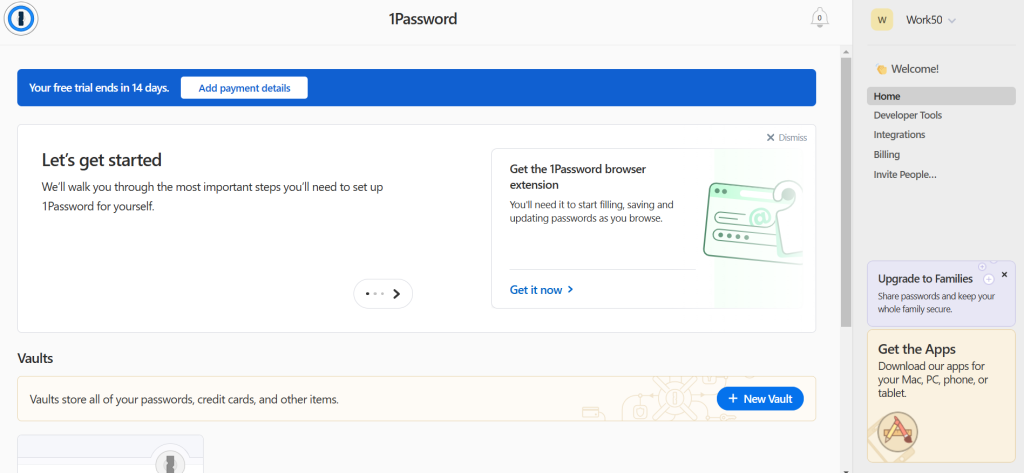
The admin console shows security scores for the whole organization—which team members have weak passwords, which accounts have been flagged in data breach alerts, and whether MFA is enabled everywhere it should be. That visibility is what turns a password manager from a personal productivity tool into a team security tool.
1Password also flags credentials that appear in known breach databases, which means you get an early warning when a site your team uses has been compromised, before your accounts get tested by attackers.
Bitwarden — Best Open-Source Option for Security-Conscious Teams
Bitwarden is open-source, which matters for security teams that want to audit the code themselves or self-host the vault. When you self-host, your password data never touches Bitwarden’s servers—it lives on infrastructure you control entirely. That’s a meaningful security posture for organizations with strict data residency requirements or high regulatory sensitivity.
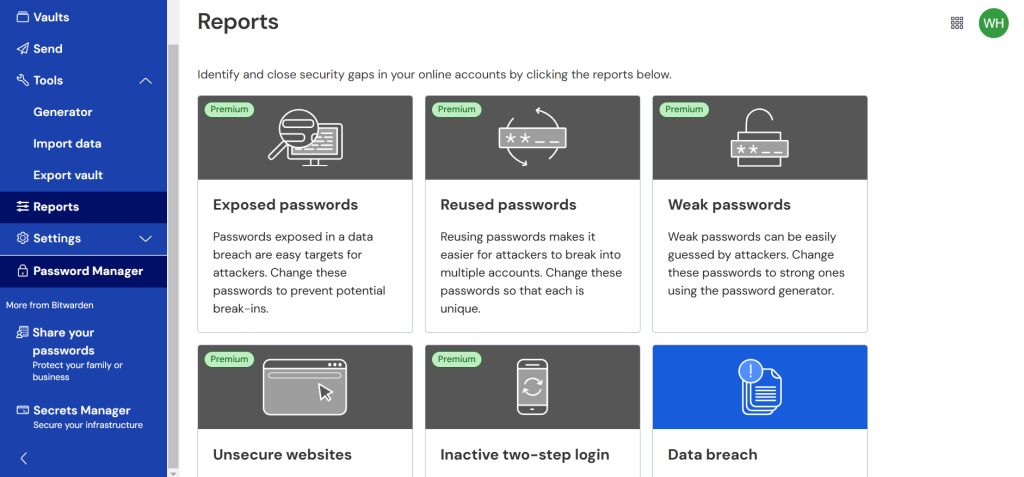
The free plan covers individual users with all core features, which makes it easy to get adoption started without a budget conversation. The Business plan adds organization-wide vaults, admin policies, and the ability to enforce password strength requirements across the team. The pricing is significantly lower than competitors, which makes it the realistic choice for smaller organizations or nonprofits that need the security benefits without enterprise-level spend.
Dashlane — Best for Security Monitoring and Dark Web Alerts
Dashlane differentiates itself with its dark web monitoring layer, which continuously scans breach databases and alerts you when credentials associated with your company’s email domains appear in stolen data dumps. For security-conscious businesses, this is early warning infrastructure—you find out about a compromised credential from a data dump before an attacker tests it against your accounts.
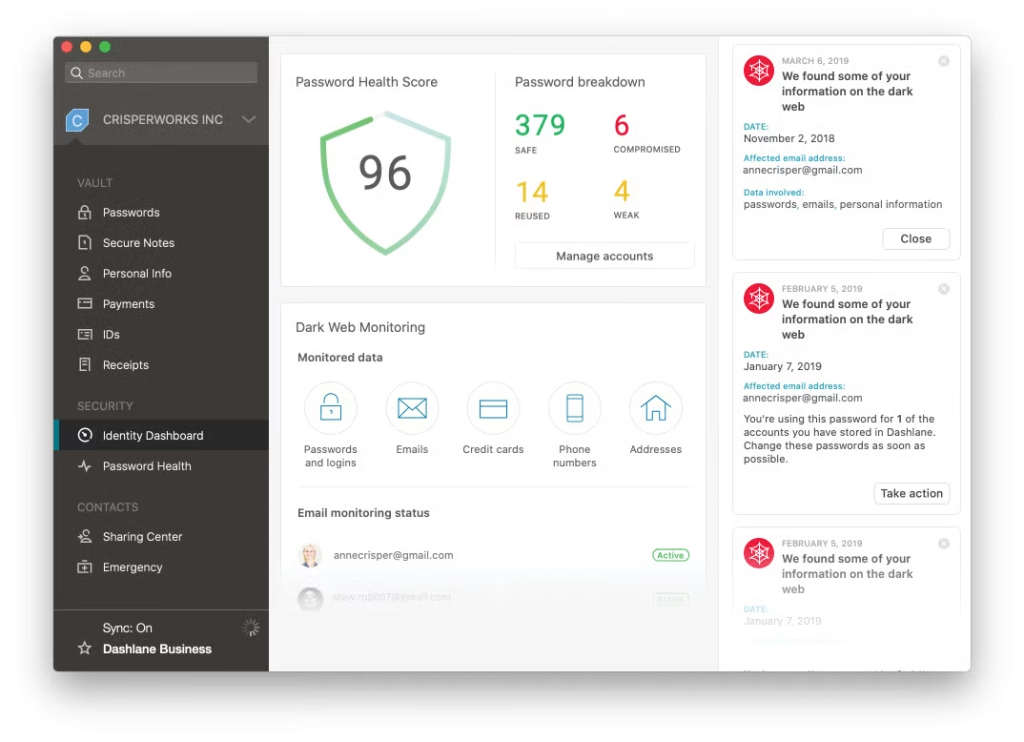
The business plan includes a Security Score that quantifies the organization’s overall password health as a single number, tracks it over time, and shows which team members are dragging the score down. For managers who need to report on security posture to leadership or board members, having a trackable metric makes the conversation simpler than trying to explain raw statistics.
Dashlane also includes a built-in VPN for members on some plans, which helps with the related risk of employees accessing company accounts over untrusted public Wi-Fi.
Keeper — Best for Compliance-Focused Environments
Keeper is built specifically for organizations that need to demonstrate compliance with security frameworks—SOC 2, HIPAA, PCI DSS, ISO 27001. The audit trail logs every credential access event with timestamps and user identifiers, which is exactly what an auditor needs to verify that sensitive credentials are being accessed only by authorized personnel.
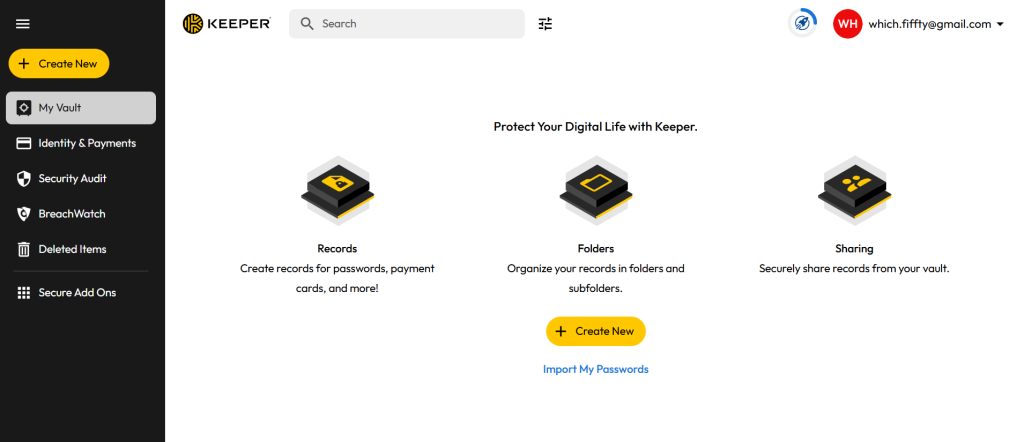
The BreachWatch feature monitors dark web data continuously and alerts administrators when employee credentials show up in breach compilations. The admin reporting tools are detailed enough to support the kind of documentation that compliance audits require, which makes Keeper the practical choice for finance, healthcare, or legal businesses where regulatory accountability matters as much as the security itself.
What Deployment Actually Looks Like
Getting a password manager adopted across a team is easier than most security initiatives because the personal benefit is immediate and obvious. Employees don’t have to remember passwords anymore. That’s a genuinely compelling pitch—especially to people who’ve locked themselves out of accounts because they forgot which variation of their standard password they used.
The rollout that works:
- Start with shared vaults for team credentials. Identify the accounts your team shares—social media logins, shared tools, service accounts—and migrate those into the manager first. This creates immediate organizational value and gets people using the tool before you ask them to migrate personal work credentials.
- Set a policy that new accounts must use generated passwords. Don’t try to force people to change every existing password on day one. Just establish that from this point forward, every new account credential gets generated and stored in the manager. The existing weak passwords get addressed gradually as accounts come up for use.
- Enable breach monitoring and review the alerts. Turn on whatever credential monitoring your chosen tool offers and designate someone to review alerts. A credential appearing in a breach database needs action within hours, not weeks.
- Require MFA on the manager itself. The password manager is now the keys to everything. It needs to be protected with multi-factor authentication so a compromised master password alone isn’t enough to get in.
Conclusion
Password managers don’t require a big organizational change project. They’re one of the highest-return security investments a business can make—reducing the most common attack vector with minimal friction for end users.
The four tools above cover the main deployment scenarios. Pick the one that fits your compliance requirements, team size, and budget, get it into use for shared credentials first, and let adoption grow from there.



Leave a Comment