When I first went solo, an accountant friend told me I needed to sign up for a premium corporate bookkeeping suite immediately. It cost fifty USD a month. I bought it, spent three days trying to configure the chart of accounts, and ended up using it to send exactly one invoice a month.
I was paying six hundred USD a year for software that was designed for a mid-sized manufacturing firm with ten employees. I didn’t need inventory tracking, double-entry depreciation journals, or multi-user payroll permissions. I needed to see who owed me money, how much I spent on software subscriptions, and what my tax bill would look like.
Many solo business owners fall into this exact trap. They buy the tool they think they are supposed to have, rather than the one that fits their actual scale.
If you are running a service agency, writing copy, consulting, or building a side hustle, your accounting needs are simple. You want to automate your billing, keep your receipts organized, and track your cash flow. Fortunately, you can do all of this without spending a single dollar on software.
The Spreadsheet Trap: Why Google Sheets Fails You
When you are first starting out, it is tempting to just use a basic spreadsheet to track your numbers. It is free, familiar, and highly customizable.
But this setup breaks down quickly. Spreadsheets do not link to your bank accounts, meaning you have to manually copy and paste every single transaction. If you make a single typo or delete a cell formula by accident, your tax calculations will be off.
Even worse, spreadsheets cannot send client invoices, track time, or email automatic payment reminders. You end up managing multiple disconnected files across different folders, which makes it easy for deals to slide through the cracks. Investing ten minutes to set up a dedicated free accounting app saves you from hours of manual double-entry work down the road.
Zero-Cost Bookkeeping: Wave
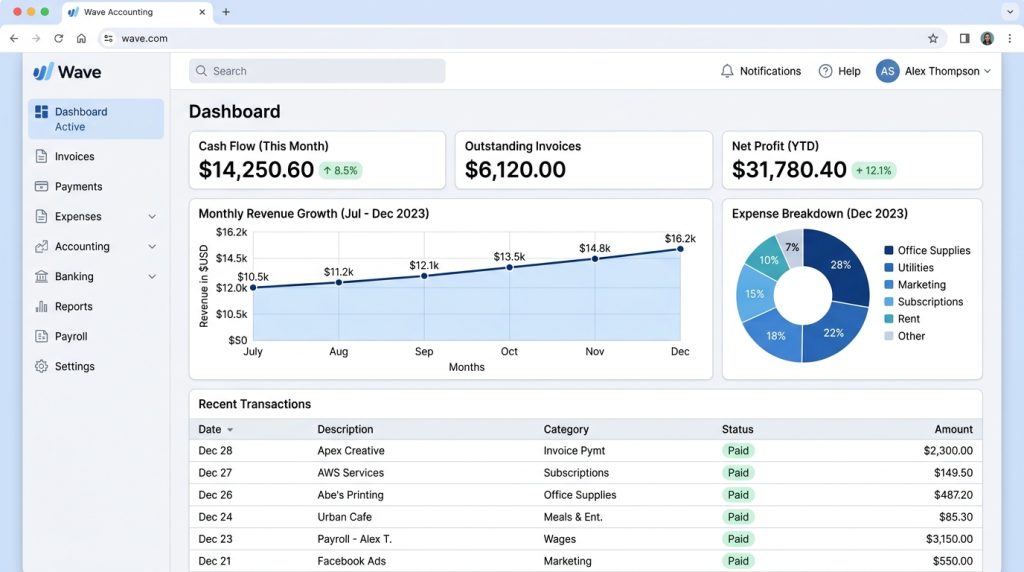
For solo operators who need a complete accounting system without a monthly subscription fee, Wave is often the default choice.
Most accounting tools make you pay a monthly fee just to connect your bank account. Wave doesn’t. They give you invoicing, bookkeeping, and cash flow tracking without a subscription. You only pay standard transaction fees if your clients choose to pay you online through their payment portal, or if you choose to use their paid payroll services.
Once you hook up your business bank account, your transactions flow in on their own. You just log in once a week, click a category for each expense, and watch where your cash is going.
Because it tracks your incoming revenue and outgoing expenses in real time, tax preparation becomes much simpler. Instead of sorting through a shoebox of paper receipts in April, you can run a profit and loss statement with a single click.
Billing and Time Tracking: Invoicely
Sometimes a full bookkeeping ledger is overkill. If you just need to get invoices out the door, Invoicely gets the job done.
It gives hourly freelancers a simple dashboard to log their hours, track expenses, and send bills. With the free tier, you can send as many invoices as you want, though it limits how many client accounts you can store. If you only have a few main clients on retainer, it fits perfectly.
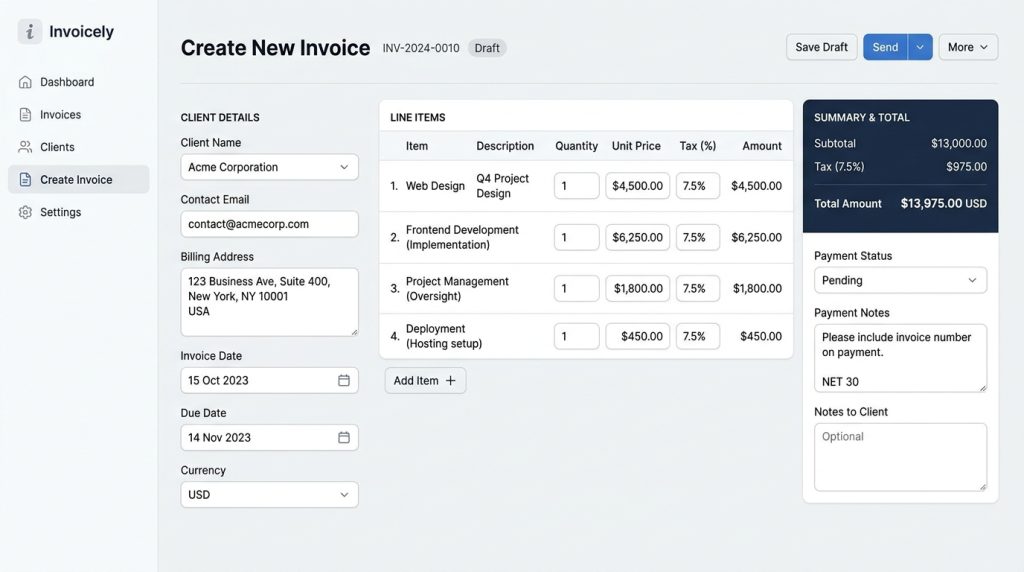
Getting set up takes maybe five minutes. Drop in your logo, pick your currency, link a payment gateway, and you are ready to bill.
If you work with clients overseas, the multi-currency features let them pay in their own money while the backend handles the exchange math.
You can also log project expenses and add them directly to your client invoices as line items.
The Zoho Free Plan Option
Another strong contender in the free software market is the Zoho ecosystem. While Zoho offers a massive suite of business applications, they provide Zoho Invoice as a completely free tool for solo entrepreneurs.
It is not a stripped-down trial version. It is a full invoicing tool that lets you manage client profiles, track billable hours, log project tasks, and automate payment reminders.
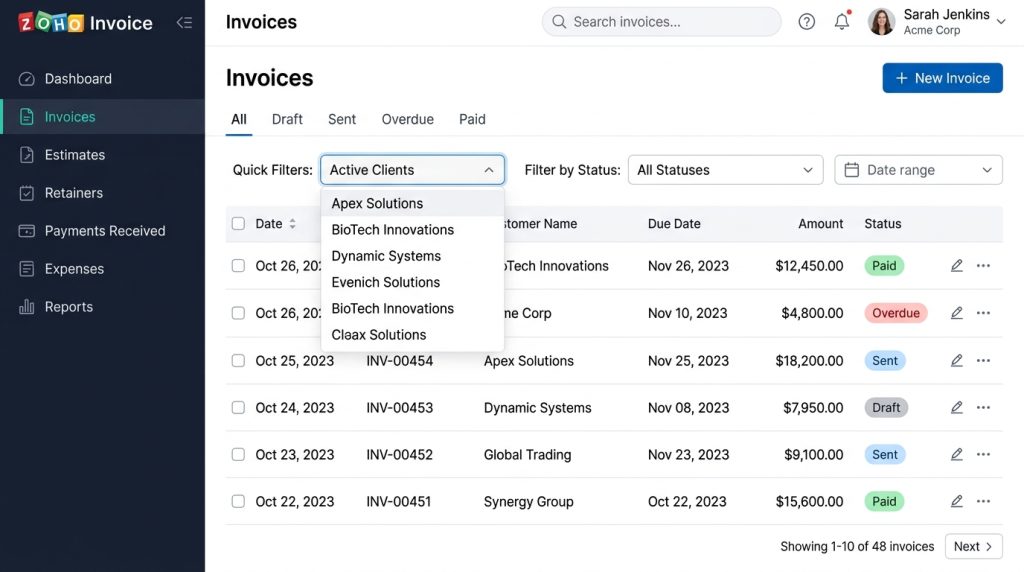
This keeps you from having to play debt collector. The system nudges them automatically so you get paid on time without the awkward emails. Zoho’s setup lets you focus on your deliverables rather than chasing accounts receivable.
When Is It Time to Start Paying?
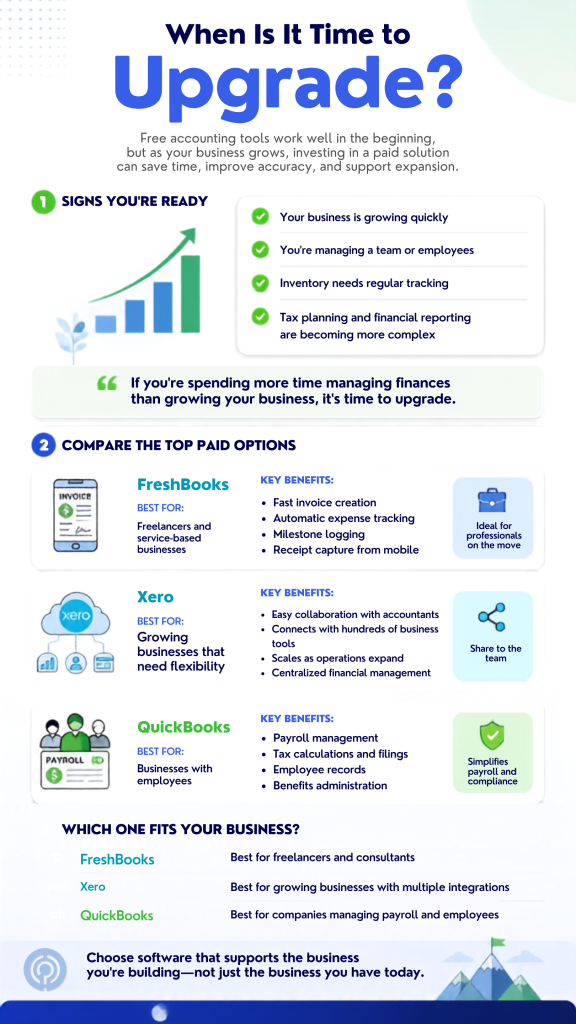
Free apps are great early on, but you will eventually outgrow them. Once you start hiring help, tracking inventory, or needing serious tax forecasting, it is time to upgrade.
Here is how the paid tools break down:
- FreshBooks: Great if you spend hours tracking your time or driving to client offices. FreshBooks packs invoicing, mileage tracking, and receipt scanning into a simple mobile app.
- Xero: This is the tool accountants love. Xero is built for collaboration, supports over four million users, and connects to over one thousand external apps, so you can link it directly to your CRM or inventory system.
- QuickBooks: When you start hiring employees, you need real payroll. QuickBooks takes care of the payroll math, files your state and federal taxes, and keeps your employee benefits organized.
Best Practices for Freelance Bookkeeping
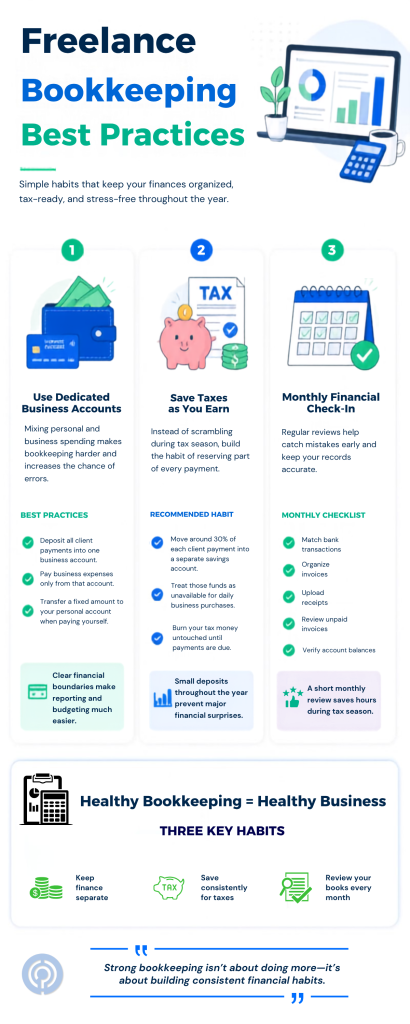
Using free software is only half the battle. If you do not set up your system correctly, even the best tool will result in a messy ledger. Follow these three rules to keep your finances clean:
Keep Business and Personal Funds Separate
The biggest mistake solo business owners make is using one bank account for everything. When you buy groceries, client lunches, and software subscriptions with the same debit card, your tax records become a nightmare.
Open a dedicated business checking account. Every dollar of client revenue should go into this account, and every business expense should be paid from it. If you need to pay yourself, transfer a round sum to your personal account as a owner’s draw.
Set Aside Money for Tax Season
When you are employed, taxes are withheld from your paycheck automatically. When you work for yourself, you are responsible for paying your own income and self-employment taxes.
A good rule of thumb is to transfer thirty percent of every incoming client payment into a separate savings account immediately. Do not touch this money for operating expenses. It belongs to the government, and having it set aside prevents a massive cash crunch when tax payments are due.
Reconcile Your Accounts Monthly
Bookkeeping is not an annual chore. If you wait until tax season to categorize twelve months of transactions, you will forget what individual expenses were for.
Set a recurring calendar invite for the first Friday of every month. Spend thirty minutes logging into your accounting software, matching bank transactions to invoices, uploading receipt photos, and checking your outstanding balances. It keeps your books accurate and ensures you actually collect on outstanding invoices.
Bookkeeping Traps to Watch Out For
Running a solo business means wearing every hat, and financial chores usually get pushed to the bottom of the list. Watch out for these common missteps:
- Losing digital receipts: If you ever face an audit, a bank statement line isn’t enough. You need the actual receipt. Drop them in a cloud folder the second they hit your inbox, or upload them directly to your software.
- Ignoring late invoices: Don’t assume clients pay on time. Check your outstanding invoices every month. If a client falls behind, stop working until they get current.
- Ignoring recurring subscriptions: Tiny monthly software fees will eat your margins. Audit your bank statements twice a year and cancel tools you don’t use.
Getting your books organized doesn’t have to cost a fortune. Pick a simple free tool, build a weekly habit of checking your transactions, and keep that subscription money in your business account.


Leave a Comment