
Here’s a frustrating situation that plays out in support teams everywhere.
Someone emails in with a question. Your agent answers it. Two days later, a different person sends the exact same question. Same answer. Then again. And again. At some point someone on the team says, “Can we just write this up somewhere?” And they do — kind of. A help article gets published, nobody really reads it, and the tickets keep coming anyway.
Sound familiar? The issue usually isn’t that the article exists. It’s that the article was written to satisfy a checkbox, not an actual user trying to figure something out at 10pm with three browser tabs open.
Good help articles are genuinely one of the highest-leverage things a support team can produce. A single well-written piece can deflect hundreds of tickets per month. The key word is well-written. Here’s what that actually looks like.
Start With Real Tickets, Not Your Imagination
The most common knowledge base mistake is writing articles based on what you think users are confused about.
Don’t do that.
Pull three months of support tickets. Sort them by topic. Find the questions that appear most often — not the most dramatic or the most interesting, the most common. Those are your highest-priority articles. A question that gets asked fifty times a month is worth ten hours of careful writing. A question that gets asked twice a year isn’t worth your attention yet.
Look at how customers phrase the question. Not how your product team describes the feature. Not the official terminology in your documentation. How the actual user typed it, with their own words, when they were confused and frustrated. That phrasing is your article title. It’s your intro language. It’s the vocabulary your search engine should index.
According to Forrester’s research on customer self-service, 70% of customers prefer to resolve issues on their own rather than contacting support — but only if they can actually find a clear answer quickly. The gap between “customers want to self-serve” and “customers successfully self-serve” is almost always a writing and findability problem.
The Structure That Actually Works
An effective help article isn’t a wall of text about how a feature works. It’s a clear path from “I have this problem” to “I solved it.”
Lead with the solution. Customers reading a help article are not reading for pleasure. They have a problem. They want it fixed. Lead with what they need to do, not with background context about why the feature was designed a certain way. If context is necessary, it comes after the steps — not before.
Break everything into steps. If the resolution involves more than one action, it’s a numbered list. Always. Prose descriptions of multi-step processes make users lose their place, skip steps, and end up back in your support queue. Step 1. Step 2. Step 3. Done.
Write at an eighth-grade reading level. This isn’t condescending — it’s practical. Your users are reading your help article while simultaneously dealing with whatever problem triggered the search. Their cognitive load is already high. Plain, direct language reduces the effort required to extract the answer. The Flesch-Kincaid readability formula is worth running on your drafts. Most help content, when tested, reads considerably harder than it needs to.
One article, one problem. The temptation to group related topics together to save effort produces articles that partially address multiple questions without fully resolving any of them. If a user arrives with a specific question and has to read three sections before finding whether their question is even covered, you’ve lost them. One clear question per article, answered completely.
State what the article covers up front. The first line or two should tell the reader exactly what they’ll be able to do after reading this article. “This guide explains how to reset your password if you no longer have access to your recovery email.” If that matches their problem, they stay. If it doesn’t, they can go find the right article without reading the wrong one in full.
Findability Is Half the Battle
The best-written help article in the world deflects zero tickets if users can’t find it.
Search is the primary discovery mechanism for self-service content. Users arrive at your help center with a query, type it into the search bar, and make a decision about whether to keep looking or contact support within about thirty seconds. That means your article titles and intro text need to match the language users actually search with — not internal product terminology that only your team knows.
Tag your articles generously. Include synonyms and alternate phrasings in your content. If users refer to your “workspace” as a “project” and “account settings” as “preferences,” include both terms. Your search index will surface the article when either is used.
Check what searches are returning no results in your help center analytics. Zero-result searches are a direct signal that users are looking for something you haven’t written yet — or that you’ve written it using vocabulary that doesn’t match theirs. Fix both.
According to Gartner’s research on knowledge management, organizations with high-quality, well-structured knowledge bases resolve customer issues faster and at significantly lower cost than those relying primarily on agent-handled contacts. The ROI on self-service content is substantial — but only when the content is findable.
Keep Articles Accurate or Don’t Publish Them
Outdated help content is worse than no help content.
A user who follows a set of steps that no longer reflects how your product works — because the interface changed six months ago and nobody updated the article — doesn’t just fail to solve their problem. They lose trust in your help center entirely. They stop trying to self-serve and go straight to support next time. You’ve trained them that your documentation can’t be relied on.
Assign ownership. Every help article should have someone responsible for its accuracy — a person, not a team. When a feature changes, that person gets notified and updates the article before the change goes live, not weeks after the support queue starts filling with confused users.
Set a review cadence. Quarterly reviews of your full knowledge base, with a flag for any article covering a changed feature or deprecated workflow, keep the library current without requiring a full audit to happen organically.
Three Platforms That Make Knowledge Base Management Easier
Helpjuice
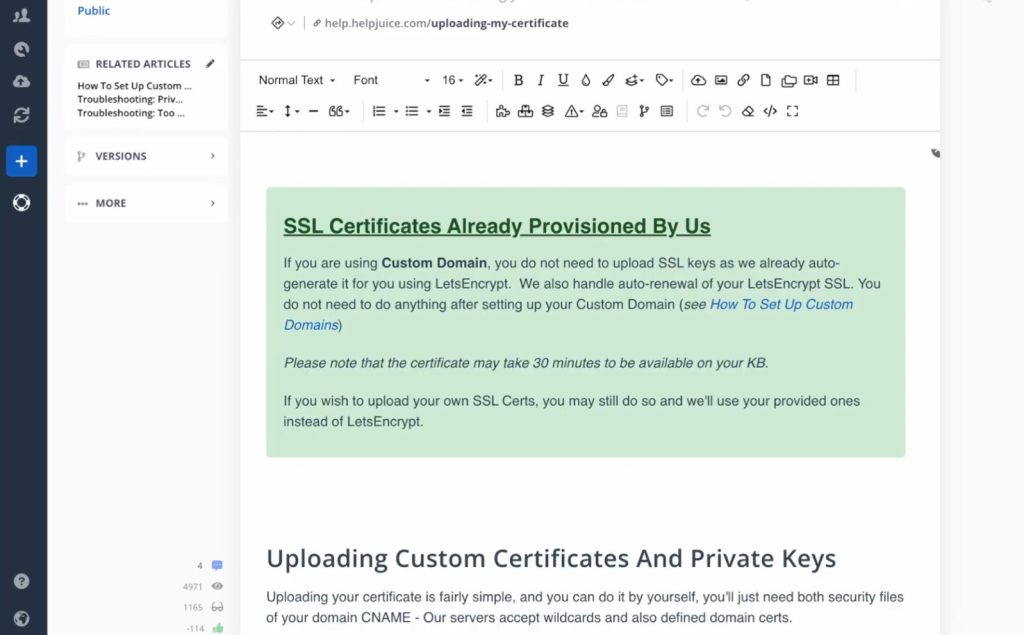
Helpjuice is purpose-built for customer-facing knowledge bases and makes the analytics side of help content management notably accessible. Its search analytics show you exactly what users are looking for and what results they’re getting — including failed searches that surface content gaps. That data connects directly to the ticket reduction goal: you can see which articles are being used, which searches return nothing, and where users drop off without finding their answer.
Its editor supports rich formatting — images, videos, callouts, step-by-step numbered sequences — without requiring technical skill to use. For support teams where the writers are agents rather than developers, an accessible editor that produces well-structured output is a genuine advantage. Helpjuice’s article performance dashboard also tracks which articles generate follow-up contact anyway, which is the signal that an article exists but isn’t solving the problem well enough.
GitBook
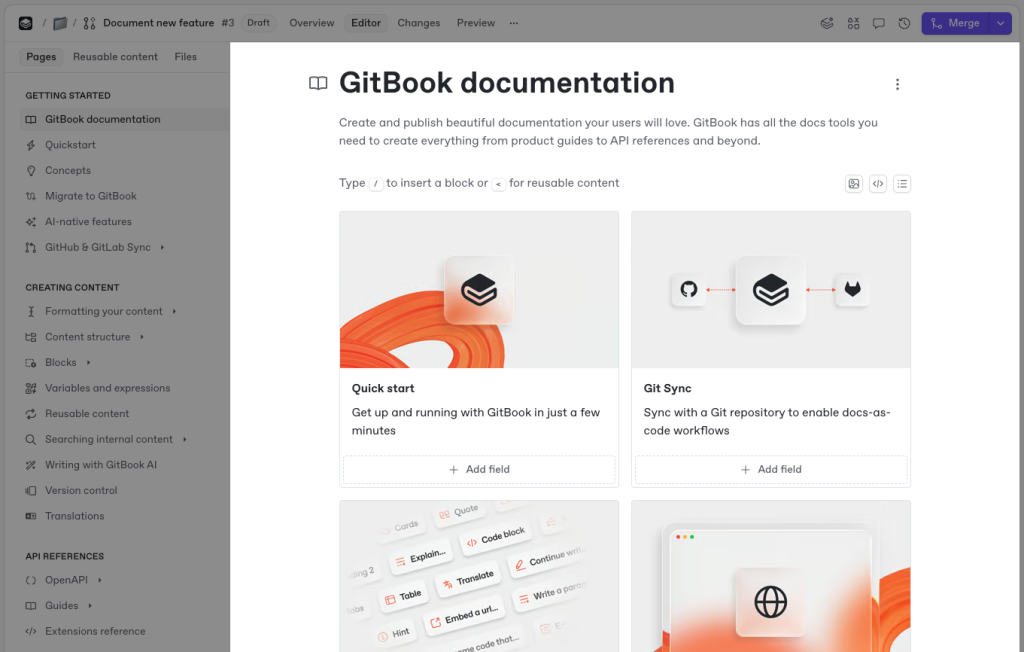
GitBook serves a different audience — primarily teams building developer documentation, API references, and technical guides where the content lives close to code and needs to be versioned alongside it. Its Git-based publishing workflow means documentation can be updated in the same pull request as the feature it describes, solving the accuracy problem at the process level rather than relying on manual review cadences.
For SaaS products with a developer-facing component — where engineers will be reading your help content alongside non-technical users — GitBook’s code block support, API documentation structure, and clean reading experience provide a more appropriate environment than general-purpose knowledge base platforms. Content is collaboratively editable and version-controlled, so rolling back to a previous accurate state is straightforward if an update introduces errors.
Intercom
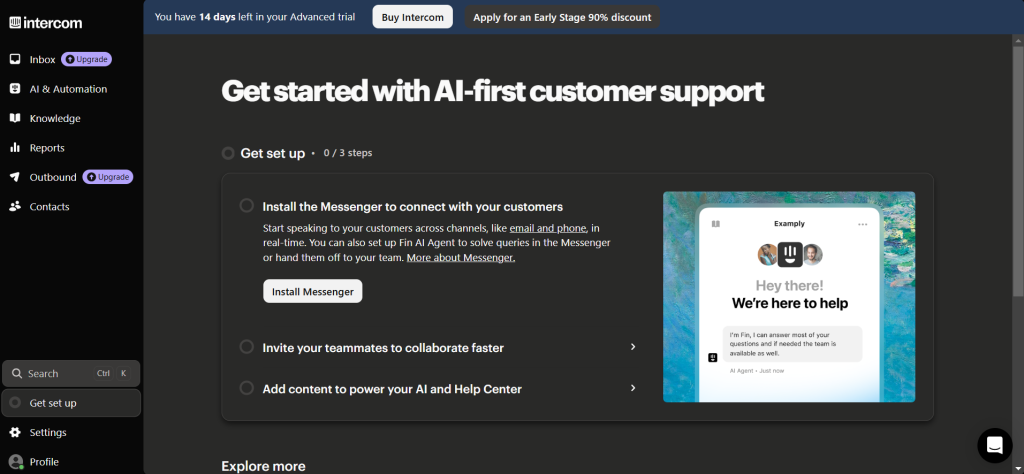
Intercom approaches help content from a different angle entirely: rather than directing users out of your product to a separate help center, it surfaces relevant articles inside the product at the point of confusion.
Its Articles feature integrates directly with Intercom’s messenger, so when a user opens the chat widget or triggers a help flow inside your product, relevant articles appear before they have the opportunity to start typing a support request. That in-context delivery is meaningfully more effective at deflecting tickets than a separate help center site, because users encounter the answer at the exact moment they need it — without leaving the product, opening a new tab, or searching for the right terminology.
Intercom also tracks which articles are shown before a conversation starts versus which ones the user bypassed to message support anyway — a direct measure of article effectiveness at the point of need.
The Metric That Tells You If It’s Working
Ticket volume on specific topics is the primary signal. If you publish a thorough help article on password resets and ticket volume on password reset questions doesn’t change, the article either isn’t being found or isn’t answering the question well enough. Check both.
Self-service rate — the proportion of users who visit the help center and resolve their issue without opening a ticket — is the higher-level metric. Track it monthly. Improvements should correlate with the articles you’ve added or improved. When a new article goes live, watch the self-service rate in that topic category for the following two to four weeks.
For the agent-facing side of reducing repetitive contact — building reusable response templates that complement your help articles — our guide on how to create canned responses for common questions covers how the two systems work together to deflect tickets before they arrive and handle them efficiently when they do.
Conclusion
Help articles that actually reduce support tickets aren’t written about features. They’re written about problems. They start with real user language, lead with the solution, use numbered steps, and stay current. A focused library of thirty well-written articles on the right topics outperforms a disorganized database of three hundred that nobody reads. Start with your top-ten most common questions, write each one carefully, check the ticket trends, and iterate from there. That’s the whole system.


Leave a Comment