Look, I know you are probably reading this while juggling five different browser tabs, drinking lukewarm coffee, and actively trying to ignore an email thread that has spiraled out of control. You are incredibly busy, which is exactly why we need to talk about how you are getting your contracts signed. If you are still attaching a blank PDF to an email, typing “Please sign and return” into the body, and hoping for the best, we need to have a serious intervention. You are leaving money on the table, delaying your own projects, and honestly, making your clients work entirely too hard just to agree to give you their business.
Getting someone to sign a physical or raw digital document right now is like forcing them to navigate a low-budget escape room just to say “Yes, I agree.” Picture this. You hand them a PDF attachment. First, they have to find a working printer. If they are lucky enough to own one, they will almost certainly discover it refuses to operate because it is out of cyan ink, even though they are trying to print a completely black-and-white contract. After fixing that, they sign the paper with a cheap promotional pen they found at the bottom of a kitchen drawer, hunt for a scanner app on their phone, take a crooked photo in terrible lighting, and finally email you back a massive jpeg file that looks suspiciously like a ransom note.
The entire process is a disaster of friction. And in business, friction is the ultimate enemy of a closed deal. Every time you ask a client to figure out how to append a signature to a flat file, you give them an excuse to delay the process. They mentally file your request under “things I need to deal with when I have more time.” And as you and I both know, “more time” usually translates to “next Tuesday,” which eventually turns into next month.
Stop Holding Your Own Contracts Hostage
Think about the psychology of the person opening your email. They want to work with you. They have verbally agreed to the terms, the pricing, and the timeline. The hard part is already over. But by sending them a clunky manual process, you are essentially asking them to do uncompensated administrative labor on your behalf.
I have watched multi-thousand-dollar deals stall out completely simply because the executive on the other side of the transaction was waiting at an airport gate, opening emails on their phone, and realized they had absolutely no way to easily apply a signature to the document you sent. They close the app, board their flight, and the momentum of the entire relationship takes a massive hit. You end up sitting at your desk on a Friday afternoon, furiously hitting refresh on your inbox, praying they figure it out so you can officially log off for the weekend.
When you transition to a proper digital workflow, you completely eliminate that barrier. You transform a cumbersome administrative chore into a simple, satisfying button click. You guide them exactly where they need to look, show them exactly where they need to click, and before they even realize what has happened, the legally binding document is sitting safely in your inbox.
The Legality of It All: Yes, It Actually Holds Up
I always get asked if these digital squiggles actually mean anything when things go wrong and lawyers get involved. People have this lingering anxiety that if a signature is not etched in blue ink on a piece of thick paper, a judge is going to laugh them out of a courtroom. That is a myth we need to permanently retire. Thanks to robust legislation passed years ago, electronic signatures carry the exact same legal weight as traditional handwritten ones, provided you use the right system to capture them.
The real magic of a proper digital agreement is not the visual representation of the name; it is the invisible audit trail operating quietly in the background. When you use dedicated software, the platform tracks the IP address of the signer, the exact timestamp of when the file was opened, how long they viewed it, and the precise moment they executed the signature block. If a client ever tries to claim they never saw a particular clause or never received the file, you have a certified digital log proving they spent twelve minutes scrolling through page four on a Tuesday morning.
Keeping these solid digital records is not just a defensive tactic against difficult clients; it aligns perfectly with standard IRS guidelines on recordkeeping. Having a centralized, easily searchable database of legally binding agreements ensures your business documentation is completely bulletproof when tax season arrives or a compliance audit rolls around. You never want to be in a position where you are frantically searching through your email history trying to find a critical vendor agreement from three years ago.
Choosing Your Weapon: The Software You Actually Need
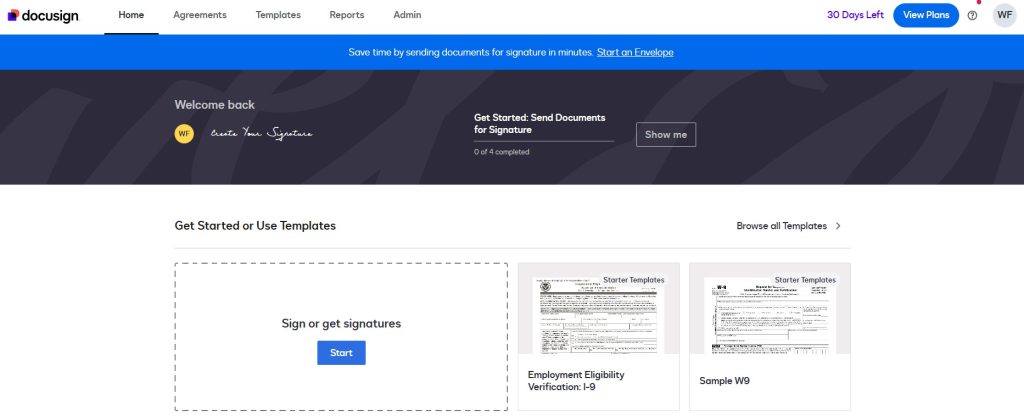
You need software that does the heavy lifting for you, and honestly, you have an overwhelming amount of choices. The market is completely saturated, but you can narrow it down based on exactly how you operate. If you want the absolute industry standard that most enterprise companies trust by default, DocuSign is practically a verb at this point, offering an absurd level of control over routing rules and compliance standards. It is a heavy hitter for a reason.
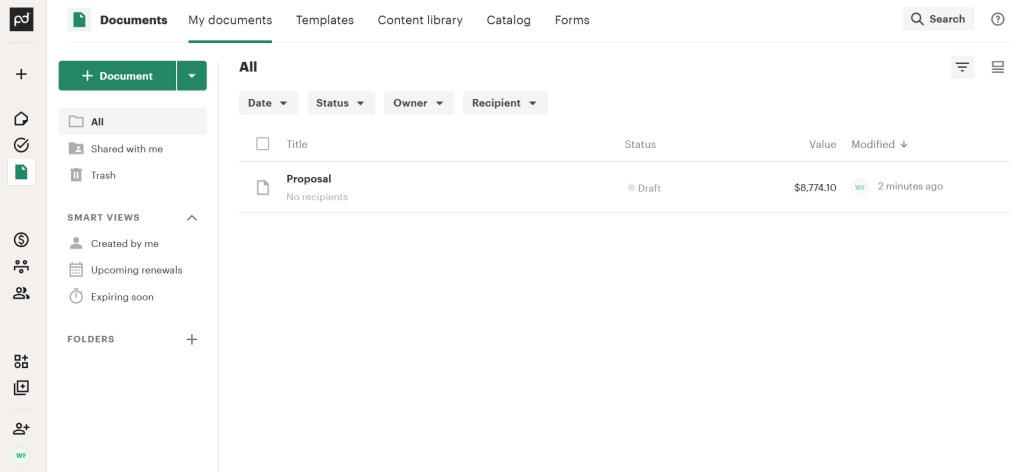
But maybe you do not just want a utilitarian signature box. Maybe you want the whole proposal to look like a highly polished, beautiful magazine layout that dazzles your prospect. In that case, something like PandaDoc is going to serve you much better because it actively blends the actual document creation and design process with the final signing stage.
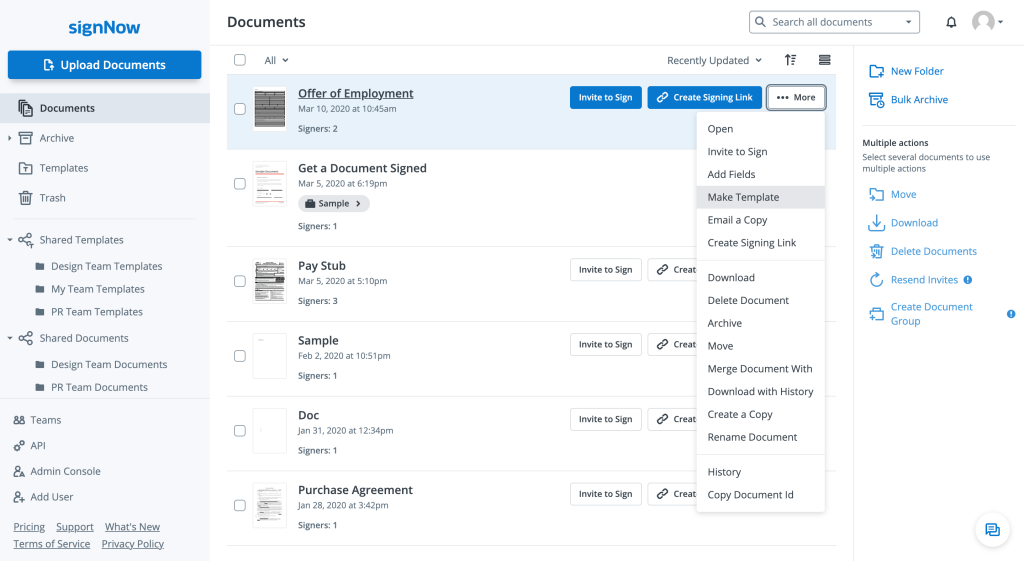
If you run a smaller shop and you just want something that works reliably without requiring a six-month corporate onboarding process, SignNow is incredibly straightforward and cost-effective. You literally just upload the file, assign a role, drag a box onto the screen, and hit send. It is refreshingly simple. Alternatively, if your entire team is already deeply entrenched in the creative cloud ecosystem and works heavily with complex layouts, relying on Adobe Acrobat Sign makes a lot of sense since it plays so nicely with all the tools you are already paying for.
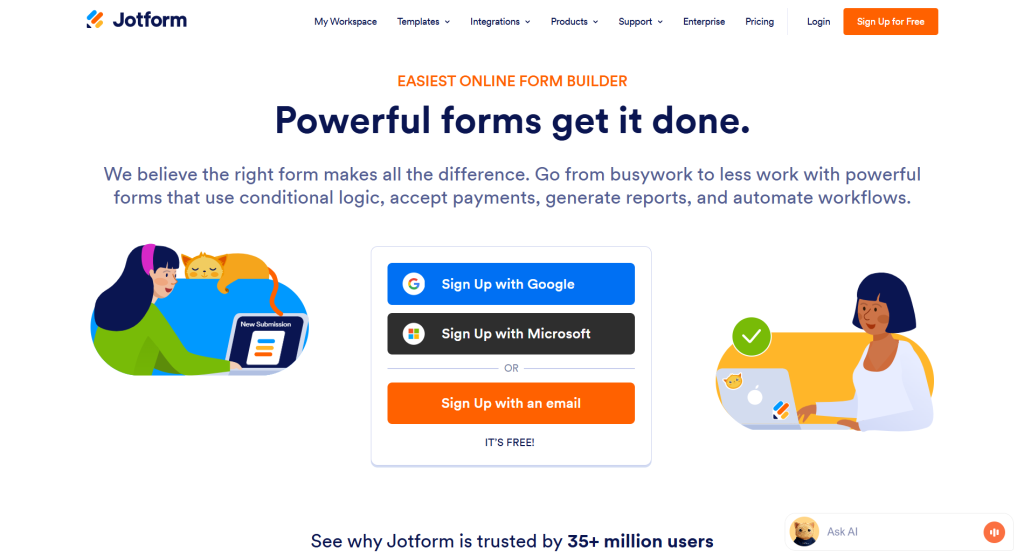
Sometimes, you are not even sending a traditional contract, but rather a complex client intake questionnaire where you just happen to need a signature at the very end to authorize the work. That is where a tool like Jotform becomes incredibly handy, acting as a massive data collection engine that seamlessly secures a legally binding agreement at the bottom of the page. If you are feeling completely paralyzed by choice and want a staggering level of detail on which tool does what, you should absolutely pull up the file named Jacopo – Which 50 Details (2026 Updated).xlsx, which contains a massive comparative analysis of every feature, price point, and software integration you could ever possibly care about.
Preparing the Document Like a Professional
The actual mechanics of setting up the document are where you can either make the process a breeze or a total nightmare for your recipient. When you upload your file, please make sure it is a clean, finalized PDF and not a bizarre Word document with a bunch of tracked changes and redline comments still visible in the margins. You have to assume the person opening it has an attention span of about four seconds. You do not want them guessing where to look or what to do next.
Drag and drop the signature field precisely onto the signature line. But do not stop there. If you need them to date the agreement, pull over a specific date field so the system automatically fills in today’s date for them. The less manual typing they have to do, the faster you get your completed contract back. If you need them to print their name or list their official corporate title, add text boxes for those elements too, and crucially, mark them as required fields. Do not leave it up to chance, because if you leave a field optional, I promise you they will skip it, and you will find yourself sending an awkward follow-up email asking them to clarify their job title.
If you are sending an agreement to multiple people, take the thirty seconds to set up a proper signing order. You do not want the CEO signing the final approval line before the department manager has even had a chance to review the budget breakdown. Setting a clear routing hierarchy means the document automatically travels from person A to person B to person C in the exact right sequence, entirely removing you from the traffic cop role.
The Art of the Follow-Up (Without Being Annoying)
Let us talk about the inevitable ghosting phenomenon. You prepare the perfect document, you hit send, and then you hear nothing but crickets. Three days pass. You start to feel incredibly awkward about sending a manual email asking if they have had a chance to look at it, mostly because nobody wants to sound desperate for a signature.
This right here is the hidden superpower of dedicated signature platforms: automated reminders. You can configure the software to automatically send a gentle, polite nudge after forty-eight hours, and another urgent warning a day before the access link officially expires. It completely removes the emotional weight from your shoulders because it is just a neutral system notification arriving in their inbox, not you personally nagging them to finish their paperwork.
Furthermore, sending secure, tokenized links through a centralized platform is infinitely safer than bouncing sensitive attachments back and forth across unsecured, public email servers. Standard email is notoriously vulnerable to interception, spoofing, and accidental forwarding. Relying on a secure, encrypted platform aligns beautifully with modern CISA cybersecurity best practices, keeping your proprietary business data locked down tightly and completely out of the hands of bad actors who love to snoop on unencrypted PDF attachments.
Designing for the Mobile Reality
We have to accept the reality that your client is probably not sitting in an ergonomic chair in front of a massive dual-monitor setup when they receive your contract. They are likely in line at a coffee shop, sitting in the passenger seat of a car, or walking to their next meeting. If your document is formatted with tiny size eight font, and the signature box requires them to pinch, zoom, and blindly scroll around their smartphone screen for ten minutes, they will absolutely abandon the effort.
Before you finalize any template, preview it on a mobile layout. Make sure the text is legible without zooming. Ensure the signature blocks are large enough to be easily tapped with a thumb. The easier you make it for someone to tap a button while holding a latte in their other hand, the faster your deals will close.
Conclusion
Getting documents signed does not have to be a source of chronic anxiety for you or your clients. You are doing everyone a huge favour by dropping the archaic print and scan routine and adopting proper digital workflows. You get your legally binding agreements back in minutes instead of weeks, your clients get a frictionless professional experience and you create an airtight digital paper trail that will protect your business from future disputes.
Don’t leave contract execution as an afterthought. Spend a few hours this week to create a clean, automated system. Pick a tool that fits your specific workflow, build out a few reliable templates for your most common agreements, and turn on those automated reminders. Once you experience the sheer relief of a fully executed contract landing in your inbox while you are out walking the dog, you will wonder how you ever tolerated doing it the hard way.


Leave a Comment