Most people do not realize their notes are a disaster until they actually need to find something.
You open your note-taking app, scroll through a massive list of untitled files, try a few search terms, open three separate folders, and still end up empty-handed. That is the moment you realize the problem is not taking notes; it is organizing them in a way that actually works when you are busy.
A great organizational system is not about creating a complex hierarchy of folders or spending hours tagging files. It is about setting up a simple path so your future self can retrieve information in seconds without thinking about it.
Let’s look at how to build a flexible system that works.
Why Standard Note Systems Fall Apart
At the start, a new note setup feels clean. You set up a dozen folders, type out perfect titles, and promise yourself you will keep it neat. Then, the actual work starts.
You scramble to write down instructions during a call, dump links into random files, skip naming files properly, and suddenly your workspace becomes a digital attic. This is not a discipline issue. The problem is that most folder-heavy systems are too rigid for the messy reality of day-to-day work. Tasks shift, projects spill into one another, and thoughts connect in ways you can’t predict.
Sorting your documents by topic or active project works much better. It aligns with how your brain handles information in the real world.
Projects vs. Ongoing Topics
To build a reliable workspace, you need to understand the difference between these two categories.
Project-Based Notes
These are tied to specific, time-sensitive tasks. This includes things like building a client website, launching an ad campaign, or setting up a new customer. When you finish the project, you send the whole folder to the archive to keep your active workspace clean.
Topic-Based Notes
These are ongoing resources that do not have an expiration date. This category covers marketing strategies, personal learning, meeting templates, or coding snippets. These are libraries you will return to for years.
The most common mistake is trying to force everything into one approach. Instead, build a simple layout that supports both.
A Simple Workspace Structure
You do not need a complex setup. The simpler your layout is, the easier it will be to maintain when work gets hectic.
A practical workspace only needs three main spaces:
- Active Projects: For time-bound work.
- Reference Topics: For long-term knowledge.
- Temporary Inbox: A fast landing zone for unsorted thoughts.
That is the entire system.
Active folders hold the work you are doing right now. Topic folders store your reference material. Think of the inbox as a quick scratchpad where you can type things down instantly without deciding where they should go right away.
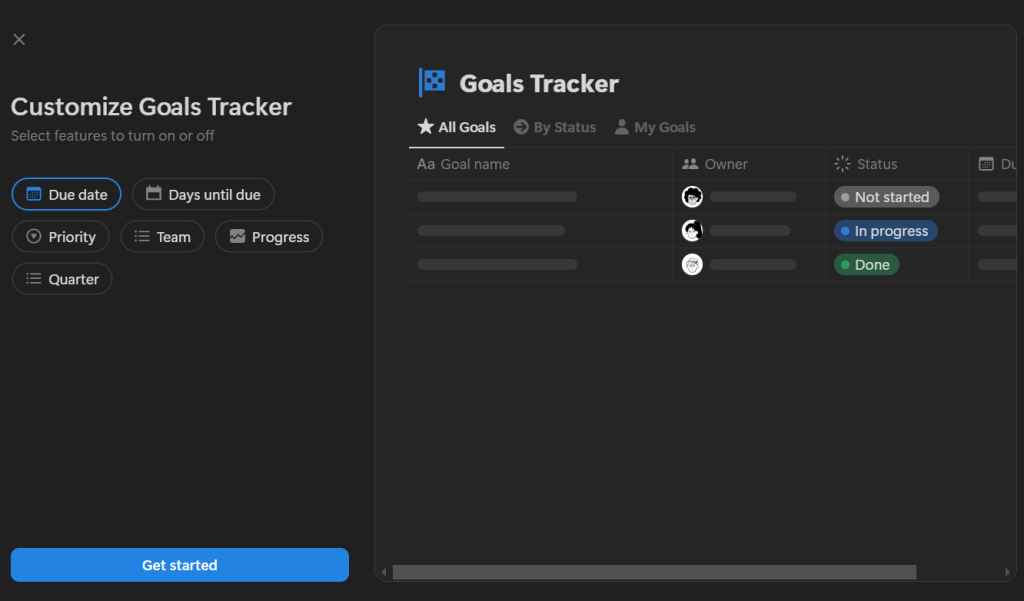
Setting up this layout is straightforward using platforms like Notion. You can link pages, build databases, and move notes between folders without breaking your links.d.
Organizing Notes by Project
Project folders should keep you focused on active goals rather than drowning you in subfolders.
Every active project needs a single master note page. Inside that page, keep:
- Upcoming task lists.
- Client feedback and meeting notes.
- Article outlines and draft text.
- Critical reference links and shared files.
Do not create separate folders for every single meeting. Keep your related documents in one place to save search time.
Connecting the Dots
Instead of separating related information, keep it in the same space. For example, if you write meeting notes, type your follow-up action items directly at the bottom of the page rather than copying them to a separate task list.
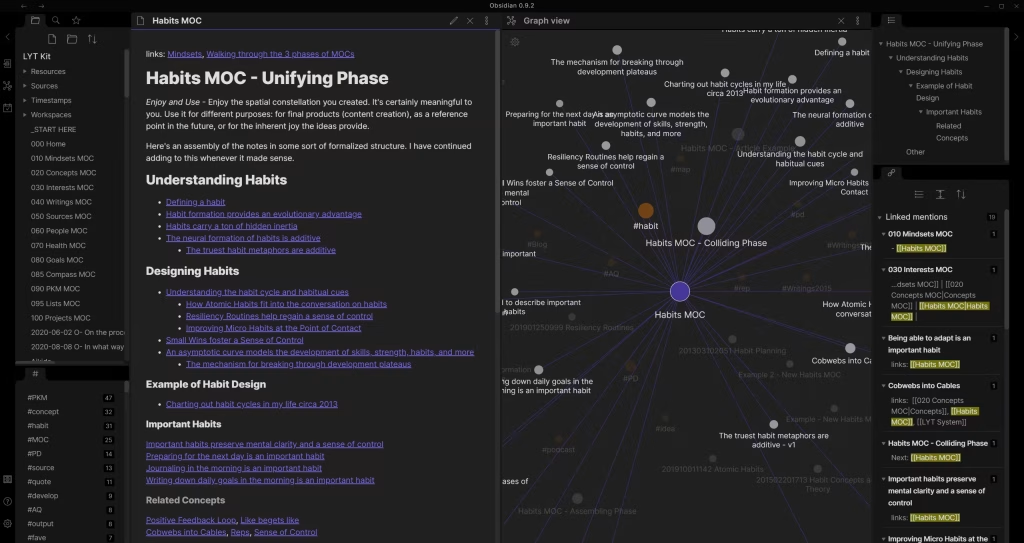
Apps like Obsidian excel at this because they allow you to link pages together. You can reference a client’s requirements page directly inside your project tasks without duplicating the text.
Using these internal links keeps your project notes accessible and organized without requiring a rigid folder structure.
Organizing Notes by Topic
Topic notes are long-term assets. Because they don’t have deadlines, they grow slowly over months or years.
To keep these manageable, stick to broad categories:
- Design references.
- Blog post prompts.
- Industry insights.
- Technical tutorials.
Let the Structure Evolve
Do not worry about categorization when you first write a note. Start typing, and let the structure develop naturally over time.
If a note fits under multiple topics, do not copy it into two different folders. Rather than copying files, rely on search terms or tags. Platforms like Evernote make this easy with robust search tools and tag filters, letting you find files instantly even if your folder structure is basic.

The Importance of a Quick Capture Space
This is the most critical part of the system, and it is the one most people skip.
You need a dedicated inbox where you can write down thoughts quickly without worrying about formatting, naming conventions, or sorting.
The rule is straightforward:
- Write first.
- Sort later.
If you stop to decide which folder a note belongs in while you are in the middle of a call, you will disrupt your workflow. Take the note quickly, drop it into your inbox, and organize it later when you have a free moment.
Tips for Daily Use
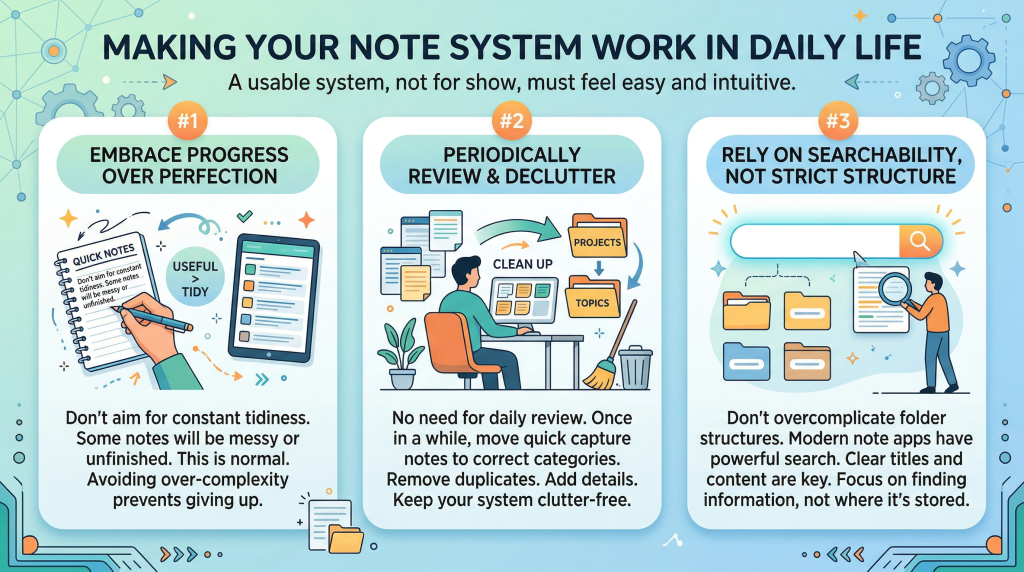
A functional note-taking system is one you use without thinking, not one you spend hours cleaning up.
Avoid Perfectionism
Do not worry if your notes are messy or incomplete. A working note system is a tool, not a work of art. Trying to keep every page perfectly formatted leads to burnout, which is when people abandon their systems.
Clean Up Weekly
You do not need to organize your files every day. Set aside ten minutes at the end of the week to go through your inbox. Move project notes to their proper folders, archive finished work, and delete duplicate files.
Rely on Search
Do not stress over folder placement. Most modern apps feature powerful search tools. If you use descriptive titles and clear keywords, you can find any note in seconds, regardless of which folder it is stored in.
Wrap Up
You will know your note setup is working when it disappears into the background.
You open your application, type a quick keyword, and get exactly what you need. Or you open an active project file and find your tasks and meeting notes waiting for you. When you focus on simple structures and easy capture habits, your notes stop being a mess and start becoming a tool that moves your projects forward.



Leave a Comment