Ever wondered why some quizzes grab attention and others get ignored? You know the ones, people click through fast or quit halfway. Good quizzes change that. They make learning fun and give real feedback fast.
Whether you teach kids, train staff, or build marketing funnels, quizzes work wonders. Think about a teacher seeing who really gets math basics. Or a gym owner checking client fitness knowledge before workouts.
Quizzes boost memory too. Studies show testing beats rereading notes every time. They stick because people recall under light pressure. Plus, in business, they snag leads by personalizing results.
Ready to make one that shines? This guide walks you through every step. No tech headaches, just results. Let’s dive in and build something your audience loves.
What is Quiz?
Quizzes come in many flavors. Multiple choice suits quick checks. True or false works for facts. Open ended digs deeper into thoughts.
Each type fits goals. Recall facts? Go simple. Test skills? Use scenarios. Mixing them keeps things fresh and covers more ground.
Start here before tools or questions. Wrong type wastes time. A sales quiz might end with product matches. Training ones branch to reviews on misses.
Know your crowd too. Kids love colors and timers. Pros want straight data. Tailor early for better completion rates.
Set Clear Goals Up Front
Every great quiz starts with purpose. What do you measure? Knowledge gaps, leads, or engagement? Nail this or questions flop.
Teachers link to lessons. “Do they apply theory?” Businesses ask, “Ready for tasks?” Write one goal sentence now.
Goals shape length too. Five questions for warm ups. Fifteen for deep dives. Short keeps folks hooked, long proves mastery.
Test goals post launch. Did scores match what you expected? Adjust next time. Clear aims make tweaks easy.
Explore Top Tools Available
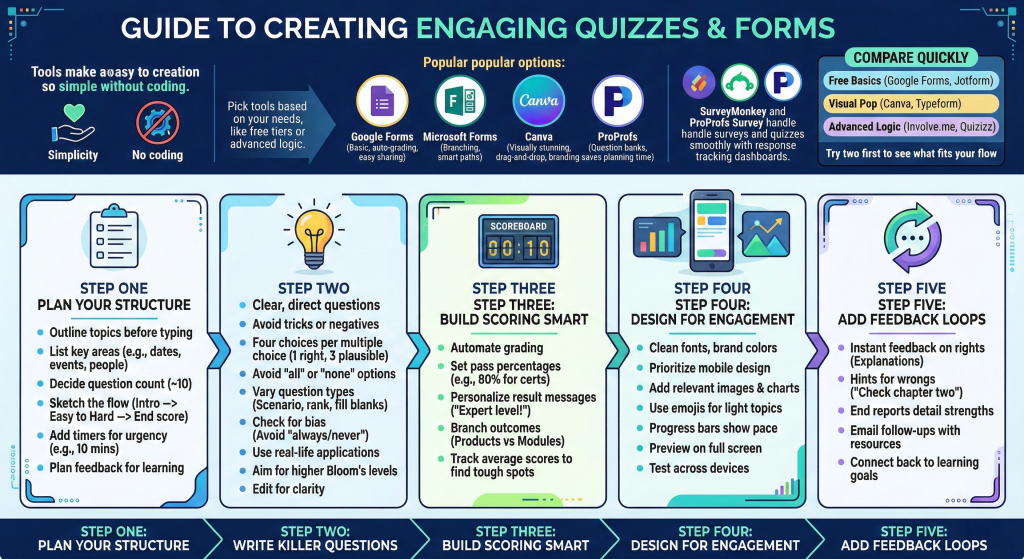
Tools make creation simple. No coding needed anymore. Pick based on needs like free tiers or fancy logic.
Popular ones include Google Forms for basics. It grades auto and shares easy. Microsoft Forms adds branches for smart paths.
Canva shines visually. Drag images, tweak colors fast. Great for brands or fun topics.
ProProfs packs question banks. Grab ready made ones on history or skills. Saves hours planning.
From the apps we use here, tools like Survey Monkey or ProProfs Survey handle surveys and quizzes smooth. They track responses in dashboards too.
Compare quick to choose:
- Free basics: Google Forms, Jotform
- Visual pop: Canva, Typeform
- Advanced logic: Involve.me, Quizizz
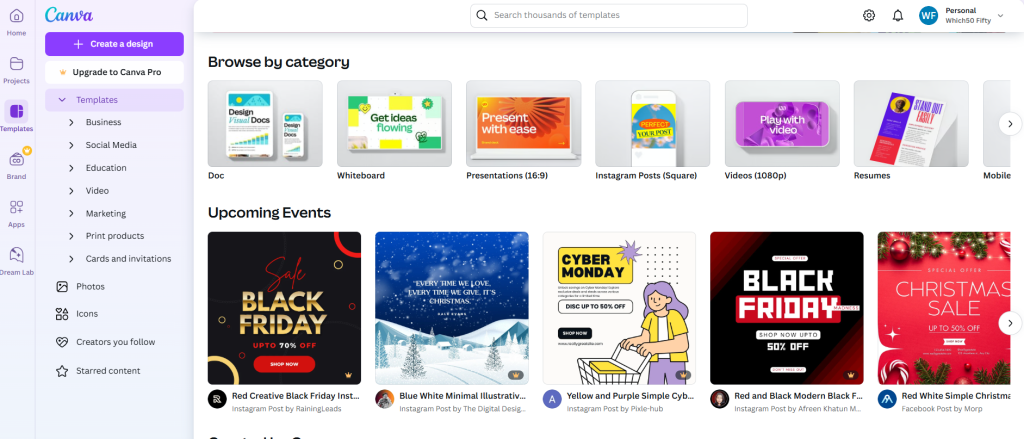
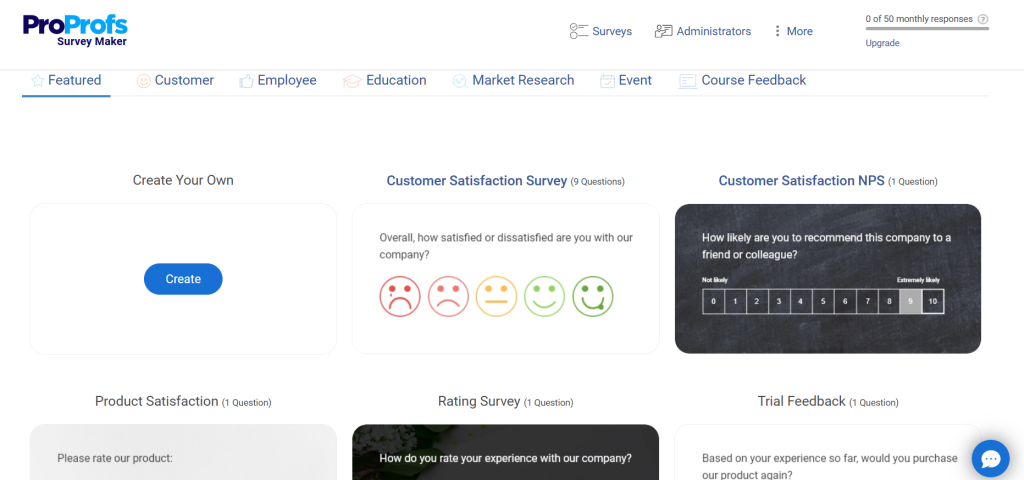
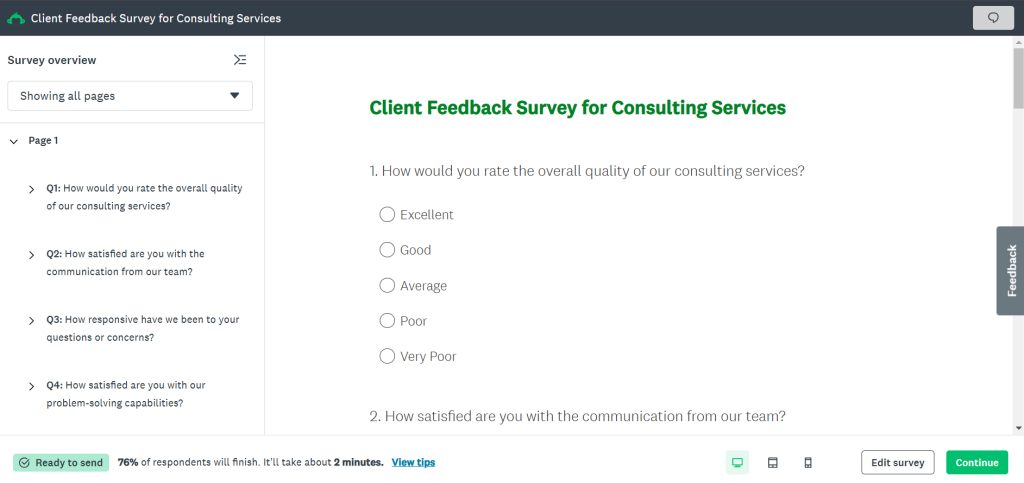
Try two first. See which fits your flow.
Step One: Plan Your Structure
- Outline before typing. List topics covered. Say history quiz: dates, events, people.
- Decide question count. Ten feels right for most. Five too short, twenty scares off.
- Sketch flow. Intro explains rules. Questions build easy to hard. End shares scores.
- Add timers if urgent. Ten minutes pushes focus. No timer for reflection types.
- Plan feedback layers. Right answers explain why. Wrongs link resources. This turns quiz into lesson.
Step Two: Write Killer Questions
- Questions make or break it. Clear stems, no tricks. “What causes X?” beats “Which is not Y?”
- Craft four choices per multiple choice. One right, three plausible wrongs. Avoid “all” or “none.”
- Vary types. Two true false max. Rest mix scenarios, rank orders, fill blanks.
- Example: Bad: “Sky blue?” Good: “Clouds form when air cools because?”
- Test for bias. Words like always or never hint answers. Keep neutral.
- Use real life. “Client angry, you say?” Applies learning best.
- Aim Bloom levels. Start remember, end create or evaluate.
- Write twenty, pick best ten. Edit twice for clarity.
Step Three: Build Scoring Smart
- Scoring shows value. Auto grade multiples. Essays need rubrics.
- Set pass lines. Eighty percent for certs. Fifty for diagnostics.
- Personalize results. High score: “Expert level!” Low: “Brush up here.”
- Branch outcomes. Marketing scores push products. Training sends modules.
- Track averages later. Spot tough spots.
Step Four: Design for Engagement
- Looks matter. Clean fonts, brand colors. Mobile first since phones rule.
- Add images per question. Charts for data, photos for stories.
- Emojis spice light topics. Timers build buzz.
- Progress bars show pace. “Question 3 of 10.”
- Preview full screen. Tweak overlaps or squeezes.
- Test three devices. Fix glitches now.
Step Five: Add Feedback Loops
- Feedback seals learning. Instant on rights: “Yes, because Z.”
- Wrongs get hints: “Close, check chapter two.”
- End reports detail strengths, tips.
- Emails follow up. Low scorers get free guides.
- This loops back to goals.
Test Before Launch
- Never skip tests. Take it yourself twice. Time it.
- Share beta with five friends. Ask: Clear? Fun? Fair?
- Fix based on notes. Rewrite confusers.
- Simulate groups. Randomize if cheating worries you.
- Analytics preview checks flows.
Best Practices That Win
- Keep short paragraphs in mind, but for quizzes, short questions rule.
- Balance easy, medium, hard. Start gentle.
- Avoid absolutes. Life gray often.
- Randomize choices. Stops patterns.
- Accessibility counts. Alt text images, keyboard nav.
- Gamify smart. Points, badges motivate.
- Pre test baselines. Post shows growth.
- Review data weekly. Evolve quizzes.
Share Wide and Track Deep
- Embed sites easy. Links via email, social.
- LMS like Moodle integrate seamless for schools.
- Track drops, scores, time spent.
- Segment users. Who finishes? Why others quit.
- A B test versions. Tweak winners.
Dodge These Traps
- Too long bores. Cap fifteen.
- Tricky words confuse. Plain English.
- No mobile prep loses half.
- Skip feedback wastes chance.
- Ignore data stalls growth.
Scale for Bigger Impact
- Batch create templates. Reuse for topics.
- Automate with Zapier. Scores to sheets.
- Team collab in tools like ClickUp for planning.
- Apps like Hubspot track leads from quizzes.
- Grow audiences with viral shares.
Once you run a few, quizzes become habit. They engage, teach, measure all at once. Grab a tool today and test one idea. Watch responses roll in and tweak from there. Your first quiz awaits, make it count.
Wrap Up
So there you have it, a full roadmap to crafting quizzes and assessments that actually deliver results. From picking goals and tools to testing and tweaking, every step builds engagement and real learning.
You’ve seen how simple shifts like smart questions or instant feedback turn basic tests into powerful tools. Businesses snag leads, teachers track progress, and teams onboard faster, all because quizzes hit that sweet spot of fun and function.
Tools like ProProfs Survey and Survey Monkey from our kit make it even easier, with dashboards that show exactly what’s working.
Now grab one idea from here, fire up your favorite maker, and build that first quiz today. Watch completion rates climb and feedback pour in. You’ll wonder why you waited. Your audience is ready, go make it happen.
Leave a Comment